QRCode Unit
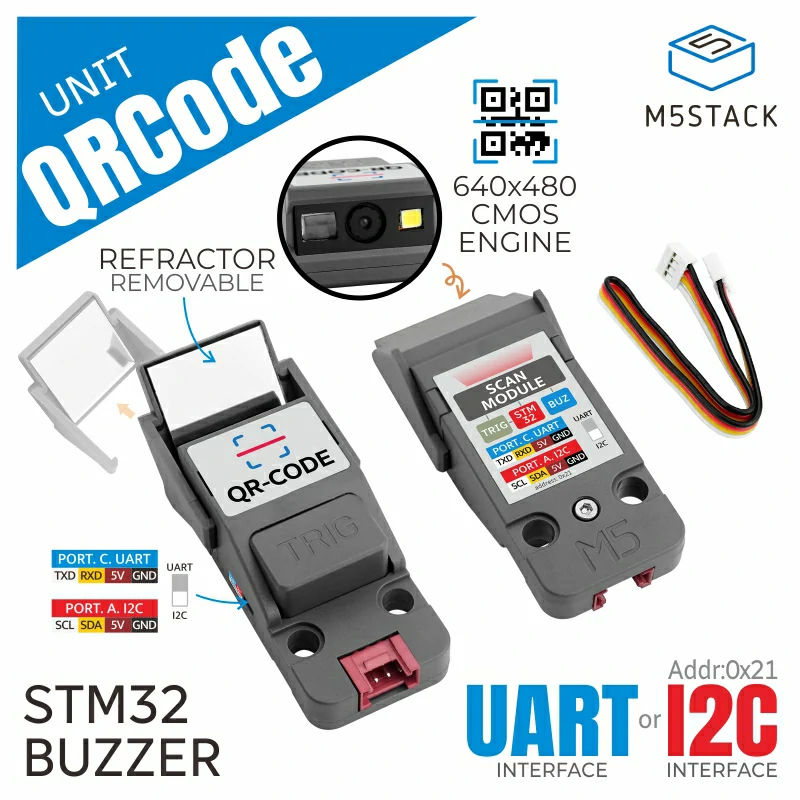
QRCode Unit 是一款集成式一维/二维条码扫描单元,结合了分辨率为 640x480 的 CMOS 二维码采集引擎和总线转换 MCU(STM32F030)。它配备设备侧拨动开关,可在 I2C 与 UART 通信接口之间切换。
支持以下产品:
MicroPython 应用示例
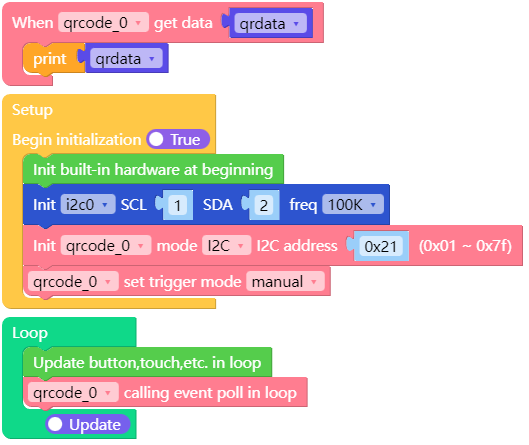
import os, sys, io
import M5
from M5 import *
from unit import QRCodeUnit
from hardware import *

def qrcode_0_event(qrdata):
    print(qrdata)

i2c0 = I2C(0, scl=Pin(1), sda=Pin(2), freq=100000)
qrcode_0 = QRCodeUnit(0, i2c0, 0x21)
qrcode_0.set_event_cb(qrcode_0_event)
qrcode_0.set_trigger_mode(1)

while True:
    qrcode_0.event_poll_loop()
    time.sleep_ms(25)
UiFlow2 应用示例
class QRCodeUnit
Constructors
- class QRCodeUnit(mode, i2c, address, id, port)
创建 QRCodeUnit 对象
- 参数:
mode – 0:I2C,1:UART 模式。
i2c – I2C 对象。
address – 设备的 I2C 地址。默认值为 0x21。
id – 1:UART1,2:UART2。
port – UART 引脚元组,包含:
(tx_pin, rx_pin)
UiFlow2

Methods
- QRCodeUnit.get_qrcode_data_length()
扫描 QR 码并获取可用数据长度。
返回:
int:可用数据长度为 int 格式
UiFlow2

- QRCodeUnit.get_qrcode_data()
扫描二维码,并将数据获取为字符串。
返回:
string:扫描数据输出为字符串格式
UiFlow2

- QRCodeUnit.set_trigger_mode(mode)
将触发模式设置为 Auto 或 Manual(Key)。
- 该参数为:
mode:auto:0 或 manual:1
UiFlow2

- QRCodeUnit.set_manual_scan(ctrl)
设置手动(使用按键)扫描控制为开启或关闭。
- 该参数为:
ctrl:off 为 0 或 on 为 1
备注
该命令仅在手动触发模式下有效。
UiFlow2

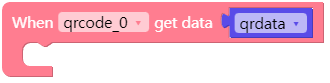
- QRCodeUnit.set_event_cb(qrcode_0_event)
设置回调事件和回调函数。
- 回调函数:
qrcode_0_event
已接收到显示消息的处理程序:
def qrcode_0_event(_qrdata):
    print(_qrdata)
    pass
UiFlow2
- QRCodeUnit.event_poll_loop()
调用 event poll 积木必须在循环内使用。
UiFlow2

- QRCodeUnit.get_qrcode_data_status()
在获取数据状态后读取已扫描的 QR 码数据
返回:
int:0:未就绪,1:数据可用,2:再次读取
UiFlow2

- QRCodeUnit.get_trigger_mode()
获取自动或手动触发模式状态。
返回:
int:0:自动,1:手动
UiFlow2

- QRCodeUnit.get_trigger_button_status()
获取触发按钮状态
返回:
int:1:按下,0:未按下
UiFlow2

- QRCodeUnit.get_device_info(info)
获取该设备的固件版本详细信息和 I2C 地址。
- 该参数为:
info:0xFE:固件版本,0xFF:I2C 地址
UiFlow2

- QRCodeUnit.clear_qrcode_data_status()
在读取 QR 码扫描数据后,清除数据状态。
UiFlow2

- QRCodeUnit.set_device_i2c_address(addr)
i2c 地址可由用户更改,该地址应在 0x01 到 0x7F 之间。
addr:地址范围(0x01 - 0x7F)。
UiFlow2
