Puzzle Unit
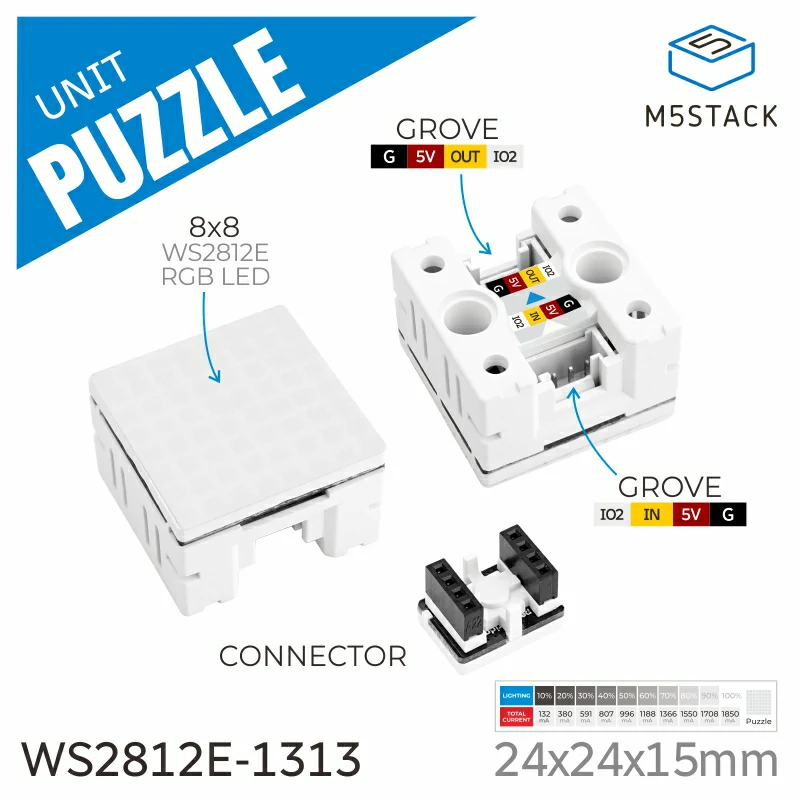
Unit-Puzzle 是一款多彩灯光控制单元,由 8x8 RGB 阵列组成,包含 64 颗多彩的 WS2812E RGB 灯珠。
支持以下产品:
MicroPython 应用示例
  1# SPDX-FileCopyrightText: 2024 M5Stack Technology CO LTD
  2#
  3# SPDX-License-Identifier: MIT
  4
  5import os, sys, io
  6import M5
  7from M5 import *
  8from unit import PuzzleUnit
  9import time
 10
 11
 12title0 = None
 13label0 = None
 14label1 = None
 15puzzle_0 = None
 16
 17
 18def setup():
 19    global title0, label0, label1, puzzle_0
 20
 21    M5.begin()
 22    Widgets.fillScreen(0x222222)
 23    title0 = Widgets.Title(
 24        "UnitPuzzle M5Core2 Example", 3, 0xFFFFFF, 0x0000FF, Widgets.FONTS.DejaVu18
 25    )
 26    label0 = Widgets.Label(
 27        "Pls see the Puzzle", 76, 102, 1.0, 0xFFFFFF, 0x222222, Widgets.FONTS.DejaVu18
 28    )
 29    label1 = Widgets.Label(
 30        "Program will run automatically", 10, 134, 1.0, 0xFFFFFF, 0x222222, Widgets.FONTS.DejaVu18
 31    )
 32
 33    puzzle_0 = PuzzleUnit((33, 32), 1)
 34    puzzle_0.set_brightness(10)
 35
 36
 37def loop():
 38    global title0, label0, label1, puzzle_0
 39    M5.update()
 40    puzzle_0.set_color(1, 1, 0xFFFFFF)
 41    puzzle_0.set_color(1, 64, 0x66FFFF)
 42    time.sleep(1)
 43    puzzle_0.fill_color(0x6600CC)
 44    time.sleep(1)
 45    puzzle_0.set_color_from(1, 1, 64, 0x6600CC, 0)
 46    puzzle_0.set_color_from(1, 64, 1, 0x33FF33, 30)
 47    time.sleep(1)
 48    puzzle_0.set_color_running_from(1, 1, 64, 0x6600CC, 30)
 49    puzzle_0.set_color_running_from(1, 64, 1, 0x33FF33, 30)
 50    time.sleep(1)
 51    puzzle_0.set_color_saturation_from(1, 1, 64, 0x6600CC, 30)
 52    puzzle_0.set_color_saturation_from(1, 64, 1, 0x33FF33, 30)
 53    time.sleep(1)
 54    puzzle_0.set_random_color_random_led_from(1, 1, 64)
 55    time.sleep(1)
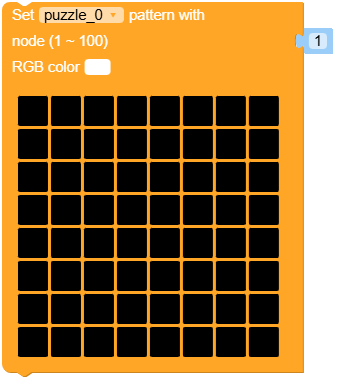
 56    puzzle_0.set_screen(
 57        1,
 58        [
 59            0xFFFFFF,
 60            0xFFFFFF,
 61            0,
 62            0,
 63            0,
 64            0,
 65            0xFFFFFF,
 66            0xFFFFFF,
 67            0xFFFFFF,
 68            0xFFFFFF,
 69            0xFFFFFF,
 70            0,
 71            0,
 72            0xFFFFFF,
 73            0xFFFFFF,
 74            0xFFFFFF,
 75            0xFFFFFF,
 76            0,
 77            0xFFFFFF,
 78            0xFFFFFF,
 79            0xFFFFFF,
 80            0xFFFFFF,
 81            0,
 82            0xFFFFFF,
 83            0xFFFFFF,
 84            0,
 85            0xFFFFFF,
 86            0xFFFFFF,
 87            0xFFFFFF,
 88            0xFFFFFF,
 89            0,
 90            0xFFFFFF,
 91            0xFFFFFF,
 92            0,
 93            0,
 94            0xFFFFFF,
 95            0xFFFFFF,
 96            0,
 97            0,
 98            0xFFFFFF,
 99            0xFFFFFF,
100            0,
101            0,
102            0,
103            0,
104            0,
105            0,
106            0xFFFFFF,
107            0xFFFFFF,
108            0,
109            0,
110            0,
111            0,
112            0,
113            0,
114            0xFFFFFF,
115            0xFFFFFF,
116            0,
117            0,
118            0,
119            0,
120            0,
121            0,
122            0xFFFFFF,
123        ],
124    )
125    time.sleep(1)
126
127
128if __name__ == "__main__":
129    try:
130        setup()
131        while True:
132            loop()
133    except (Exception, KeyboardInterrupt) as e:
134        try:
135            from utility import print_error_msg
136
137            print_error_msg(e)
138        except ImportError:
139            print("please update to latest firmware")
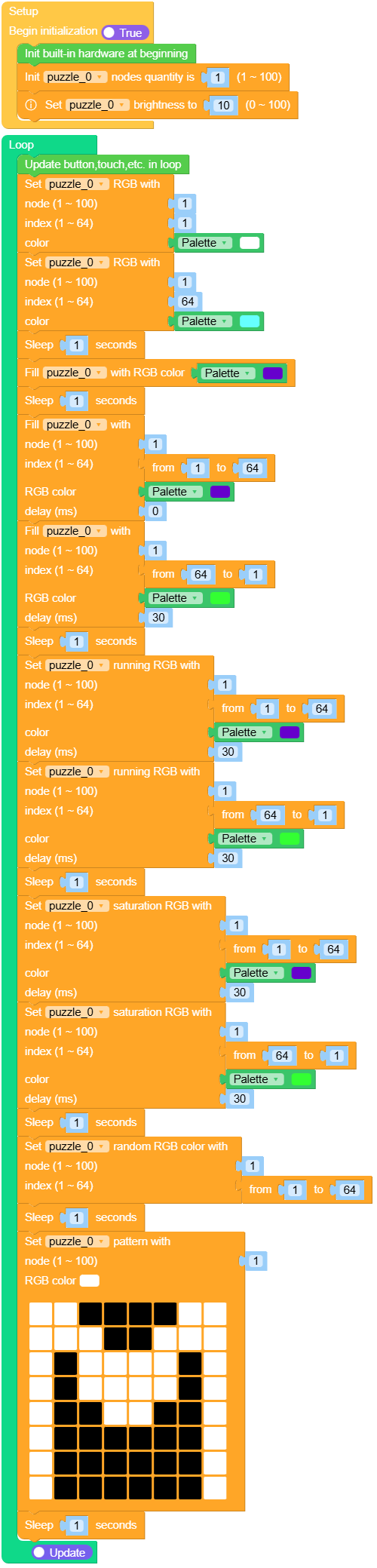
UiFlow2 应用示例
class PuzzleUnit
Constructors

Methods

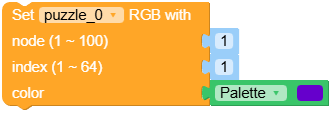
- PuzzleUnit.set_color(index, color)
设置指定像素或 LED 的颜色。
- 参数:
index – 要设置颜色的像素或 LED 的索引。
color (int) – 要设置的颜色,采用 RGB 格式指定。
UIFLOW2:

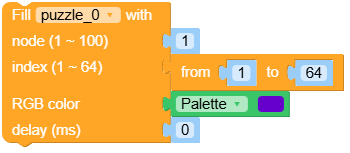
- PuzzleUnit.set_color_from(board_num, begin, end, rgb, per_delay)
从指定的板子起始位置和范围开始,为一段 LED 设置颜色。
- 参数:
UIFLOW2:
- PuzzleUnit.set_color(board_num, index, rgb)
设置单个 LED 的颜色。
- 参数:
UIFLOW2:
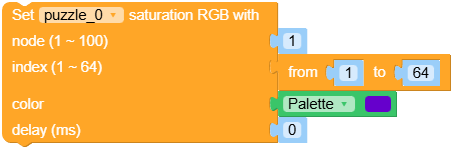
- PuzzleUnit.set_color_saturation_from(board_num, begin, end, rgb_color, per_delay)
在一组 LED 的范围内,将颜色饱和度从 begin 逐渐变化到 end。
- 参数:
UIFLOW2:
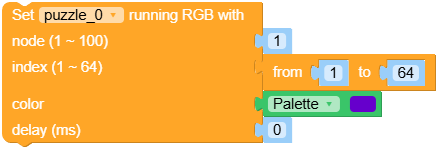
- PuzzleUnit.set_color_running_from(board_num, begin, end, rgb, per_delay)
在从 begin 到 end 的 LED 范围内创建跑马灯颜色效果。
- 参数:
UIFLOW2:
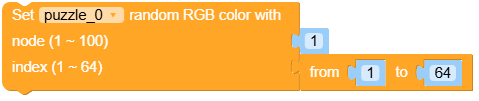
- PuzzleUnit.set_random_color_random_led_from(board_num, begin, end)
为指定范围内的每个 LED 设置一个随机颜色。
UIFLOW2: