TimerPWR Unit
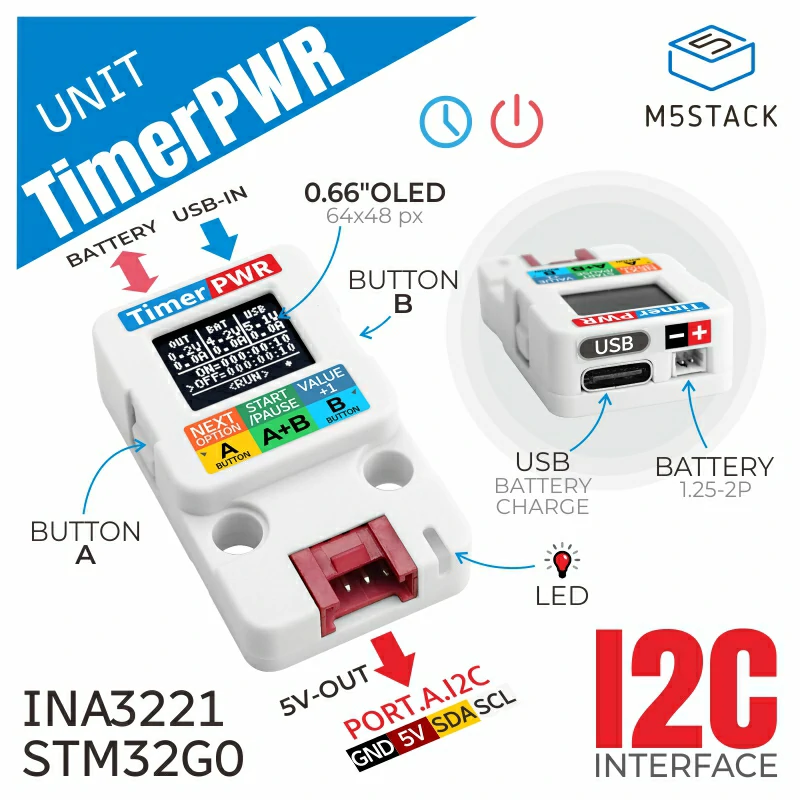
TimerPWR Unit 是一款定时电源供应单元,其主要功能包括“充放电 + 定时开关机 + 屏幕显示 + 升压输出”。它内置 STM32 微控制器,实现 RTC 及整体控制,用户可按需设置自动开机/关机时间。设备通过 Type-C 接口供电,并可通过 1.25-2P 接口连接外置可充电电池。单元内置电池充电电路,支持 330mA 充电电流;同时集成 DCDC 升压电路,可通过 Grove 端口为外部设备提供 5V/800mA(在 1C 电池供电时为 1400mA @ 1C)电源输出。此外,内置 INA3221 传感器,可实时监测电源输入/输出电流与电压。设备配备 0.66 英寸 OLED 显示屏及两枚侧边按键,便于用户查看实时系统状态并修改设置。用户既可通过侧边按键设置开关机等参数,也可通过 Grove 接口的 I2C 总线使用 I2C 指令进行配置。该产品适用于智能家居、工业自动化及定时控制设备等场景。
支持以下产品:
MicroPython 应用示例:
  1# SPDX-FileCopyrightText: 2024 M5Stack Technology CO LTD
  2#
  3# SPDX-License-Identifier: MIT
  4
  5import os, sys, io
  6import M5
  7from M5 import *
  8from unit import TimerPWRUnit
  9from hardware import *
 10
 11
 12label0 = None
 13label1 = None
 14label2 = None
 15label3 = None
 16label4 = None
 17label5 = None
 18label6 = None
 19label7 = None
 20label8 = None
 21rect0 = None
 22rect1 = None
 23label10 = None
 24rect2 = None
 25rect3 = None
 26label11 = None
 27label12 = None
 28label9 = None
 29i2c0 = None
 30timerpwr_0 = None
 31
 32
 33en = None
 34
 35
 36def timerpwr_0_btna_released_event(args):
 37    global \
 38        label0, \
 39        label1, \
 40        label2, \
 41        label3, \
 42        label4, \
 43        label5, \
 44        label6, \
 45        label7, \
 46        label8, \
 47        rect0, \
 48        rect1, \
 49        label10, \
 50        rect2, \
 51        rect3, \
 52        label11, \
 53        label12, \
 54        label9, \
 55        i2c0, \
 56        timerpwr_0, \
 57        en
 58    print(timerpwr_0.get_button_status(0))
 59    rect1.setColor(color=0x00FF00, fill_c=0x00FF00)
 60    label11.setText(str("A"))
 61    label11.setColor(0x00FF00, 0x00FF00)
 62
 63
 64def timerpwr_0_btna_pressed_event(args):
 65    global \
 66        label0, \
 67        label1, \
 68        label2, \
 69        label3, \
 70        label4, \
 71        label5, \
 72        label6, \
 73        label7, \
 74        label8, \
 75        rect0, \
 76        rect1, \
 77        label10, \
 78        rect2, \
 79        rect3, \
 80        label11, \
 81        label12, \
 82        label9, \
 83        i2c0, \
 84        timerpwr_0, \
 85        en
 86    print(timerpwr_0.get_button_status(0))
 87    rect1.setColor(color=0xFF0000, fill_c=0xFF0000)
 88    label11.setText(str("A"))
 89    label11.setColor(0xFF0000, 0xFF0000)
 90
 91
 92def timerpwr_0_btnb_released_event(args):
 93    global \
 94        label0, \
 95        label1, \
 96        label2, \
 97        label3, \
 98        label4, \
 99        label5, \
100        label6, \
101        label7, \
102        label8, \
103        rect0, \
104        rect1, \
105        label10, \
106        rect2, \
107        rect3, \
108        label11, \
109        label12, \
110        label9, \
111        i2c0, \
112        timerpwr_0, \
113        en
114    print(timerpwr_0.get_button_status(1))
115    rect2.setColor(color=0x00FF00, fill_c=0x00FF00)
116    label12.setText(str("B"))
117    label12.setColor(0x00FF00, 0x00FF00)
118
119
120def timerpwr_0_btnb_pressed_event(args):
121    global \
122        label0, \
123        label1, \
124        label2, \
125        label3, \
126        label4, \
127        label5, \
128        label6, \
129        label7, \
130        label8, \
131        rect0, \
132        rect1, \
133        label10, \
134        rect2, \
135        rect3, \
136        label11, \
137        label12, \
138        label9, \
139        i2c0, \
140        timerpwr_0, \
141        en
142    print(timerpwr_0.get_button_status(1))
143    rect2.setColor(color=0xFF0000, fill_c=0xFF0000)
144    label12.setText(str("B"))
145    label12.setColor(0xFF0000, 0xFF0000)
146
147
148def timerpwr_0_usb_inserted_event(args):
149    global \
150        label0, \
151        label1, \
152        label2, \
153        label3, \
154        label4, \
155        label5, \
156        label6, \
157        label7, \
158        label8, \
159        rect0, \
160        rect1, \
161        label10, \
162        rect2, \
163        rect3, \
164        label11, \
165        label12, \
166        label9, \
167        i2c0, \
168        timerpwr_0, \
169        en
170    rect0.setColor(color=0x00FF00, fill_c=0x00FF00)
171    label10.setText(str("U"))
172    label10.setColor(0x00FF00, 0x00FF00)
173
174
175def timerpwr_0_usb_removed_event(args):
176    global \
177        label0, \
178        label1, \
179        label2, \
180        label3, \
181        label4, \
182        label5, \
183        label6, \
184        label7, \
185        label8, \
186        rect0, \
187        rect1, \
188        label10, \
189        rect2, \
190        rect3, \
191        label11, \
192        label12, \
193        label9, \
194        i2c0, \
195        timerpwr_0, \
196        en
197    rect0.setColor(color=0xFF0000, fill_c=0xFF0000)
198    label10.setText(str("U"))
199    label10.setColor(0xFF0000, 0xFF0000)
200
201
202def timerpwr_0_not_charging_event(args):
203    global \
204        label0, \
205        label1, \
206        label2, \
207        label3, \
208        label4, \
209        label5, \
210        label6, \
211        label7, \
212        label8, \
213        rect0, \
214        rect1, \
215        label10, \
216        rect2, \
217        rect3, \
218        label11, \
219        label12, \
220        label9, \
221        i2c0, \
222        timerpwr_0, \
223        en
224    rect3.setColor(color=0xFF0000, fill_c=0xFF0000)
225    label9.setText(str("C"))
226    label9.setColor(0xFF0000, 0xFF0000)
227
228
229def timerpwr_0_charging_event(args):
230    global \
231        label0, \
232        label1, \
233        label2, \
234        label3, \
235        label4, \
236        label5, \
237        label6, \
238        label7, \
239        label8, \
240        rect0, \
241        rect1, \
242        label10, \
243        rect2, \
244        rect3, \
245        label11, \
246        label12, \
247        label9, \
248        i2c0, \
249        timerpwr_0, \
250        en
251    rect3.setColor(color=0x00FF00, fill_c=0x00FF00)
252    label9.setText(str("C"))
253    label9.setColor(0x00FF00, 0x00FF00)
254
255
256def btnA_wasClicked_event(state):  # noqa: N802
257    global \
258        label0, \
259        label1, \
260        label2, \
261        label3, \
262        label4, \
263        label5, \
264        label6, \
265        label7, \
266        label8, \
267        rect0, \
268        rect1, \
269        label10, \
270        rect2, \
271        rect3, \
272        label11, \
273        label12, \
274        label9, \
275        i2c0, \
276        timerpwr_0, \
277        en
278    timerpwr_0.sleep_cycle(0, 0, 30, 0, 0, 10)
279
280
281def setup():
282    global \
283        label0, \
284        label1, \
285        label2, \
286        label3, \
287        label4, \
288        label5, \
289        label6, \
290        label7, \
291        label8, \
292        rect0, \
293        rect1, \
294        label10, \
295        rect2, \
296        rect3, \
297        label11, \
298        label12, \
299        label9, \
300        i2c0, \
301        timerpwr_0, \
302        en
303
304    M5.begin()
305    label0 = Widgets.Label("OUT", 13, 4, 1.0, 0xFFFFFF, 0x222222, Widgets.FONTS.DejaVu9)
306    label1 = Widgets.Label("label1", 9, 24, 1.0, 0xFFFFFF, 0x222222, Widgets.FONTS.DejaVu9)
307    label2 = Widgets.Label("label2", 9, 42, 1.0, 0xFFFFFF, 0x222222, Widgets.FONTS.DejaVu9)
308    label3 = Widgets.Label("BAT", 54, 4, 1.0, 0xFFFFFF, 0x222222, Widgets.FONTS.DejaVu9)
309    label4 = Widgets.Label("label4", 49, 24, 1.0, 0xFFFFFF, 0x222222, Widgets.FONTS.DejaVu9)
310    label5 = Widgets.Label("label5", 49, 42, 1.0, 0xFFFFFF, 0x222222, Widgets.FONTS.DejaVu9)
311    label6 = Widgets.Label("USB", 93, 4, 1.0, 0xFFFFFF, 0x222222, Widgets.FONTS.DejaVu9)
312    label7 = Widgets.Label("label7", 88, 24, 1.0, 0xFFFFFF, 0x222222, Widgets.FONTS.DejaVu9)
313    label8 = Widgets.Label("label8", 88, 42, 1.0, 0xFFFFFF, 0x222222, Widgets.FONTS.DejaVu9)
314    rect0 = Widgets.Rectangle(6, 98, 24, 24, 0x00FF00, 0x00FF00)
315    rect1 = Widgets.Rectangle(37, 98, 24, 24, 0x00FF00, 0x00FF00)
316    label10 = Widgets.Label("U", 13, 103, 1.0, 0xFFFFFF, 0x00FF00, Widgets.FONTS.DejaVu12)
317    rect2 = Widgets.Rectangle(67, 98, 24, 24, 0x00FF00, 0x00FF00)
318    rect3 = Widgets.Rectangle(97, 98, 24, 24, 0x00FF00, 0x00FF00)
319    label11 = Widgets.Label("A", 45, 103, 1.0, 0xFFFFFF, 0x00FF00, Widgets.FONTS.DejaVu12)
320    label12 = Widgets.Label("B", 75, 103, 1.0, 0xFFFFFF, 0x00FF00, Widgets.FONTS.DejaVu12)
321    label9 = Widgets.Label("C", 105, 103, 1.0, 0xFFFFFF, 0x00FF00, Widgets.FONTS.DejaVu12)
322
323    BtnA.setCallback(type=BtnA.CB_TYPE.WAS_CLICKED, cb=btnA_wasClicked_event)
324
325    i2c0 = I2C(0, scl=Pin(1), sda=Pin(2), freq=100000)
326    timerpwr_0 = TimerPWRUnit(i2c0, 0x56)
327    timerpwr_0.set_callback(timerpwr_0.EVENT_BUTTONA_RELEASED, timerpwr_0_btna_released_event)
328    timerpwr_0.set_callback(timerpwr_0.EVENT_BUTTONA_PRESSED, timerpwr_0_btna_pressed_event)
329    timerpwr_0.set_callback(timerpwr_0.EVENT_BUTTONB_RELEASED, timerpwr_0_btnb_released_event)
330    timerpwr_0.set_callback(timerpwr_0.EVENT_BUTTONB_PRESSED, timerpwr_0_btnb_pressed_event)
331    timerpwr_0.set_callback(timerpwr_0.EVENT_USB_INSERTED, timerpwr_0_usb_inserted_event)
332    timerpwr_0.set_callback(timerpwr_0.EVENT_USB_REMOVED, timerpwr_0_usb_removed_event)
333    timerpwr_0.set_callback(timerpwr_0.EVENT_NOT_CHARGING, timerpwr_0_not_charging_event)
334    timerpwr_0.set_callback(timerpwr_0.EVENT_CHARGING, timerpwr_0_charging_event)
335    en = True
336    timerpwr_0.set_wakeup_trigger(timerpwr_0.TRIG_ALL)
337    timerpwr_0.set_sleep_trigger(timerpwr_0.TRIG_ALL)
338
339
340def loop():
341    global \
342        label0, \
343        label1, \
344        label2, \
345        label3, \
346        label4, \
347        label5, \
348        label6, \
349        label7, \
350        label8, \
351        rect0, \
352        rect1, \
353        label10, \
354        rect2, \
355        rect3, \
356        label11, \
357        label12, \
358        label9, \
359        i2c0, \
360        timerpwr_0, \
361        en
362    M5.update()
363    label1.setText(str(timerpwr_0.get_grove_voltage()))
364    label2.setText(str(timerpwr_0.get_battery_current()))
365    label4.setText(str(timerpwr_0.get_battery_voltage()))
366    label5.setText(str(timerpwr_0.get_battery_current()))
367    label7.setText(str(timerpwr_0.get_usb_voltage()))
368    label8.setText(str(timerpwr_0.get_usb_current()))
369    timerpwr_0.tick()
370
371
372if __name__ == "__main__":
373    try:
374        setup()
375        while True:
376            loop()
377    except (Exception, KeyboardInterrupt) as e:
378        try:
379            from utility import print_error_msg
380
381            print_error_msg(e)
382        except ImportError:
383            print("please update to latest firmware")
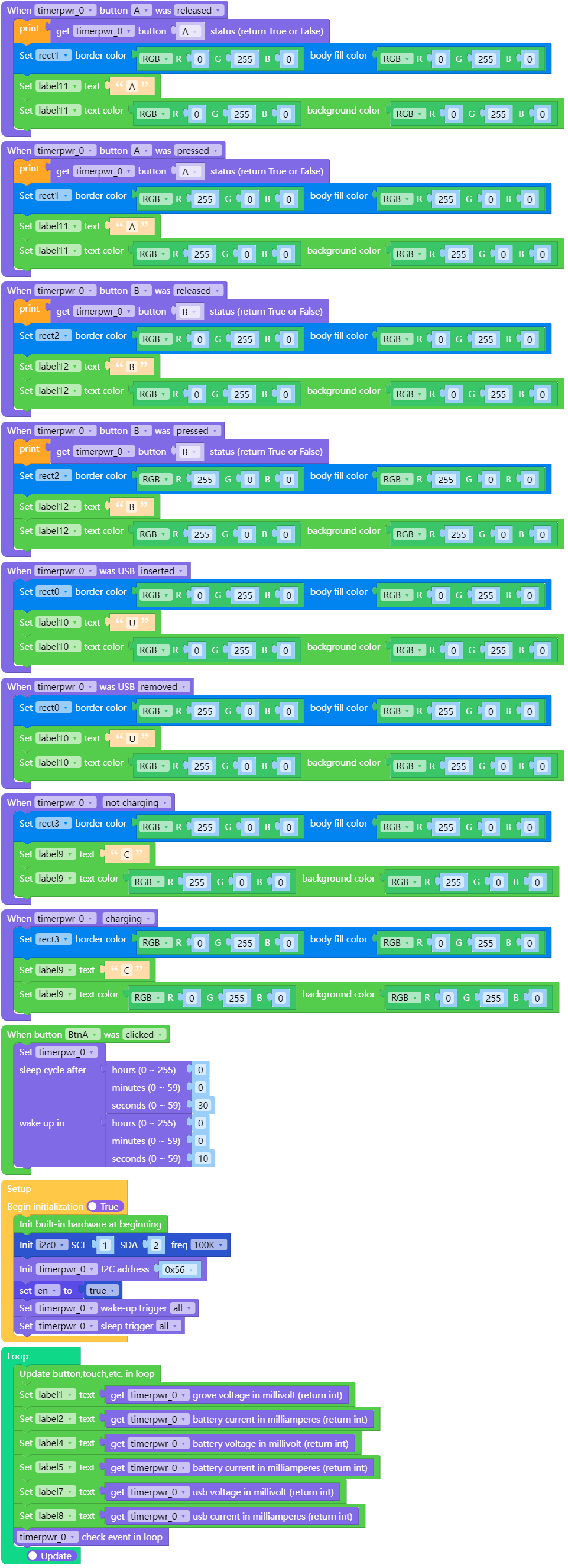
UiFlow2 应用示例
class TimerPWRUnit
Constructors

Methods
- TimerPWRUnit.get_firmware_version()
获取固件版本。
- Return (int):
固件版本。
UiFlow2

- TimerPWRUnit.get_battery_voltage()
获取电池电压。
- Return (int):
电池电压,单位为毫伏。
UiFlow2

- TimerPWRUnit.get_battery_current()
获取电池电流。
- Return (int):
电池电流,单位为毫安培。
UiFlow2

- TimerPWRUnit.get_usb_voltage()
获取 USB 电压。
- Return (int):
USB 电压,单位为毫伏。
UiFlow2

- TimerPWRUnit.get_usb_current()
获取 USB 电流。
- Return (int):
USB 电流,单位为毫安(mA)。
UiFlow2

- TimerPWRUnit.get_grove_voltage()
获取 Grove 电压。
- Return (int):
Grove 电压,单位为毫伏。
UiFlow2

- TimerPWRUnit.get_grove_current()
获取 Grove 电流。
- Return (int):
Grove 电流,单位为毫安。
UiFlow2

- TimerPWRUnit.is_charging()
检查电池是否正在充电。
- Return (bool):
如果正在充电则为 True,否则为 False。
UiFlow2

- TimerPWRUnit.get_button_status(btn)
获取按钮状态。
- 参数:
btn (int) – 按键索引。选项: -
A:0 -B:1- Return (bool):
如果按下则为 True,未按下则为 False。
UiFlow2

- TimerPWRUnit.save_data_to_flash()
将数据保存到 flash。
UiFlow2

- TimerPWRUnit.get_grove_output_status()
获取 Grove 输出状态
- Return (bool):
如果启用则为 True,如果禁用则为 False。
UiFlow2

- TimerPWRUnit.set_grove_output_status(enable)
设置 Grove 输出状态。
- 参数:
enable (bool) – 启用或禁用 Grove 输出。选项: -
Enable:True -Disable:False
UiFlow2

- TimerPWRUnit.get_oled_backlight_status()
获取 OLED 背光状态。
- Return (bool):
如果启用则为 True,如果禁用则为 False。
UiFlow2

- TimerPWRUnit.set_oled_backlight_status(enable)
设置 OLED 背光状态。
- 参数:
enable (bool) – 启用或禁用 OLED 背光。选项: -
Enable:True -Disable:False
UiFlow2

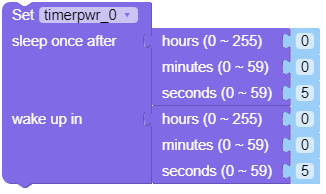
- TimerPWRUnit.sleep_once(whours, wmintues, wseconds, shours, smintues, sseconds)
设置睡眠:在经过 小时、分钟、秒 后进入睡眠,并在 小时、分钟、秒 后唤醒。
- 参数:
UiFlow2
- TimerPWRUnit.set_power_on_time(hours, mintues, seconds)
设置上电时间。
- TimerPWRUnit.set_power_off_time(hours, mintues, seconds)
设置关机时间。
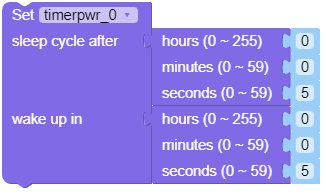
- TimerPWRUnit.sleep_cycle(whours, wmintues, wseconds, shours, smintues, sseconds)
在设置小时、分钟、秒后的休眠周期后,将在设置的小时、分钟、秒后唤醒。
- 参数:
UiFlow2
- TimerPWRUnit.set_cycle_sleep(enable)
设置循环休眠。
- 参数:
enable (bool) – 启用或禁用循环休眠。选项: -
Enable:True -Disable:False
- TimerPWRUnit.set_wakeup_trigger(trigger)
设置唤醒触发器。
- 参数:
trigger – 设置唤醒触发源。选项: -
ALL:timerpwrunit_0.TRIG_ALL -TIMER:timerpwrunit_0.TRIG_TIMER -BUTTON:timerpwrunit_0.TRIG_BUTTON -NONE:timerpwrunit_0.TRIG_NONE
UiFlow2

- TimerPWRUnit.set_sleep_trigger(trigger)
设置睡眠触发器。
- 参数:
trigger – 设置睡眠触发源。选项: -
ALL:timerpwrunit_0.TRIG_ALL -TIMER:timerpwrunit_0.TRIG_TIMER -BUTTON:timerpwrunit_0.TRIG_BUTTON -I2C:timerpwrunit_0.TRIG_I2C -NONE:timerpwrunit_0.TRIG_NONE
UiFlow2

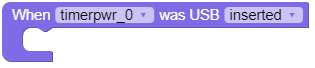
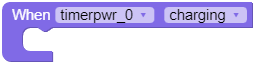
- TimerPWRUnit.set_callback(event, callback)
设置回调函数。
- 参数:
event – 事件类型。选项: -
USB inserted: timerpwrunit_0.EVENT_USB_INSERTED -USB removed: timerpwrunit_0.EVENT_USB_REMOVED -Button A pressed: timerpwrunit_0.EVENT_BUTTONA_PRESSED -Button A released: timerpwrunit_0.EVENT_BUTTONA_RELEASED -Button B pressed: timerpwrunit_0.EVENT_BUTTONB_PRESSED -Button B released: timerpwrunit_0.EVENT_BUTTONB_RELEASED -Not charging: timerpwrunit_0.EVENT_NOT_CHARGING -Charging: timerpwrunit_0.EVENT_CHARGINGcallback – 回调函数。
UiFlow2

- TimerPWRUnit.tick()
在循环中更新状态。
UiFlow2

Constants
- TimerPWRUnit._SLEEP_COMMAND_REG
- TimerPWRUnit._CYCLE_REG
- TimerPWRUnit._GROVE_OUTPUT_REG
- TimerPWRUnit._OLED_BACKLIGHT_REG
- TimerPWRUnit._WAKE_UP_TRIGGER_REG
- TimerPWRUnit._SLEEP_TRIGGER_REG
- TimerPWRUnit._POWER_ON_TIME_REG
- TimerPWRUnit._POWER_OFF_TIME_REG
- TimerPWRUnit._BUTTON_STATUS_REG
- TimerPWRUnit._USB_VOLTAGE_REG
- TimerPWRUnit._USB_CURRENT_REG
- TimerPWRUnit._GROVE_VOLTAGE_REG
- TimerPWRUnit._GROVE_CURRENT_REG
- TimerPWRUnit._BATTERY_VOLTAGE_REG
- TimerPWRUnit._BATTERY_CURRENT_REG
- TimerPWRUnit._CHARGING_STATUS_REG
- TimerPWRUnit._SAVE_DATA_TO_FLASH_REG
- TimerPWRUnit._FW_VERSION_REG
- TimerPWRUnit._I2C_ADDRESS_REG
寄存器地址。
- TimerPWRUnit.TRIG_ALL
- TimerPWRUnit.TRIG_TIMER
- TimerPWRUnit.TRIG_BUTTON
- TimerPWRUnit.TRIG_I2C
- TimerPWRUnit.TRIG_NONE
触发类型。
- TimerPWRUnit.EVENT_USB_INSERTED
- TimerPWRUnit.EVENT_USB_REMOVED
- TimerPWRUnit.EVENT_BUTTONA_RELEASED
- TimerPWRUnit.EVENT_BUTTONA_PRESSED
- TimerPWRUnit.EVENT_BUTTONB_RELEASED
- TimerPWRUnit.EVENT_BUTTONB_PRESSED
- TimerPWRUnit.EVENT_NOT_CHARGING
- TimerPWRUnit.EVENT_CHARGING
事件类型。
- TimerPWRUnit._USB
- TimerPWRUnit._BUTTON_A
- TimerPWRUnit._BUTTON_B
- TimerPWRUnit._CHARGING
index.