Dual Button Unit
The Dual Button Unit provides two independent buttons. Use DualButtonUnit
for click, double-click, hold, and callback handling, or
SimpleDualButtonUnit for direct pin reads and debounced edge polling.
Support the following products:
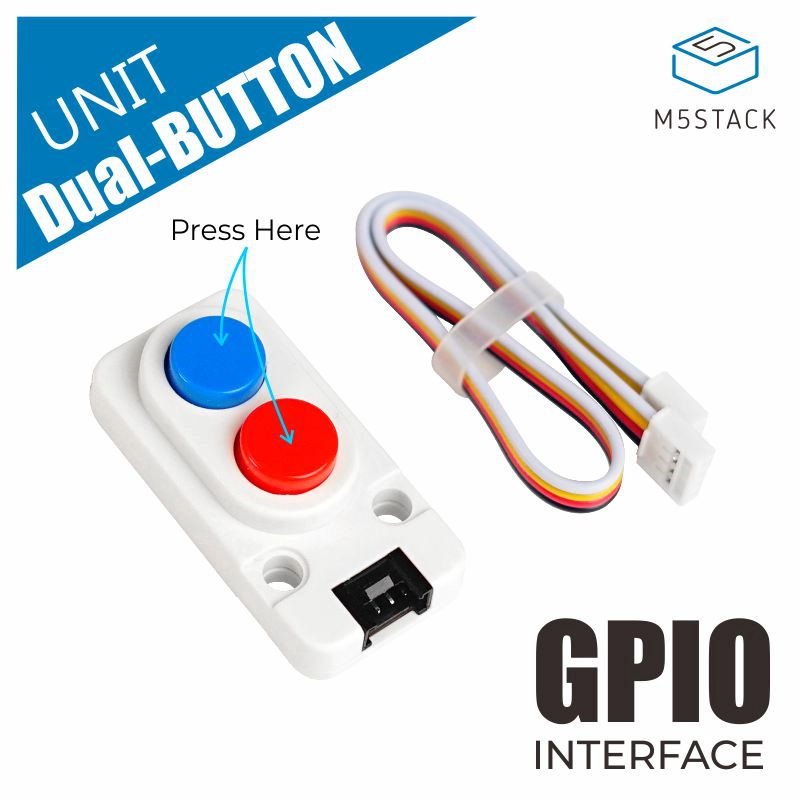
UiFlow2 Example
Button events
Open the dual_button_core_example.m5f2 project in UiFlow2.
This example demonstrates how to read the button state and handle button events in UiFlow2.
UiFlow2 Code Block:
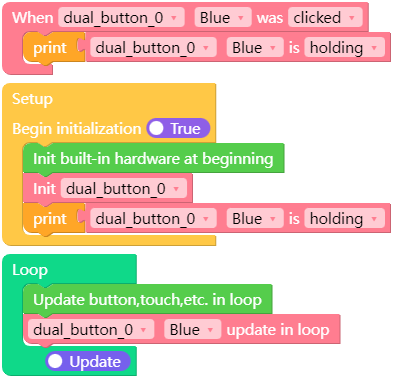
Example output:
The button state is shown when a button event occurs.
MicroPython Example
Simple polling
This example demonstrates how to use SimpleDualButtonUnit to read the
pins directly and poll debounced press and release edges without tick()
or callbacks.
MicroPython Code Block:
 1import os, sys, io
 2import time
 3
 4import M5
 5from M5 import *
 6from unit import SimpleDualButtonUnit
 7
 8
 9blue = None
10red = None
11
12
13def setup():
14    global blue, red
15
16    M5.begin()
17    Widgets.fillScreen(0x222222)
18
19    blue, red = SimpleDualButtonUnit((36, 26))
20
21
22def loop():
23    global blue, red
24    M5.update()
25    blue.update()
26    red.update()
27
28    if blue.was_pressed():
29        print("blue pressed, pin value:", blue.value())
30    if blue.was_released():
31        print("blue released, active:", blue.is_active())
32
33    if red.was_pressed():
34        print("red pressed, pin value:", red.value())
35    if red.was_released():
36        print("red released, active:", red.is_active())
37
38    time.sleep_ms(10)
39
40
41if __name__ == "__main__":
42    try:
43        setup()
44        while True:
45            loop()
46    except (Exception, KeyboardInterrupt) as e:
47        try:
48            from utility import print_error_msg
49
50            print_error_msg(e)
51        except ImportError:
52            print("please update to latest firmware")
Example output:
Press and release events for the blue and red buttons are printed.
API
DualButtonUnit
- DualButtonUnit(port)
Create two full-featured button objects.
- Parameters:
port (tuple) – Two button pin numbers.
- Returns:
The blue and red
hardware.Buttonobjects.- Return type:
UiFlow2 Code Block:

- Dual_Button.isHolding()
Return whether the button is currently being held.
UiFlow2 Code Block:

- Dual_Button.setCallback(type, cb)
Register a callback for the specified button event.
- Parameters:
type (int) – Button event type.
cb (callable) – Function called when the event occurs.
UiFlow2 Code Block:

- Dual_Button.tick(pin)
Poll the button state machine. Call this method regularly in the loop.
- Parameters:
pin – Optional pin argument passed by an interrupt handler. Use
Nonewhen polling from the loop.
UiFlow2 Code Block:
