DoF6 Unit
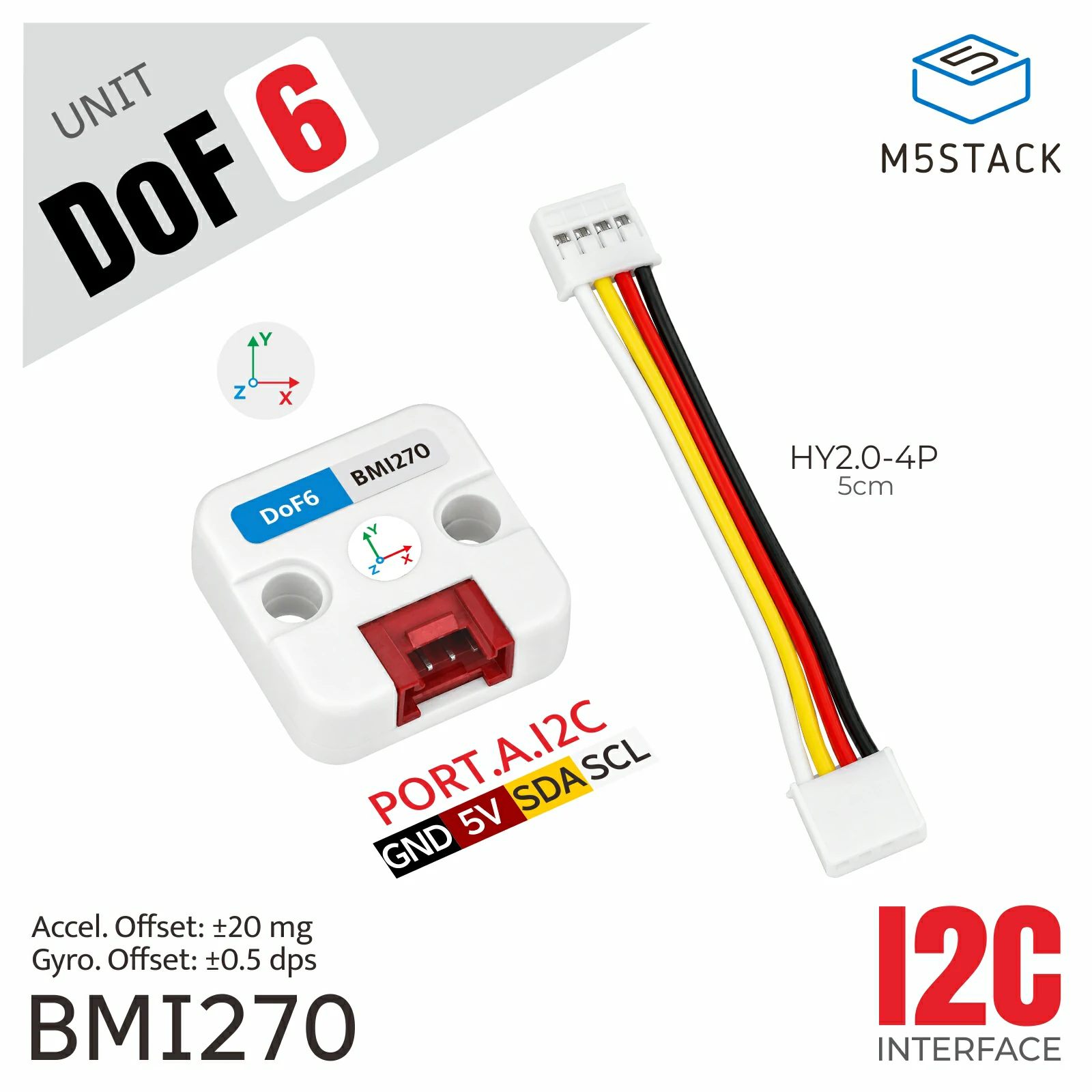
This library is the driver for Unit DoF6.
Support the following products:
UiFlow2 Example
Read Attitude
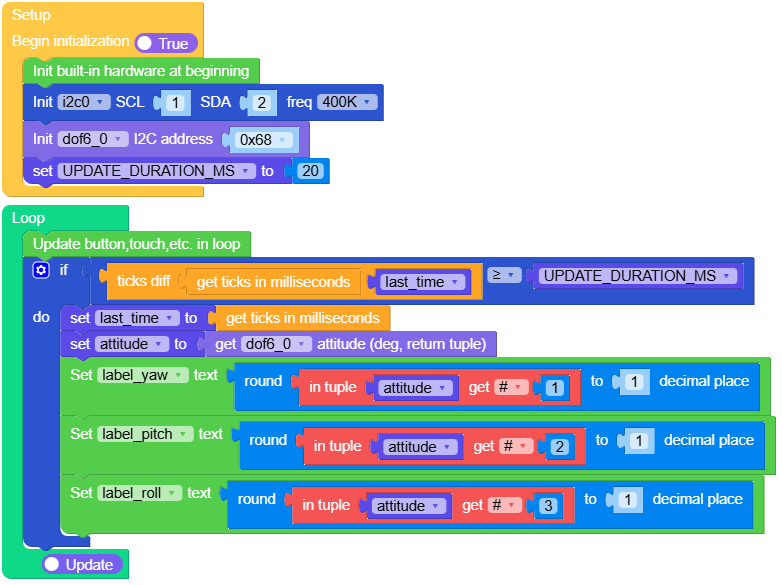
Open the cores3_unit_dof6_example.m5f2 project in UiFlow2.
This example shows how to read and display yaw, pitch, and roll.
UiFlow2 Code Block:
Example output:
None
MicroPython Example
Read Attitude
This example shows how to read and display yaw, pitch, and roll.
MicroPython Code Block:
  1# SPDX-FileCopyrightText: 2025 M5Stack Technology CO LTD
  2#
  3# SPDX-License-Identifier: MIT
  4
  5import os, sys, io
  6import M5
  7from M5 import *
  8from hardware import Pin
  9from hardware import I2C
 10from unit import DoF6Unit
 11import time
 12
 13
 14title = None
 15live = None
 16yaw_caption = None
 17pitch_caption = None
 18roll_caption = None
 19label_yaw = None
 20label_pitch = None
 21label_roll = None
 22orientation_caption = None
 23degree_unit = None
 24sensor_caption = None
 25i2c0 = None
 26dof6_0 = None
 27
 28
 29last_time = None
 30UPDATE_DURATION_MS = None
 31attitude = None
 32
 33
 34def setup():
 35    global \
 36        title, \
 37        live, \
 38        yaw_caption, \
 39        pitch_caption, \
 40        roll_caption, \
 41        label_yaw, \
 42        label_pitch, \
 43        label_roll, \
 44        orientation_caption, \
 45        degree_unit, \
 46        sensor_caption, \
 47        i2c0, \
 48        dof6_0, \
 49        last_time, \
 50        UPDATE_DURATION_MS, \
 51        attitude
 52
 53    M5.begin()
 54    Widgets.setRotation(0)
 55    Widgets.fillScreen(0x10171D)
 56    title = Widgets.Label(
 57        "DoF6 / Attitude", 12, 8, 1.0, 0x4CD7D0, 0x10171D, Widgets.FONTS.Montserrat18
 58    )
 59    live = Widgets.Label("Live", 272, 11, 1.0, 0x63D08C, 0x10171D, Widgets.FONTS.Montserrat14)
 60    yaw_caption = Widgets.Label("Yaw", 12, 60, 1.0, 0x8FA1AD, 0x10171D, Widgets.FONTS.Montserrat14)
 61    pitch_caption = Widgets.Label(
 62        "Pitch", 113, 60, 1.0, 0x8FA1AD, 0x10171D, Widgets.FONTS.Montserrat14
 63    )
 64    roll_caption = Widgets.Label(
 65        "Roll", 212, 60, 1.0, 0x8FA1AD, 0x10171D, Widgets.FONTS.Montserrat14
 66    )
 67    label_yaw = Widgets.Label("---.-", 12, 84, 1.0, 0xF2F6F8, 0x10171D, Widgets.FONTS.Montserrat24)
 68    label_pitch = Widgets.Label(
 69        "---.-", 112, 84, 1.0, 0xF2F6F8, 0x10171D, Widgets.FONTS.Montserrat24
 70    )
 71    label_roll = Widgets.Label(
 72        "---.-", 212, 84, 1.0, 0xF2F6F8, 0x10171D, Widgets.FONTS.Montserrat24
 73    )
 74    orientation_caption = Widgets.Label(
 75        "FUSED ORIENTATION", 12, 151, 1.0, 0x8FA1AD, 0x10171D, Widgets.FONTS.Montserrat14
 76    )
 77    degree_unit = Widgets.Label(
 78        "DEG", 212, 151, 1.0, 0xFFB454, 0x10171D, Widgets.FONTS.Montserrat14
 79    )
 80    sensor_caption = Widgets.Label(
 81        "BMI270  /  6-AXIS", 12, 207, 1.0, 0x63A8FF, 0x10171D, Widgets.FONTS.Montserrat14
 82    )
 83
 84    i2c0 = I2C(0, scl=Pin(1), sda=Pin(2), freq=400000)
 85    dof6_0 = DoF6Unit(i2c0, addr=0x68)
 86    UPDATE_DURATION_MS = 20
 87    last_time = time.ticks_ms()
 88
 89
 90def loop():
 91    global \
 92        title, \
 93        live, \
 94        yaw_caption, \
 95        pitch_caption, \
 96        roll_caption, \
 97        label_yaw, \
 98        label_pitch, \
 99        label_roll, \
100        orientation_caption, \
101        degree_unit, \
102        sensor_caption, \
103        i2c0, \
104        dof6_0, \
105        last_time, \
106        UPDATE_DURATION_MS, \
107        attitude
108    M5.update()
109    if (time.ticks_diff((time.ticks_ms()), last_time)) >= UPDATE_DURATION_MS:
110        last_time = time.ticks_ms()
111        attitude = dof6_0.get_attitude()
112        label_yaw.setText(str(round(attitude[0], 1)))
113        label_pitch.setText(str(round(attitude[1], 1)))
114        label_roll.setText(str(round(attitude[2], 1)))
115
116
117if __name__ == "__main__":
118    try:
119        setup()
120        while True:
121            loop()
122    except (Exception, KeyboardInterrupt) as e:
123        try:
124            from utility import print_error_msg
125
126            print_error_msg(e)
127        except ImportError:
128            print("please update to latest firmware")
Example output:
None
API
DoF6Unit
Constructors
- class DoF6Unit(i2c, addr=0x68)
Create a DoF6Unit on the host I2C bus. The BMI270 address can be
0x68or0x69(default:0x68).- Parameters:
- Raises:
TypeError – addr is not an integer.
ValueError – addr is not 0x68 or 0x69.
UnitError – No BMI270 responds at the selected address.
OSError – Sensor initialization or I2C communication fails.
UiFlow2 Code Block:

MicroPython Code Block:
dof = DoF6Unit(i2c)  # Default BMI270 address: 0x68
# Use this instead when the BMI270 is configured at 0x69:
# dof = DoF6Unit(i2c, addr=0x69)
Methods
- get_accel()
Return mapped acceleration as
(x, y, z)inm/s2. The full scale is selected byset_accel_range().UiFlow2 Code Block:

- get_accel_raw()
Return signed 16-bit BMI270 counts from
-32768to32767.UiFlow2 Code Block:

- get_gyro()
Return mapped, offset-corrected angular velocity as
(x, y, z)inrad/s.UiFlow2 Code Block:

- get_gyro_raw()
Return signed 16-bit BMI270 gyroscope counts from
-32768to32767.UiFlow2 Code Block:

- get_temperature()
Return BMI270 temperature in degrees Celsius.
- Returns:
IMU temperature.
- Return type:
UiFlow2 Code Block:

- get_attitude()
Sample BMI270 and return fused
(yaw, pitch, roll)in degrees.UiFlow2 Code Block:

- set_accel_range(accel_scale)
Set full scale to one of
ACCEL_RANGE_2G,ACCEL_RANGE_4G,ACCEL_RANGE_8G, orACCEL_RANGE_16G.- Parameters:
accel_scale (int) – Full-scale range in g.
- Raises:
ValueError – If the range is unsupported.
UiFlow2 Code Block:

- set_gyro_range(gyro_scale)
Set full scale to one of
GYRO_RANGE_125DPS,GYRO_RANGE_250DPS,GYRO_RANGE_500DPS,GYRO_RANGE_1000DPS, orGYRO_RANGE_2000DPS.- Parameters:
gyro_scale (int) – Full-scale range in deg/s.
- Raises:
ValueError – If the range is unsupported.
UiFlow2 Code Block:

- set_accel_gyro_odr(accel_odr, gyro_odr)
Set BMI270 ODR.
ACCEL_ODR_VALUESis(0.78, 1.5, 3.1, 6.25, 12.5, 25, 50, 100, 200, 400, 800, 1600)Hz;GYRO_ODR_VALUESis(25, 50, 100, 200, 400, 800, 1600, 3200)Hz.- Parameters:
- Raises:
ValueError – If an ODR is unsupported.
UiFlow2 Code Block:

- set_gyro_offsets(x, y, z)
Set mapped gyroscope offsets in
rad/s.- Parameters:
UiFlow2 Code Block:

- calibrate_gyro(samples=32)
Estimate offsets while stationary and return
Trueon success.- Parameters:
samples (int) – Number of samples.
- Returns:
Whether calibration succeeded.
- Return type:
UiFlow2 Code Block:

- set_fusion_time_constant(seconds)
Set the non-negative complementary-filter time constant in seconds.
- Parameters:
seconds (float) – Non-negative filter time constant.
- Raises:
ValueError – If seconds is negative.
UiFlow2 Code Block:

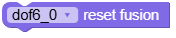
- reset_fusion()
Reset the attitude filter; the next attitude sample reinitializes it.
UiFlow2 Code Block:
- set_axis_mapping(sensor, x_axis, y_axis, z_axis)
Map
accelerometerorgyroscopeaxes. Values1/-1,2/-2, and3/-3select source X/Y/Z with sign; source axes cannot repeat.- Parameters:
- Raises:
ValueError – If the sensor or mapping is invalid.
UiFlow2 Code Block:
