ASR Module
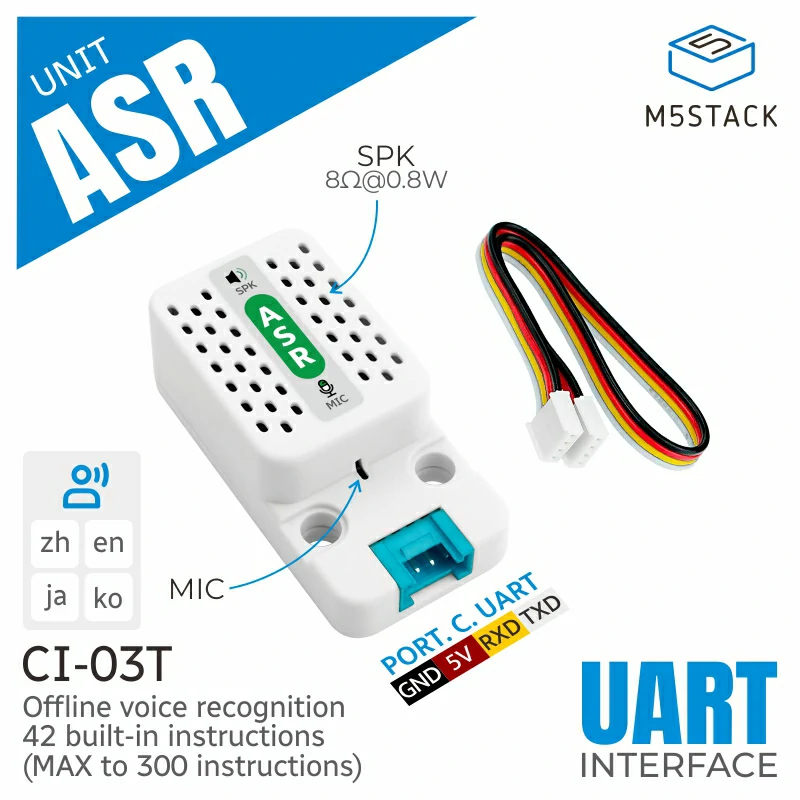
This is the driver library of ASR Module.
Support the following products:
UiFlow2 Example
ASR Example
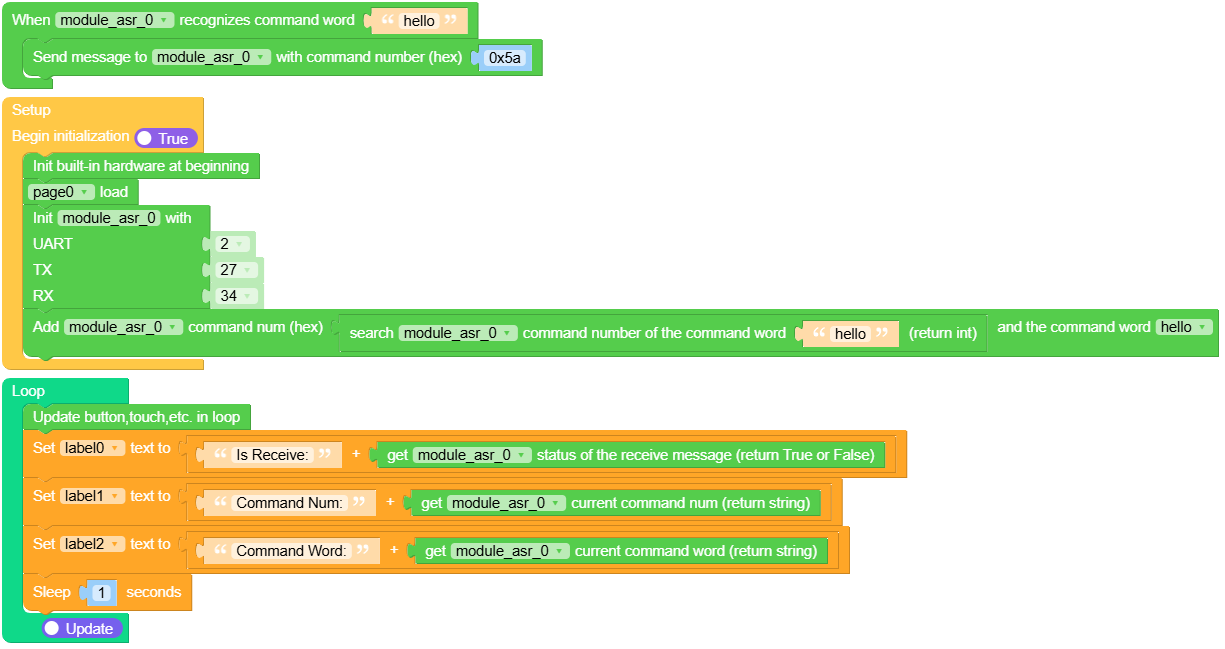
Open the asr_core2_example.m5f2 project in UiFlow2.
This example shows how to use Module ASR to get the current command word, command number, and trigger an event when you say hello to do something you want to do.
UiFlow2 Code Block:
Example output:
None
MicroPython Example
ASR Example
This example shows how to use Module ASR to get the current command word, command number, and trigger an event when you say hello to do something you want to do.
MicroPython Code Block:
 1# SPDX-FileCopyrightText: 2025 M5Stack Technology CO LTD
 2#
 3# SPDX-License-Identifier: MIT
 4
 5import os, sys, io
 6import M5
 7from M5 import *
 8import m5ui
 9import lvgl as lv
10from module import ASRModule
11import time
12
13
14page0 = None
15label0 = None
16label1 = None
17label2 = None
18module_asr_0 = None
19
20
21def module_asr_0_hello_event(args):
22    global page0, label0, label1, label2, module_asr_0
23    module_asr_0.send_message(0x5A)
24
25
26def setup():
27    global page0, label0, label1, label2, module_asr_0
28
29    M5.begin()
30    Widgets.setRotation(1)
31    m5ui.init()
32    page0 = m5ui.M5Page(bg_c=0xFFFFFF)
33    label0 = m5ui.M5Label(
34        "label0",
35        x=1,
36        y=69,
37        text_c=0x000000,
38        bg_c=0xFFFFFF,
39        bg_opa=0,
40        font=lv.font_montserrat_14,
41        parent=page0,
42    )
43    label1 = m5ui.M5Label(
44        "label1",
45        x=1,
46        y=103,
47        text_c=0x000000,
48        bg_c=0xFFFFFF,
49        bg_opa=0,
50        font=lv.font_montserrat_14,
51        parent=page0,
52    )
53    label2 = m5ui.M5Label(
54        "label2",
55        x=1,
56        y=138,
57        text_c=0x000000,
58        bg_c=0xFFFFFF,
59        bg_opa=0,
60        font=lv.font_montserrat_14,
61        parent=page0,
62    )
63
64    page0.screen_load()
65    module_asr_0 = ASRModule(2, tx=27, rx=34)
66    module_asr_0.add_command_word(
67        module_asr_0.search_command_num("hello"), "hello", module_asr_0_hello_event
68    )
69
70
71def loop():
72    global page0, label0, label1, label2, module_asr_0
73    M5.update()
74    label0.set_text(str((str("Is Receive:") + str((module_asr_0.get_received_status())))))
75    label1.set_text(str((str("Command Num:") + str((module_asr_0.get_current_command_num())))))
76    label2.set_text(str((str("Command Word:") + str((module_asr_0.get_current_command_word())))))
77    time.sleep(1)
78
79
80if __name__ == "__main__":
81    try:
82        setup()
83        while True:
84            loop()
85    except (Exception, KeyboardInterrupt) as e:
86        try:
87            m5ui.deinit()
88            from utility import print_error_msg
89
90            print_error_msg(e)
91        except ImportError:
92            print("please update to latest firmware")
Example output:
None