Display Module
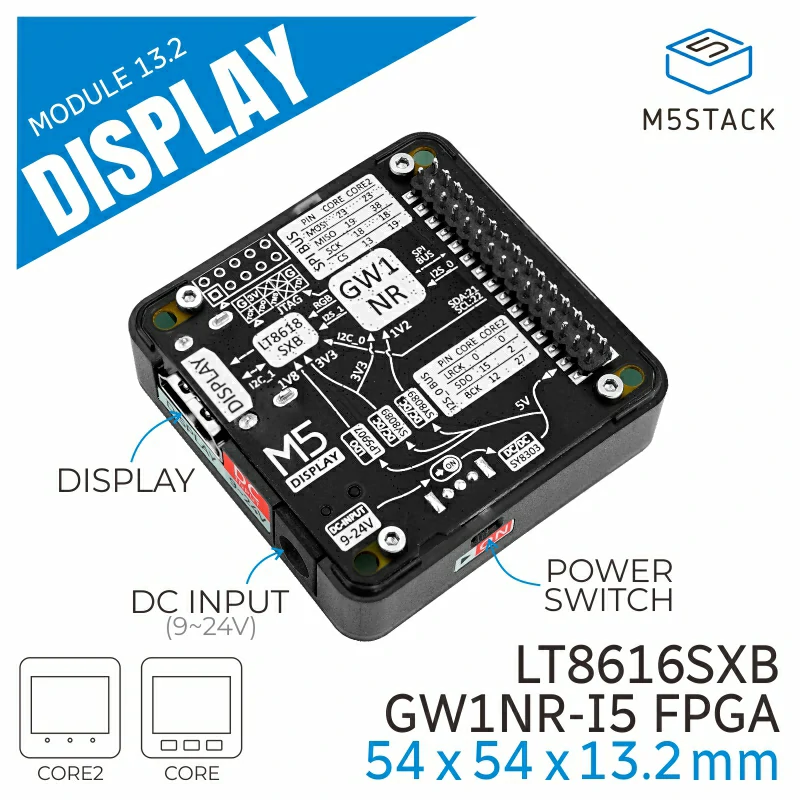
Display Module 13.2 is an expansion module for HD audio and video, using GAOYUN GW1NR series FPGA chip to output display signals, and employing the LT8618S chip for signal output conditioning.
Support the following products:
UiFlow2 Example
Draw Text
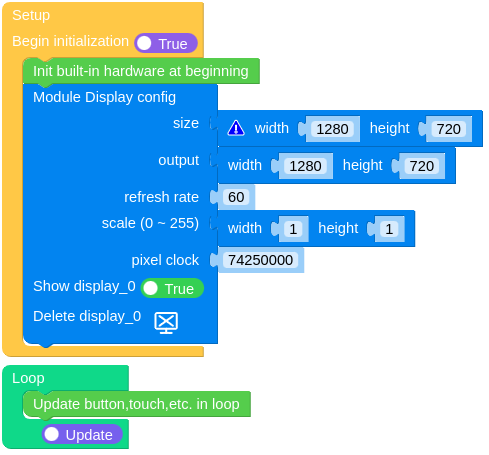
Open the cores3_display_example.m5f2 project in UiFlow2.
This example displays the text “Display” on the screen.
UiFlow2 Code Block:
Example output:
None
MicroPython Example
This example displays the text “Display” on the screen.
MicroPython Code Block:
 1# SPDX-FileCopyrightText: 2024 M5Stack Technology CO LTD
 2#
 3# SPDX-License-Identifier: MIT
 4
 5import os, sys, io
 6import M5
 7from M5 import *
 8from module import DisplayModule
 9
10
11label0 = None
12label1 = None
13module_display = None
14
15
16def setup():
17    global label0, label1, module_display
18
19    M5.begin()
20    Widgets.fillScreen(0x222222)
21    label0 = Widgets.Label("CoreS3", 127, 109, 1.0, 0xFFFFFF, 0x222222, Widgets.FONTS.DejaVu18)
22
23    module_display = DisplayModule(
24        width=1280,
25        height=720,
26        output_width=1280,
27        output_height=720,
28        refresh_rate=60,
29        pixel_clock=74250000,
30        scale_w=1,
31        scale_h=1,
32    )
33    label1 = Widgets.Label(
34        "Display", 506, 318, 1.0, 0xFFFFFF, 0x222222, Widgets.FONTS.DejaVu72, module_display
35    )
36
37
38def loop():
39    global label0, label1, module_display
40    M5.update()
41
42
43if __name__ == "__main__":
44    try:
45        setup()
46        while True:
47            loop()
48    except (Exception, KeyboardInterrupt) as e:
49        try:
50            from utility import print_error_msg
51
52            print_error_msg(e)
53        except ImportError:
54            print("please update to latest firmware")
Example output:
None
API
Class DisplayModule
- class module.display.DisplayModule(width=1280, height=720, refresh_rate=60, output_width=1280, output_height=720, scale_w=1, scale_h=1, pixel_clock=74250000)
Bases:
objectInitialize the Display Module.
- Parameters:
width (int) – The logical width of the Display Module. Default is 1280px.
height (int) – The logical height of the Display Module. Default is 720px.
refresh_rate (int) – The refresh rate of the Display Module. Default is 60Hz.
output_width (int) – The width of the output of the Display Module. Default is 1280px.
output_height (int) – The height of the output of the Display Module. Default is 720px.
scale_w (int) – The scale width of the Display Module. Default is 1.
scale_h (int) – The scale height of the Display Module. Default is 1.
pixel_clock (int) – The pixel clock of the Display Module. Default is 74250000.
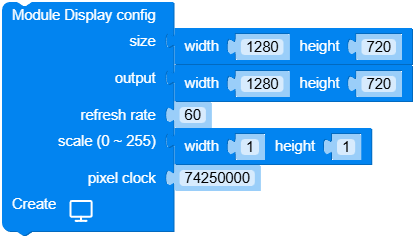
UiFlow2 Code Block:
MicroPython Code Block:
from module import DisplayModule
module_display = DisplayModule(1280, 720, 60, 1280, 720, 1, 1, 74250000)
DisplayModule class inherits Display class, See hardware.Display for more details.