PPS Module
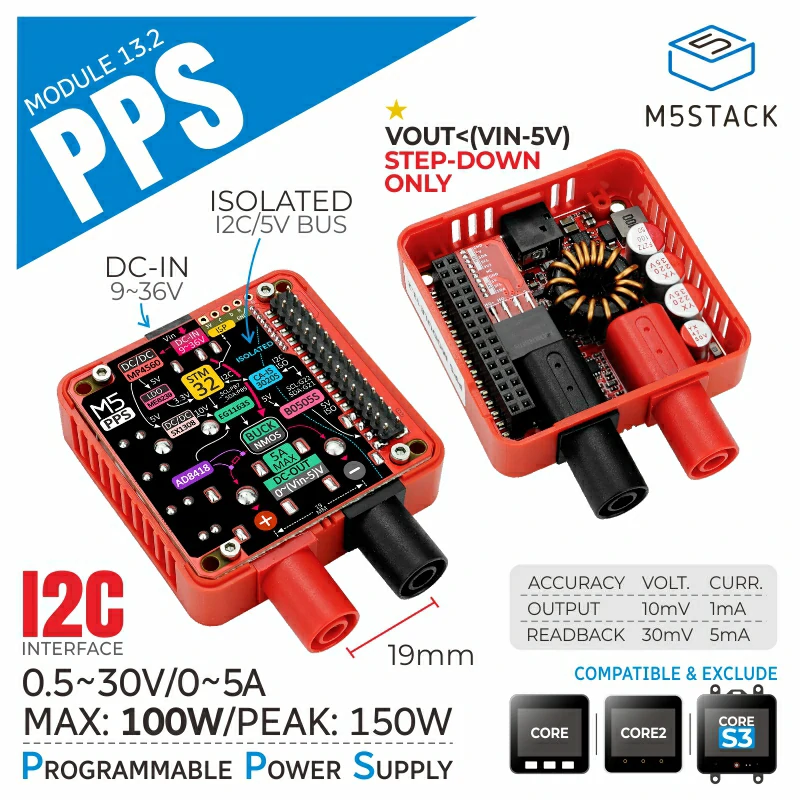
The PPS class controls a Programmable Power Supply (PPS), capable of providing an output up to 30V and 5A. It allows for precise control over the output voltage and current, with features to read back the actual output values and the module’s status.
Support the following products:
Micropython Example:
 1# SPDX-FileCopyrightText: 2024 M5Stack Technology CO LTD
 2#
 3# SPDX-License-Identifier: MIT
 4
 5import os, sys, io
 6import M5
 7from M5 import *
 8from module import PPSModule
 9import time
10
11
12label0 = None
13label1 = None
14label2 = None
15label3 = None
16label4 = None
17label5 = None
18pps_0 = None
19
20
21def setup():
22    global label0, label1, label2, label3, label4, label5, pps_0
23
24    M5.begin()
25    Widgets.fillScreen(0x222222)
26    label0 = Widgets.Label(
27        "Output Voltage:", 20, 40, 1.0, 0xFFFFFF, 0x222222, Widgets.FONTS.DejaVu18
28    )
29    label1 = Widgets.Label(
30        "Output Current:", 20, 80, 1.0, 0xFFFFFF, 0x222222, Widgets.FONTS.DejaVu18
31    )
32    label2 = Widgets.Label("Mode:", 22, 120, 1.0, 0xFFFFFF, 0x222222, Widgets.FONTS.DejaVu18)
33    label3 = Widgets.Label("label3", 180, 40, 1.0, 0xFFFFFF, 0x222222, Widgets.FONTS.DejaVu18)
34    label4 = Widgets.Label("label4", 180, 80, 1.0, 0xFFFFFF, 0x222222, Widgets.FONTS.DejaVu18)
35    label5 = Widgets.Label("label5", 180, 120, 1.0, 0xFFFFFF, 0x222222, Widgets.FONTS.DejaVu18)
36
37    pps_0 = PPSModule(address=0x35)
38    pps_0.set_output_voltage(5.5)
39    pps_0.set_output_current(1)
40    pps_0.enable_output()
41
42
43def loop():
44    global label0, label1, label2, label3, label4, label5, pps_0
45    M5.update()
46    label3.setText(str(pps_0.read_output_voltage()))
47    label4.setText(str(pps_0.read_output_current()))
48    label5.setText(str(pps_0.read_psu_running_mode()))
49    time.sleep_ms(100)
50
51
52if __name__ == "__main__":
53    try:
54        setup()
55        while True:
56            loop()
57    except (Exception, KeyboardInterrupt) as e:
58        try:
59            from utility import print_error_msg
60
61            print_error_msg(e)
62        except ImportError:
63            print("please update to latest firmware")
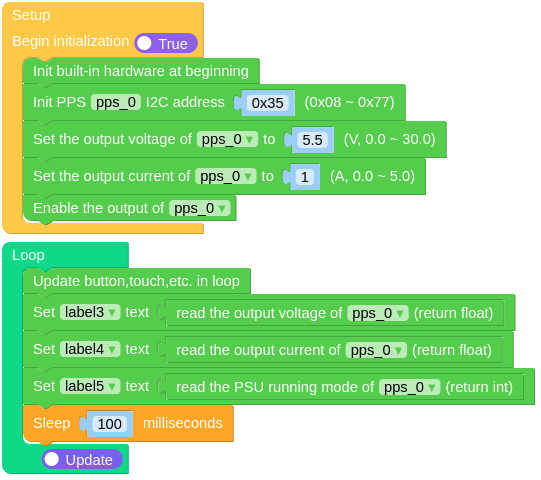
UIFLOW2 Example:
class PPSModule
Constructors
- class PPSModule(addr=0x35)
Creates a PPS object to interact with the programmable power supply.
addr: I2C address of the PPS device (default is 0x35).
Methods
- PPSModule.set_output(enable: bool)
Enable or disable the PPS output.
enable: True to enable, False to disable.
UIFLOW2:

- PPSModule.enable_output()
Enable the PPS output.
UIFLOW2:

- PPSModule.disable_output()
Disable the PPS output.
UIFLOW2:

- PPSModule.set_output_voltage(voltage: float)
Set the output voltage of the PPS.
voltage: Desired output voltage from 0.0 to 30.0 volts.
UIFLOW2:









