LAN Module
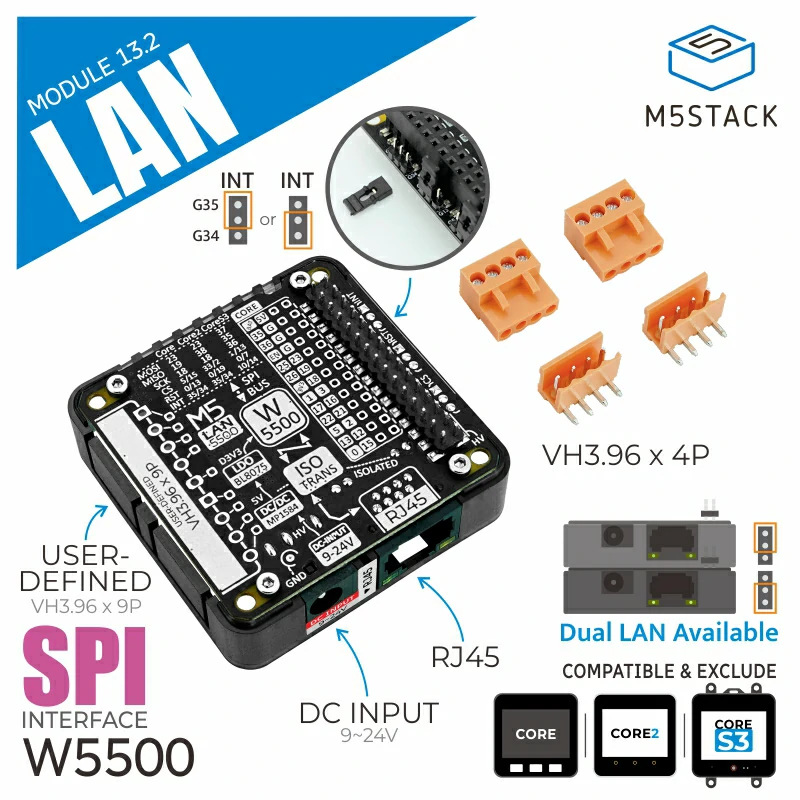
Supported Products:
UiFlow2 Example
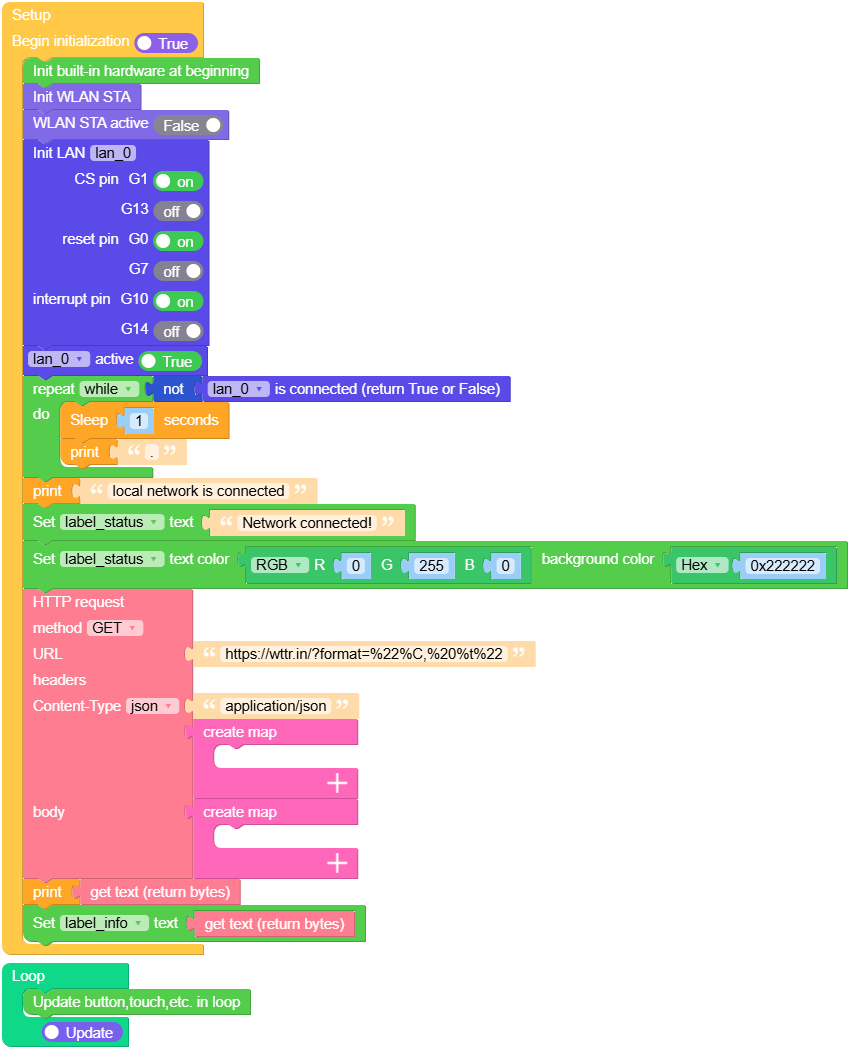
Get the weather
This example connects to the network using the LAN module and sends an HTTP request to query the geographical location of the current public IP address.
UiFlow2 Code Block:
Example output:
None
MicroPython Example
Get the weather
This example connects to the network using the LAN module and sends an HTTP request to query the geographical location of the current public IP address.
MicroPython Code Block:
 1# SPDX-FileCopyrightText: 2025 M5Stack Technology CO LTD
 2#
 3# SPDX-License-Identifier: MIT
 4
 5import os, sys, io
 6import M5
 7from M5 import *
 8import network
 9from module import LANModule
10import time
11import requests2
12
13
14label_status = None
15title0 = None
16label_info = None
17wlan = None
18lan_0 = None
19http_req = None
20
21
22def setup():
23    global label_status, title0, label_info, wlan, lan_0, http_req
24    M5.begin()
25    Widgets.fillScreen(0x222222)
26    label_status = Widgets.Label(
27        "Waiting for network connection", 5, 50, 1.0, 0xFF0000, 0x222222, Widgets.FONTS.DejaVu18
28    )
29    title0 = Widgets.Title("LANModule Example", 3, 0xFFFFFF, 0x0000FF, Widgets.FONTS.DejaVu24)
30    label_info = Widgets.Label("Get info", 5, 90, 1.0, 0xFFFFFF, 0x222222, Widgets.FONTS.DejaVu18)
31    wlan = network.WLAN(network.STA_IF)
32    wlan.active(False)
33    lan_0 = LANModule(cs=1, rst=0, int=10)
34    lan_0.active(True)
35    while not (lan_0.isconnected()):
36        time.sleep(1)
37        print(".")
38    print("local network is connected")
39    label_status.setText(str("Network connected!"))
40    label_status.setColor(0x00FF00, 0x222222)
41    http_req = requests2.get(
42        "https://wttr.in/?format=%22%C,%20%t%22", headers={"Content-Type": "application/json"}
43    )
44    print(http_req.text)
45    label_info.setText(str(http_req.text))
46
47
48def loop():
49    global label_status, title0, label_info, wlan, lan_0, http_req
50    M5.update()
51
52
53if __name__ == "__main__":
54    try:
55        setup()
56        while True:
57            loop()
58    except (Exception, KeyboardInterrupt) as e:
59        try:
60            lan_0.deinit()
61            from utility import print_error_msg
62
63            print_error_msg(e)
64        except ImportError:
65            print("please update to latest firmware")
Example output:
None
API
class LANModule
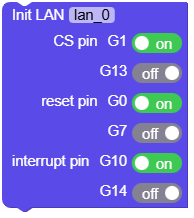
- class module.lan.LANModule(cs=-1, rst=-1, int=-1)
Create a LANModule object.
- Parameters:
cs – chip select pin
rst – reset pin
int – interrupt pin
UiFlow2 Code Block:
MicroPython Code Block:
from module import LANModule

lan_0 = LANModule(cs=1, rst=0, int=10)
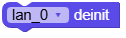
- LANModule.deinit()
Deinitialize the LAN module.
UiFlow2 Code Block:
MicroPython Code Block:
lan_0.deinit()
- LANModule.isconnected()
Check whether the physical Ethernet link is active.
- Returns:
True if the Ethernet cable is connected and the link is up, False otherwise.
- Return type:
UiFlow2 Code Block:

MicroPython Code Block:
lan_0.isconnected()
- LANModule.status()
Get the LAN connect status.
- Returns:
LAN status code, possible values:
network.ETH_INITIALIZED(0): Ethernet interface initialized
network.ETH_STARTED(1): Ethernet driver started
network.ETH_STOPPED(2): Ethernet driver stopped
network.ETH_CONNECTED(3): Physical link established (cable connected)
network.ETH_DISCONNECTED(4): Physical link lost (cable disconnected)
network.ETH_GOT_IP(5): IP address obtained, network ready
- Return type:
UiFlow2 Code Block:

MicroPython Code Block:
lan_0.status()
- LANModule.ifconfig()[0]
Get the local IP address.
- Returns:
Local IP address as a string, e.g. “192.168.1.100”
- Return type:
UiFlow2 Code Block:

MicroPython Code Block:
lan_0.ifconfig()[0]
- LANModule.ifconfig()[1]
Get the subnet mask.
- Returns:
Subnet mask as a string, e.g. “255.255.255.0”
- Return type:
UiFlow2 Code Block:

MicroPython Code Block:
lan_0.ifconfig()[1]
- LANModule.ifconfig()[2]
Get the gateway address.
- Returns:
Gateway IP as a string, e.g. “192.168.1.1”
- Return type:
UiFlow2 Code Block:

MicroPython Code Block:
lan_0.ifconfig()[2]
- LANModule.ifconfig()[3]
Get the DNS server address.
- Returns:
DNS server IP as a string, e.g. “8.8.8.8”
- Return type:
UiFlow2 Code Block:

MicroPython Code Block:
lan_0.ifconfig()[3]
- LANModule.config('mac')
Get the MAC address of the LAN module.
- Parameters:
param (str) – Configuration parameter name, must be ‘mac’
- Returns:
MAC address as a string or bytes, e.g. “00:11:22:33:44:55”
- Return type:
UiFlow2 Code Block:

MicroPython Code Block:
mac_address = lan_0.config('mac')
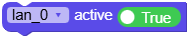
- LANModule.active([state])
Enable or disable the LAN interface.
- Parameters:
state (bool | None) – Optional boolean value. If True, activates the LAN interface; if False, deactivates it.
- Returns:
Current active state of the interface if no parameter is given.
- Return type:
UiFlow2 Code Block:
MicroPython Code Block:
lan_0.active([state])
- LANModule.config(mac=bytearray)
Set the MAC address of the LAN module.
- Parameters:
mac (bytearray) – MAC address to set, as a bytearray of 6 bytes
- Returns:
None
UiFlow2 Code Block:

MicroPython Code Block:
lan_0.config(mac=bytearray([0x02, 0x00, 0x00, 0x12, 0x34, 0x56]))
- LANModule.set_default_netif()
Sets the default network interface.
UiFlow2 Code Block:

MicroPython Code Block:
lan_0.set_default_netif()
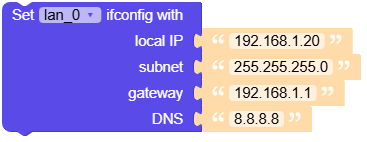
- LANModule.ifconfig([(ip, subnet, gateway, dns)])
Get or set the IP address, subnet mask, gateway, and DNS server for the LAN interface.
- Parameters:
UiFlow2 Code Block:
MicroPython Code Block:
lan_0.ifconfig([(ip, subnet, gateway, dns)])
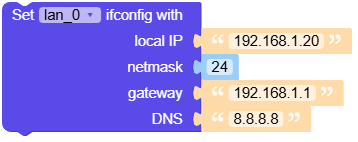
- LANModule.ifconfig([(ip, subnet, gateway, dns)])
Get or set the IP address, subnet mask, gateway, and DNS server for the LAN interface.
- Parameters:
UiFlow2 Code Block:
MicroPython Code Block:
lan_0.ifconfig([(ip, subnet, gateway, dns)])