Atom DTU LoRaWAN-Series Base
This is the driver library for the Atom DTU LoRaWAN-Series Base to accept and send data from the LoRaWAN module.
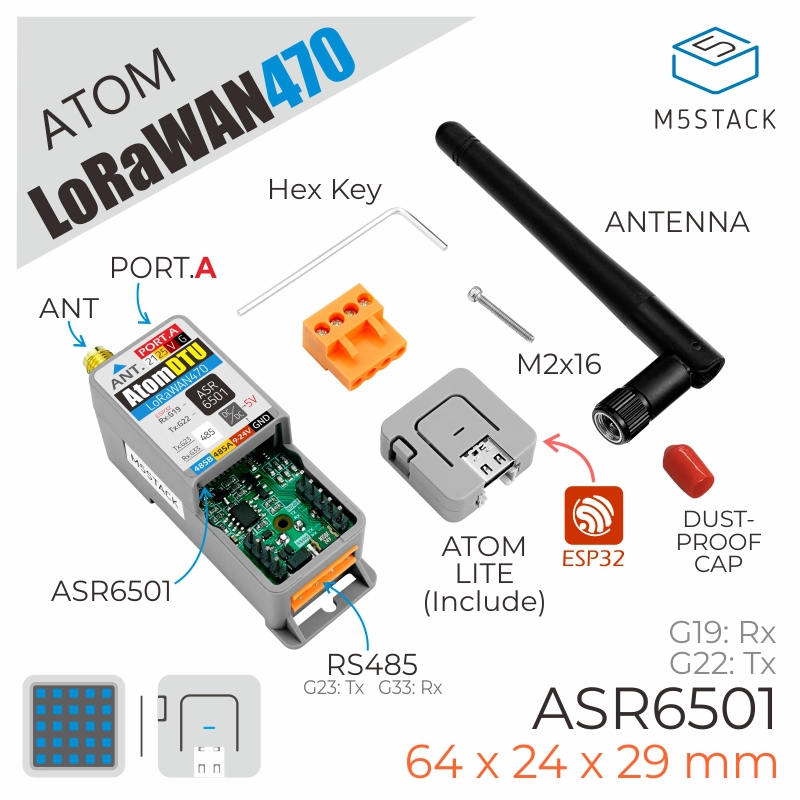
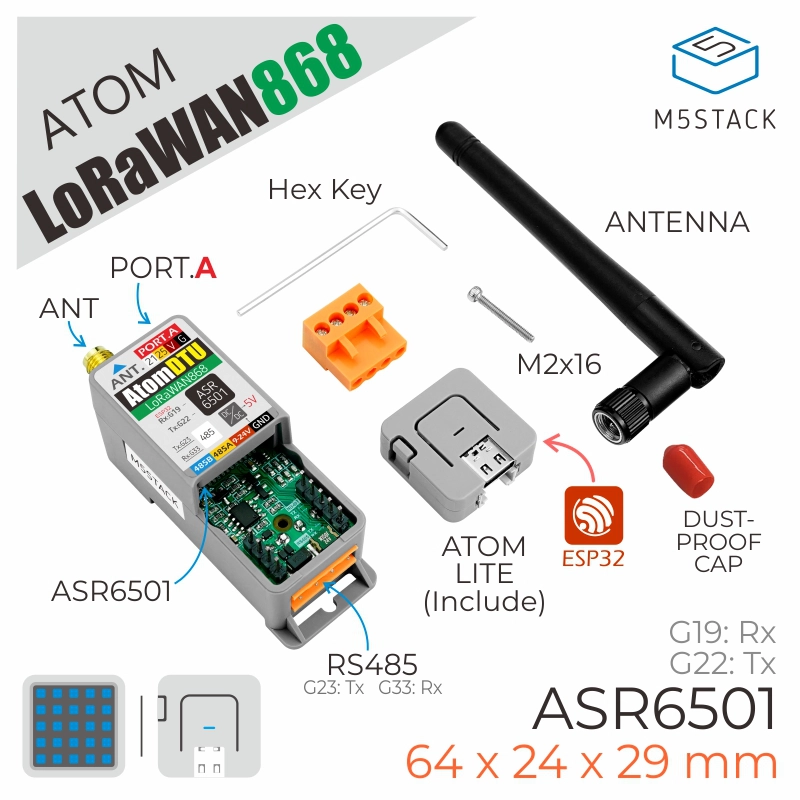
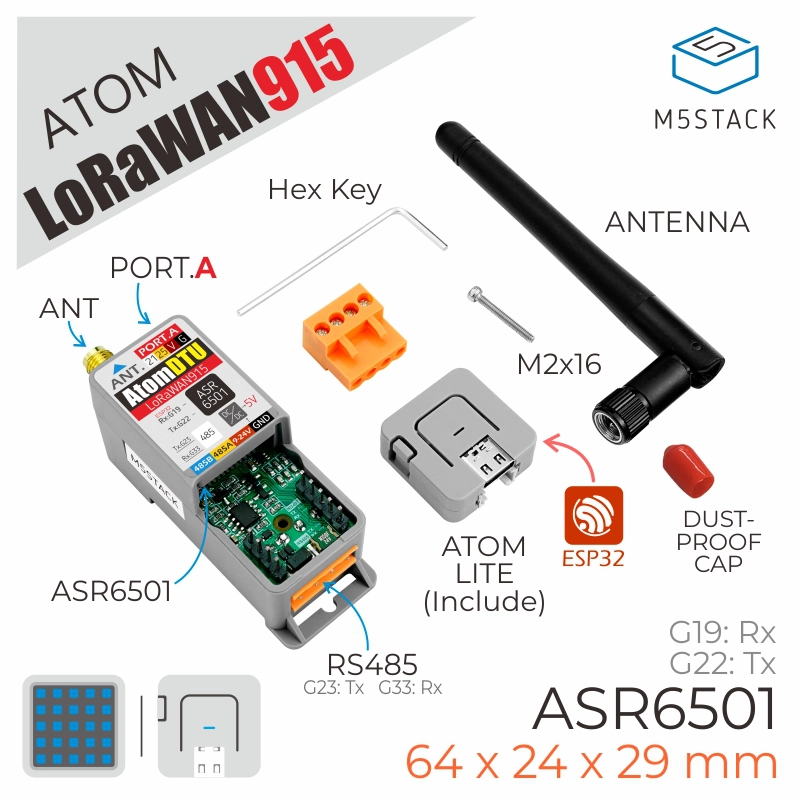
Support the following products:
UiFlow2 Example
LoRaWAN communication
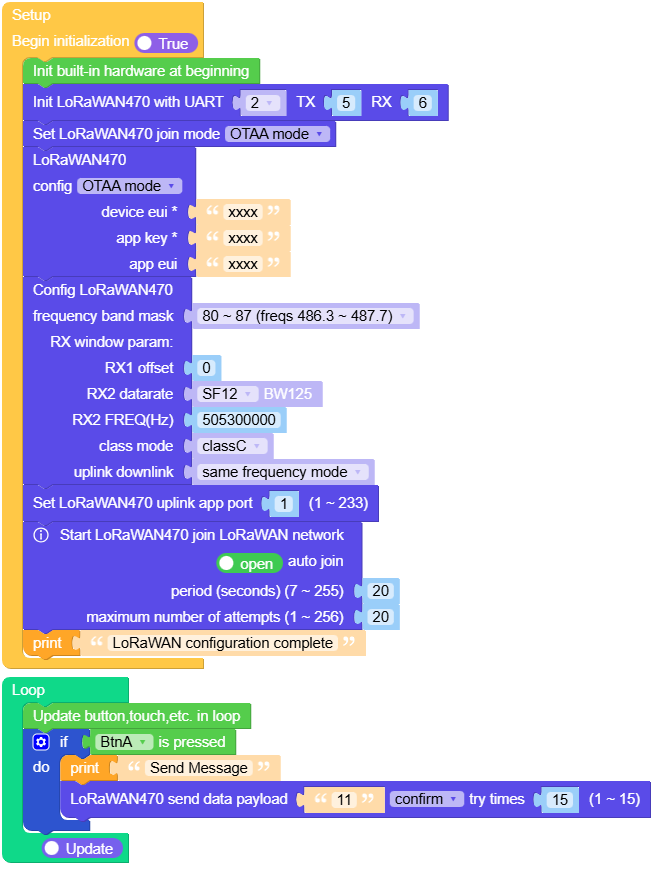
Open the atoms3r_dtu_lorawan_example.m5f2 project in UiFlow2.
This example shows how to receive and send data using the Atom DTU LoRaWAN Base.
UiFlow2 Code Block:
Example output:
None
MicroPython Example
LoRaWAN communication
This example shows how to receive and send data using the Atom DTU LoRaWAN Base.
MicroPython Code Block:
 1# SPDX-FileCopyrightText: 2025 M5Stack Technology CO LTD
 2#
 3# SPDX-License-Identifier: MIT
 4
 5import os, sys, io
 6import M5
 7from M5 import *
 8from base import AtomDTULoRaWANBase
 9
10
11title0 = None
12base_lorawan470 = None
13
14
15def setup():
16    global title0, base_lorawan470
17
18    M5.begin()
19    title0 = Widgets.Title("LoRaWAN", 3, 0xFFFFFF, 0x0000FF, Widgets.FONTS.DejaVu18)
20
21    base_lorawan470 = AtomDTULoRaWANBase(2, port=(5, 6))
22    base_lorawan470.set_join_mode(0)
23    base_lorawan470.config_otaa("xxxx", "xxxx", "xxxx")
24    base_lorawan470.set_frequency_band_mask("0400")
25    base_lorawan470.set_rx_window_param(0, 0, 505300000)
26    base_lorawan470.set_class_mode(2)
27    base_lorawan470.set_uplink_downlink_mode(1)
28    base_lorawan470.set_uplink_app_port(1)
29    base_lorawan470.join(1, 1, 20, 20)
30    print("LoRaWAN configuration complete")
31
32
33def loop():
34    global title0, base_lorawan470
35    M5.update()
36    if BtnA.isPressed():
37        print("Send Message")
38        base_lorawan470.send_data("11", 1, 15)
39
40
41if __name__ == "__main__":
42    try:
43        setup()
44        while True:
45            loop()
46    except (Exception, KeyboardInterrupt) as e:
47        try:
48            from utility import print_error_msg
49
50            print_error_msg(e)
51        except ImportError:
52            print("please update to latest firmware")
Example output:
None
API
AtomDTULoRaWANBase
- class base.dtu_lorawan.AtomDTULoRaWANBase(id=1, port=None)
Bases:
LoRaWAN_470Create an AtomDTULoRaWANBase object
- Parameters:
UiFlow2 Code Block:

MicroPython Code Block:
from base import AtomDTULoRaWANBase

dtu_lorawan = AtomDTULoRaWANBase(0, (6, 5))
- class driver.asr650x.LoRaWAN_470(uart, debug=False)
Bases:
LoRaWAN_Asr650xCreate an LoRaWAN object.
- Parameters:
MicroPython Code Block:
from driver.asr650x import LoRaWAN_470

lora = LoRaWAN_470(tx=17, rx=16)
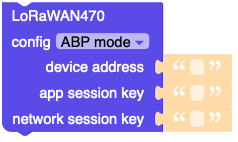
- config_abp(devaddr, appskey, nwkskey)
Config the ABP join mode information.
- Parameters:
UiFlow2 Code Block:
MicroPython Code Block:
lora.config_abp("0037CAE1FC3542B9", "70B3D57ED003B699", "67FA4ED1075A20573BCDD7594C458698")
- get_abp_config()
Get the ABP join mode information.
- Returns:
The ABP join mode information(devaddr, appskey, newskey).
- Return type:
UiFlow2 Code Block:

MicroPython Code Block:
lora.get_abp_config()
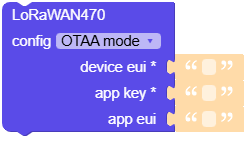
- config_otaa(deveui, appeui, appkey)
Config the OTAA join mode information.
- Parameters:
UiFlow2 Code Block:
MicroPython Code Block:
lora.config_otaa("0037CAE1FC3542B9", "70B3D57ED003B699", "67FA4ED1075A20573BCDD7594C458698")
- get_otaa_config()
Get the OTAA join mode information.
- Returns:
The OTAA join mode information(deveui, appeui, appkey).
- Return type:
UiFlow2 Code Block:

MicroPython Code Block:
lora.get_otaa_config()
- check_join_status()
Check the LoRaWAN network join status.
- Returns:
The LoRaWAN network join status.
- Return type:
UiFlow2 Code Block:

MicroPython Code Block:
lora.check_join_status()
- check_uplink_status()
Check the data uplink status.
- Returns:
The data uplink status.
- Return type:
UiFlow2 Code Block:

MicroPython Code Block:
lora.check_uplink_status()

- class driver.asr650x.LoRaWAN_Asr650x(uart, debug=False)
Bases:
objectCreate an LoRaWAN object.
- Parameters:
uart (machine.UART) – The UART object.
debug (bool) – Whether to enable debug mode.
MicroPython Code Block:
from driver.asr650x import LoRaWAN_Asr650x

lora = LoRaWAN_Asr650x(uart)
- set_join_mode(mode)
Set the LoRaWAN join mode.
- Parameters:
mode (int) – The LoRaWAN join mode.
UiFlow2 Code Block:

MicroPython Code Block:
lora.set_join_mode(0)
- set_frequency_band_mask(mask)
Set the frequency band mask.
- Parameters:
mask (str) – The frequency band mask.
MicroPython Code Block:
lora.set_frequency_band_mask("0001")
- set_uplink_downlink_mode(mode)
Set the uplink and downlink frequency.
- Parameters:
mode (int) – The uplink and downlink frequency.
MicroPython Code Block:
lora.set_uplink_downlink_mode(1)
- set_class_mode(class_mode, branch=None, para1=None, para2=None, para3=None, para4=None)
Set the class mode, if the class mode is 0, the branch, para1, para2, para3, para4 will be ignored.
- Parameters:
MicroPython Code Block:
lora.set_class_mode(0, 0, 0, 0, 0, 0)
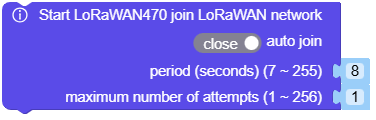
- join(para1, para2=None, para3=None, para4=None)
Join the LoRaWAN network.
- Parameters:
UiFlow2 Code Block:

MicroPython Code Block:
lora.join(1, 1, 8, 1)

lora.join(0)
- send_data(payload, confirm=None, nbtrials=None)
Send data payload to LoRaWAN gateway.
- Parameters:
UiFlow2 Code Block:

MicroPython Code Block:
lora.send_data("Hello, World!", 1, 1)
