AIN4 Module
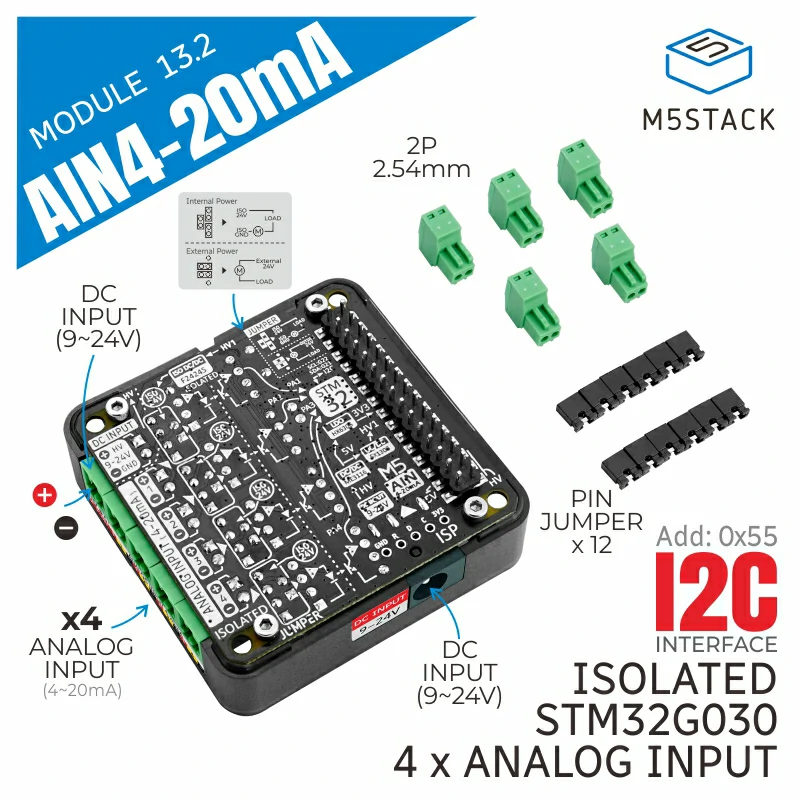
支持以下产品:
MicroPython 应用示例:
import os, sys, io
import M5
from M5 import *
from module import AIN4Module

title0 = None
label0 = None
label1 = None
label2 = None
label3 = None
ain4_20ma_0 = None

def setup():
    global title0, label0, label1, label2, label3, ain4_20ma_0

    M5.begin()
    Widgets.fillScreen(0x222222)
    title0 = Widgets.Title("AIN 4-20mA Module Test", 3, 0xffffff, 0x0000FF, Widgets.FONTS.DejaVu18)
    label0 = Widgets.Label("CH1 Current:", 1, 60, 1.0, 0xffffff, 0x222222, Widgets.FONTS.DejaVu18)
    label1 = Widgets.Label("CH2 Current:", 1, 96, 1.0, 0xffffff, 0x222222, Widgets.FONTS.DejaVu18)
    label2 = Widgets.Label("CH3 Current:", 1, 131, 1.0, 0xffffff, 0x222222, Widgets.FONTS.DejaVu18)
    label3 = Widgets.Label("CH4 Current:", 1, 164, 1.0, 0xffffff, 0x222222, Widgets.FONTS.DejaVu18)

    ain4_20ma_0 = AIN4Module(address=0x55)
    ain4_20ma_0.set_cal_current(1, 20)
    ain4_20ma_0.set_cal_current(2, 20)
    ain4_20ma_0.set_cal_current(3, 20)
    ain4_20ma_0.set_cal_current(4, 20)

def loop():
    global title0, label0, label1, label2, label3, ain4_20ma_0
    M5.update()
    label0.setText(str((str('CH1 Current:') + str((ain4_20ma_0.get_current_value(1))))))
    label1.setText(str((str('CH2 Current:') + str((ain4_20ma_0.get_current_value(2))))))
    label2.setText(str((str('CH3 Current:') + str((ain4_20ma_0.get_current_value(3))))))
    label3.setText(str((str('CH4 Current:') + str((ain4_20ma_0.get_current_value(4))))))

if __name__ == '__main__':
    try:
        setup()
        while True:
            loop()
    except (Exception, KeyboardInterrupt) as e:
        try:
            from utility import print_error_msg
            print_error_msg(e)
        except ImportError:
            print("please update to latest firmware")
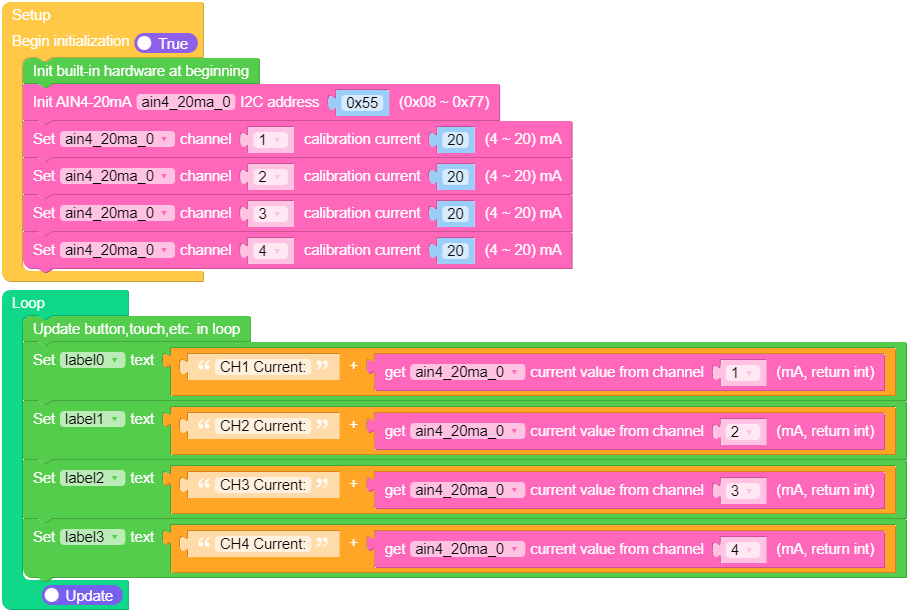
UiFlow2 应用示例:
class AIN4Module
构造函数

Methods
- AIN4Module.get_adc_raw_value(channel) int
从指定通道获取原始 ADC 值。
- 参数:
channel (int) – 要从中读取 ADC 值的通道号(1 到 4)。
- 返回:
原始 ADC 值,作为 12 位整数。
UIFLOW2:

- AIN4Module.get_current_value(channel) int
从指定通道读取当前电流值(单位:mA)。
- 参数:
channel (int) – 用于读取当前值的通道编号(1 到 4)。
- 返回:
以毫安(mA)为单位的当前值。
UIFLOW2:

- AIN4Module.set_cal_current(channel, val)
为指定通道设置校准电流。
UIFLOW2:



