Mini ToF-90° Unit
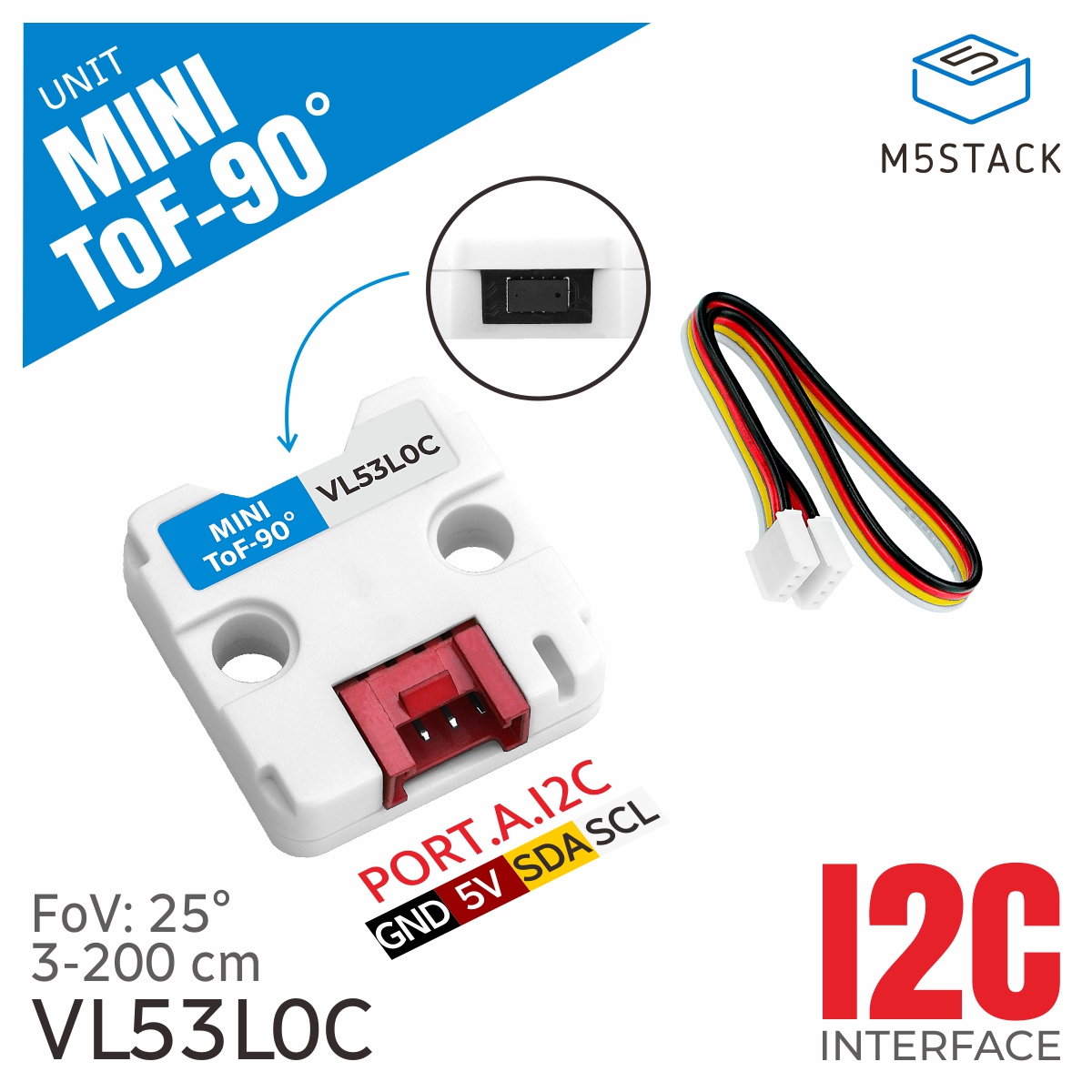
This is the driver library of Mini ToF-90° Unit, which is used to obtain data from the distance sensor.
Support the following products:
UiFlow2 Example
get distance value
Open the tof90_core2_example.m5f2 project in UiFlow2.
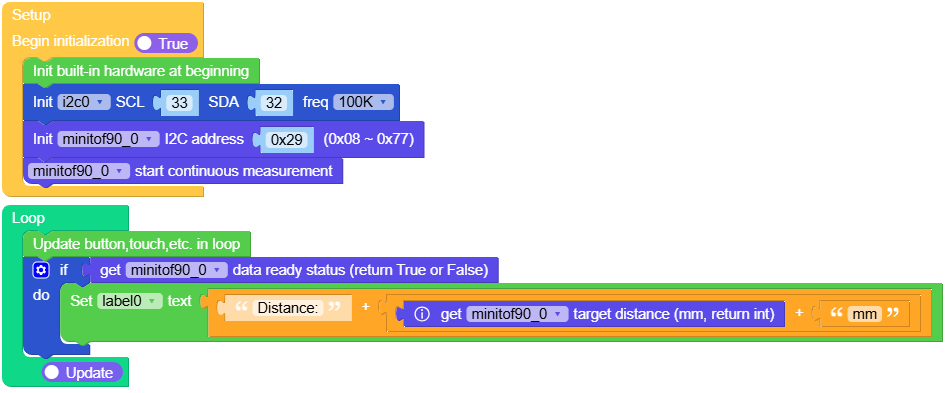
This example gets the distance value of the Mini ToF-90° Unit and displays it on the screen.
UiFlow2 Code Block:
Example output:
None
MicroPython Example
get distance value
This example gets the distance value of the Mini ToF-90° Unit and displays it on the screen.
MicroPython Code Block:
 1# SPDX-FileCopyrightText: 2025 M5Stack Technology CO LTD
 2#
 3# SPDX-License-Identifier: MIT
 4
 5import os, sys, io
 6import M5
 7from M5 import *
 8from hardware import I2C
 9from hardware import Pin
10from unit import ToF90Unit
11
12
13title0 = None
14label0 = None
15label1 = None
16i2c0 = None
17minitof90_0 = None
18
19
20def setup():
21    global title0, label0, label1, i2c0, minitof90_0
22
23    M5.begin()
24    Widgets.fillScreen(0x222222)
25    title0 = Widgets.Title(
26        "Core2 Mini ToF-90  Example", 3, 0xFFFFFF, 0x0000FF, Widgets.FONTS.DejaVu18
27    )
28    label0 = Widgets.Label("label0", 2, 110, 1.0, 0xFFFFFF, 0x222222, Widgets.FONTS.DejaVu18)
29    label1 = Widgets.Label("label1", -85, 149, 1.0, 0xFFFFFF, 0x222222, Widgets.FONTS.DejaVu18)
30
31    i2c0 = I2C(0, scl=Pin(33), sda=Pin(32), freq=100000)
32    minitof90_0 = ToF90Unit(i2c0, 0x29)
33    minitof90_0.start_continuous()
34
35
36def loop():
37    global title0, label0, label1, i2c0, minitof90_0
38    M5.update()
39    if minitof90_0.get_data_ready():
40        label0.setText(str((str("Distance:") + str((str((minitof90_0.get_range())) + str("mm"))))))
41
42
43if __name__ == "__main__":
44    try:
45        setup()
46        while True:
47            loop()
48    except (Exception, KeyboardInterrupt) as e:
49        try:
50            from utility import print_error_msg
51
52            print_error_msg(e)
53        except ImportError:
54            print("please update to latest firmware")
Example output:
None
API
ToF90Unit
- class unit.tof.ToF90Unit(i2c, address=41)
Bases:
VL53L0XCreate an VL53L0X object.
- Parameters:
i2c (I2C) – The I2C bus the VL53L0X is connected to.
address (int) – The I2C address of VL53L0X. Default is 0x29.
UiFlow2 Code Block:

MicroPython Code Block:
from unit import ToF90Unit

i2c0 = I2C(0, scl=Pin(1), sda=Pin(2), freq=100000)
tof_0 = ToF90Unit(i2c0)
VL53L0X
- class driver.vl53l0x.VL53L0X(i2c, address=41, io_timeout_ms=0)
Bases:
objectCreate an VL53L0X object.
- Parameters:
MicroPython Code Block:
from driver import VL53L0X

i2c0 = I2C(0, scl=Pin(1), sda=Pin(2), freq=100000)
vl53l0x_0 = VL53L0X(i2c0)
- get_measurement_timing_budget()
Get the measurement timing budget in microseconds.
- Returns:
The measurement timing budget in microseconds.
- Return type:
UiFlow2 Code Block:

MicroPython Code Block:
budget_ms = vl53l0x_0.get_measurement_timing_budget()
- set_measurement_timing_budget(budget_us)
Set the measurement timing budget in microseconds.
- Parameters:
budget_us (int) – The measurement timing budget in microseconds(range 20000 - 200000).
- Return type:
None
UiFlow2 Code Block:
MicroPython Code Block:
budget_ms = vl53l0x_0.get_measurement_timing_budget()
- get_distance()
Perform a single reading of the range for an object in front of the sensor and return the distance in centimeters.
- Returns:
The distance in centimeters.
- Return type:
MicroPython Code Block:
distance = vl53l0x_0.get_distance()
- get_range()
Perform a single reading of the range for an object in front of the sensor and return the distance in millimeters.
- Returns:
The distance in millimeters.
- Return type:
UiFlow2 Code Block:

MicroPython Code Block:
distance = vl53l0x_0.get_range()
- get_data_ready()
Get the data ready status of the sensor.
- Returns:
The data ready status of the sensor.
- Return type:
UiFlow2 Code Block:

MicroPython Code Block:
data_ready = vl53l0x_0.get_data_ready()
- is_continuous_mode()
Get the continuous mode status of the sensor.
- Returns:
The continuous mode status of the sensor.
- Return type:
UiFlow2 Code Block:

MicroPython Code Block:
continuous_mode = vl53l0x_0.is_continuous_mode()
- start_continuous()
Set the sensor to continuous mode.
UiFlow2 Code Block:

MicroPython Code Block:
vl53l0x_0.start_continuous()
- Return type:
None
- stop_continuous()
Set the sensor to single ranging mode.
UiFlow2 Code Block:

MicroPython Code Block:
vl53l0x_0.stop_continuous()
- Return type:
None
