DAC2 Unit
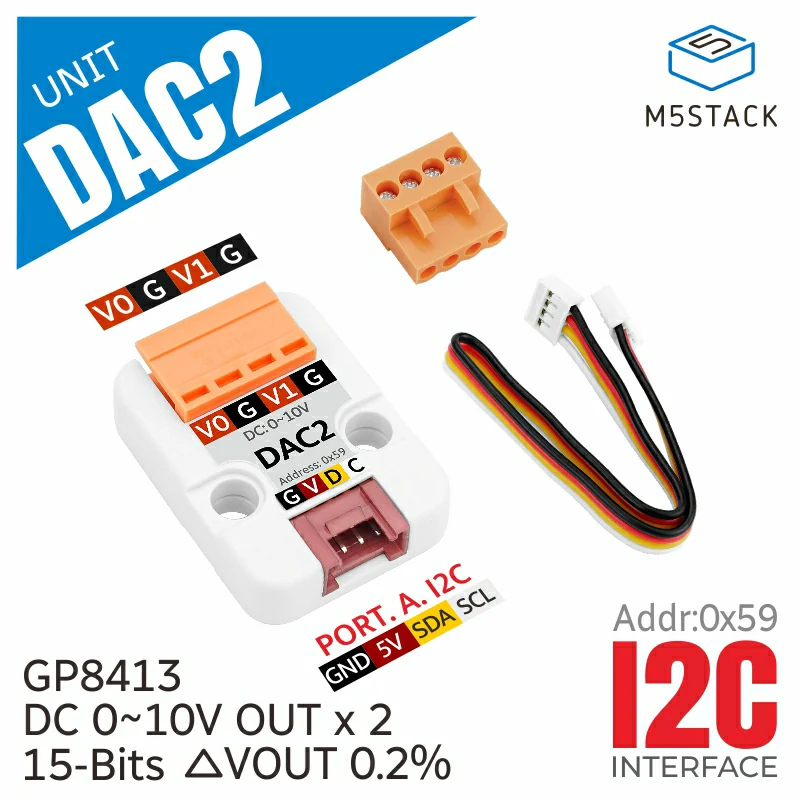
The Dac2 class interfaces with a GP8413 15-bit Digital to Analog Converter (DAC), capable of converting digital signals into two channels of analog voltage output, ranging from 0-5V and 0-10V.
Support the following products:
Micropython Example:
 1# SPDX-FileCopyrightText: 2024 M5Stack Technology CO LTD
 2#
 3# SPDX-License-Identifier: MIT
 4
 5import os, sys, io
 6import M5
 7from M5 import *
 8from hardware import *
 9from unit import DAC2Unit
10
11
12i2c0 = None
13dac2_0 = None
14
15
16def setup():
17    global i2c0, dac2_0
18
19    M5.begin()
20    Widgets.fillScreen(0x222222)
21
22    i2c0 = I2C(0, scl=Pin(1), sda=Pin(2), freq=100000)
23    dac2_0 = DAC2Unit(i2c0, 0x59)
24    dac2_0.set_dacoutput_voltage_range(dac2_0.RANGE_10V)
25    dac2_0.set_voltage(7.5, channel=dac2_0.CHANNEL_0)
26
27
28def loop():
29    global i2c0, dac2_0
30    M5.update()
31
32
33if __name__ == "__main__":
34    try:
35        setup()
36        while True:
37            loop()
38    except (Exception, KeyboardInterrupt) as e:
39        try:
40            from utility import print_error_msg
41
42            print_error_msg(e)
43        except ImportError:
44            print("please update to latest firmware")
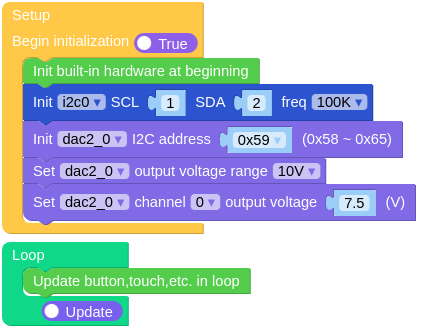
UIFLOW2 Example:
class DAC2Unit
Constructors
- class DAC2Unit(i2c0, addr)
Create an DAC2Unit object.
I2C0is I2C Port.addrI2C address of the DAC (default is 0x59)..
UIFLOW2:

Methods
- DAC2Unit.setDACOutputVoltageRange(_range)
Sets the output voltage range of the DAC.
_rangeThe DAC output voltage range, either DAC2Unit.RANGE_5V or DAC2Unit.RANGE_10V..
UIFLOW2:

- DAC2Unit.setVoltage(voltage, channel=Dac2.CHANNEL_BOTH)
Sets the output voltage of the DAC.
voltageDesired output voltage from 0.0 to range maximum (5V or 10V).channelThe DAC channel to set. Options are Dac2.CHANNEL_0, Dac2.CHANNEL_1, or Dac2.CHANNEL_BOTH.
UIFLOW2:

- DAC2Unit.setVoltageBoth(voltage0, voltage1)
Sets the output voltage for both channels.
voltage0Desired output voltage from 0.0 to range maximum (5V or 10V).voltage1Desired output voltage from 0.0 to range maximum (5V or 10V).
UIFLOW2:
