CANUnit
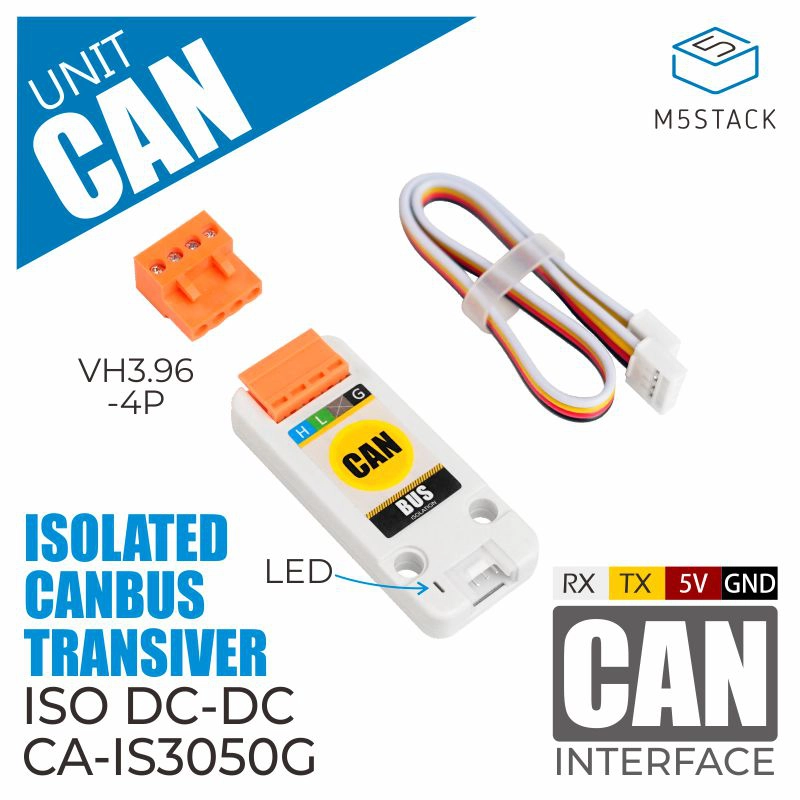
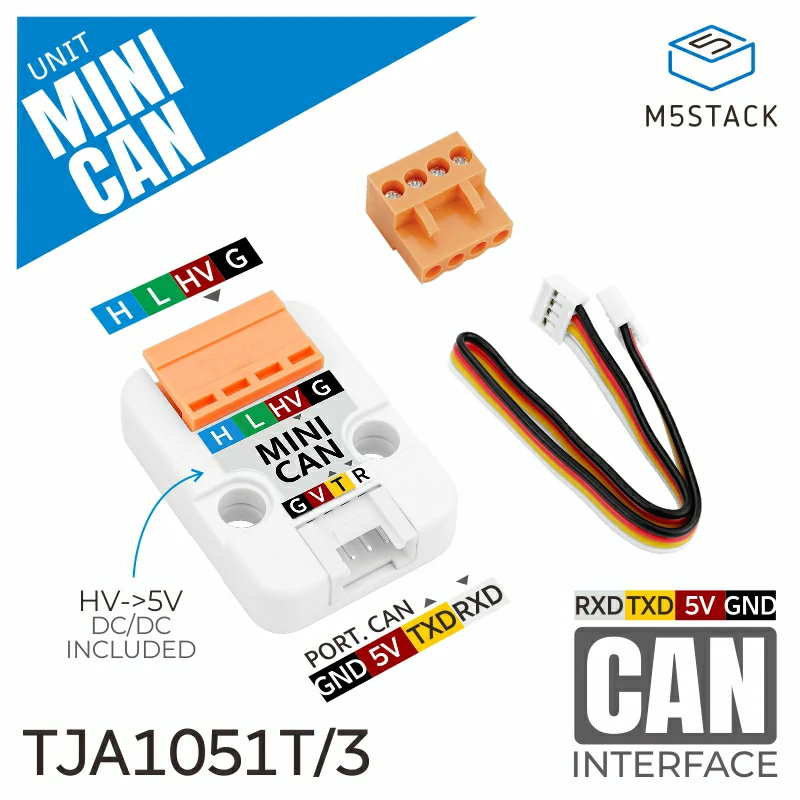
The CAN Unit is used to communicate via the CAN bus. The following products are supported:
UiFlow2 Example
TX Example
Open the stickc_plus2_can_tx_example.m5f2 project in UiFlow2.
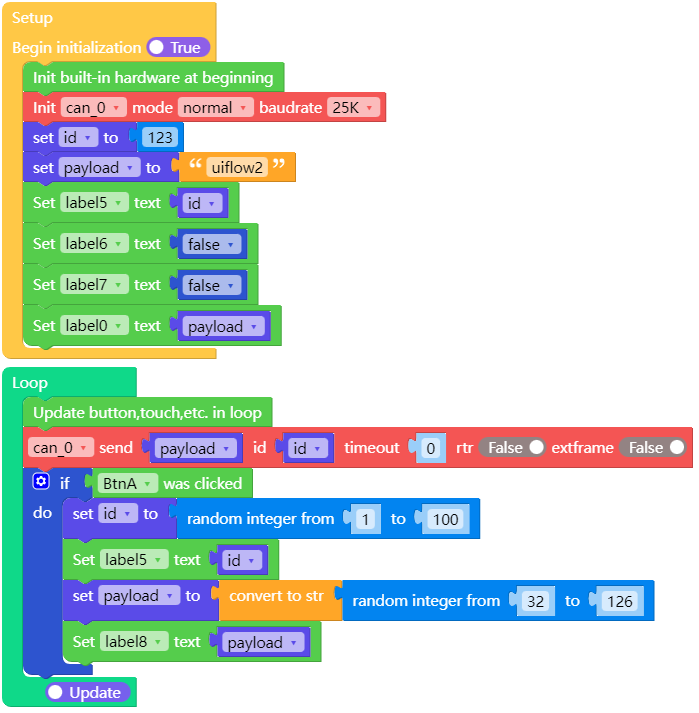
This example demonstrates how to transmit data using CAN Unit.
Click the BtnA to change the data to be sent.
UiFlow2 Code Block:
Example output:
None
RX Example
Open the dial_can_rx_example.m5f2 project in UiFlow2.
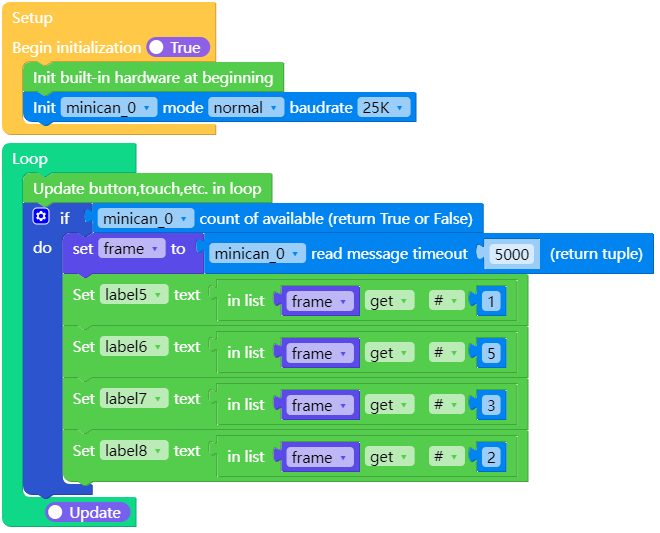
This example demonstrates how to receive data using CAN Unit.
UiFlow2 Code Block:
Example output:
Screen will display the received CAN data.
MicroPython Example
TX Example
This example demonstrates how to transmit data using CAN Unit.
MicroPython Code Block:
 1# SPDX-FileCopyrightText: 2024 M5Stack Technology CO LTD
 2#
 3# SPDX-License-Identifier: MIT
 4
 5import os, sys, io
 6import M5
 7from M5 import *
 8from unit import CANUnit
 9from hardware import *
10
11
12label0 = None
13label1 = None
14label2 = None
15label3 = None
16label4 = None
17label5 = None
18label6 = None
19label7 = None
20label8 = None
21can_0 = None
22
23
24import random
25
26id2 = None
27payload = None
28
29
30def setup():
31    global \
32        label0, \
33        label1, \
34        label2, \
35        label3, \
36        label4, \
37        label5, \
38        label6, \
39        label7, \
40        label8, \
41        can_0, \
42        id2, \
43        payload
44
45    M5.begin()
46    label0 = Widgets.Label("Master", 35, 4, 1.0, 0xFFFFFF, 0x222222, Widgets.FONTS.DejaVu18)
47    label1 = Widgets.Label("ID:", 4, 39, 1.0, 0xF5A41D, 0x080808, Widgets.FONTS.DejaVu18)
48    label2 = Widgets.Label("RTR:", 4, 90, 1.0, 0xF5A41D, 0x000000, Widgets.FONTS.DejaVu18)
49    label3 = Widgets.Label("Ext:", 4, 141, 1.0, 0xF5A41D, 0x000000, Widgets.FONTS.DejaVu18)
50    label4 = Widgets.Label("Msg:", 3, 192, 1.0, 0xF5A41D, 0x000000, Widgets.FONTS.DejaVu18)
51    label5 = Widgets.Label("label5", 3, 64, 1.0, 0xFFFFFF, 0x222222, Widgets.FONTS.DejaVu18)
52    label6 = Widgets.Label("label6", 4, 115, 1.0, 0xFFFFFF, 0x222222, Widgets.FONTS.DejaVu18)
53    label7 = Widgets.Label("label7", 4, 166, 1.0, 0xFFFFFF, 0x222222, Widgets.FONTS.DejaVu18)
54    label8 = Widgets.Label("label8", 4, 217, 1.0, 0xFFFFFF, 0x222222, Widgets.FONTS.DejaVu18)
55
56    can_0 = CANUnit((33, 32), CANUnit.NORMAL, baudrate=25000)
57    id2 = 123
58    payload = "uiflow2"
59    label5.setText(str(id2))
60    label6.setText(str(False))
61    label7.setText(str(False))
62    label0.setText(str(payload))
63
64
65def loop():
66    global \
67        label0, \
68        label1, \
69        label2, \
70        label3, \
71        label4, \
72        label5, \
73        label6, \
74        label7, \
75        label8, \
76        can_0, \
77        id2, \
78        payload
79    M5.update()
80    can_0.send(payload, id2, timeout=0, rtr=False, extframe=False)
81    if BtnA.wasClicked():
82        id2 = random.randint(1, 100)
83        label5.setText(str(id2))
84        payload = str((random.randint(32, 126)))
85        label8.setText(str(payload))
86
87
88if __name__ == "__main__":
89    try:
90        setup()
91        while True:
92            loop()
93    except (Exception, KeyboardInterrupt) as e:
94        try:
95            from utility import print_error_msg
96
97            print_error_msg(e)
98        except ImportError:
99            print("please update to latest firmware")
Example output:
None
RX Example
This example demonstrates how to receive data using CAN Unit.
MicroPython Code Block:
 1# SPDX-FileCopyrightText: 2024 M5Stack Technology CO LTD
 2#
 3# SPDX-License-Identifier: MIT
 4
 5import os, sys, io
 6import M5
 7from M5 import *
 8from unit import MiniCANUnit
 9
10
11label0 = None
12label1 = None
13label2 = None
14label3 = None
15label4 = None
16label5 = None
17label6 = None
18label7 = None
19label8 = None
20minican_0 = None
21
22
23frame = None
24
25
26def setup():
27    global label0, label1, label2, label3, label4, label5, label6, label7, label8, minican_0, frame
28
29    M5.begin()
30    label0 = Widgets.Label("Slaver", 90, 13, 1.0, 0xFFFFFF, 0x222222, Widgets.FONTS.DejaVu18)
31    label1 = Widgets.Label("ID:", 35, 60, 1.0, 0xFFFFFF, 0x222222, Widgets.FONTS.DejaVu18)
32    label2 = Widgets.Label("Ext:", 25, 150, 1.0, 0xFFFFFF, 0x222222, Widgets.FONTS.DejaVu18)
33    label3 = Widgets.Label("RTR:", 20, 120, 1.0, 0xFFFFFF, 0x222222, Widgets.FONTS.DejaVu18)
34    label4 = Widgets.Label("Msg:", 18, 90, 1.0, 0xFFFFFF, 0x222222, Widgets.FONTS.DejaVu18)
35    label5 = Widgets.Label("label5", 72, 60, 1.0, 0xFFFFFF, 0x222222, Widgets.FONTS.DejaVu18)
36    label6 = Widgets.Label("label6", 72, 89, 1.0, 0xFFFFFF, 0x222222, Widgets.FONTS.DejaVu18)
37    label7 = Widgets.Label("label7", 72, 120, 1.0, 0xFFFFFF, 0x222222, Widgets.FONTS.DejaVu18)
38    label8 = Widgets.Label("label8", 72, 150, 1.0, 0xFFFFFF, 0x222222, Widgets.FONTS.DejaVu18)
39
40    minican_0 = MiniCANUnit((1, 2), MiniCANUnit.NORMAL, baudrate=25000)
41
42
43def loop():
44    global label0, label1, label2, label3, label4, label5, label6, label7, label8, minican_0, frame
45    M5.update()
46    if minican_0.any(0):
47        frame = minican_0.recv(0, timeout=5000)
48        label5.setText(str(frame[0]))
49        label6.setText(str(frame[4]))
50        label7.setText(str(frame[2]))
51        label8.setText(str(frame[1]))
52
53
54if __name__ == "__main__":
55    try:
56        setup()
57        while True:
58            loop()
59    except (Exception, KeyboardInterrupt) as e:
60        try:
61            from utility import print_error_msg
62
63            print_error_msg(e)
64        except ImportError:
65            print("please update to latest firmware")
Example output:
Screen will display the received CAN data.
API
CANUnit
- class unit.CANUnit(port, mode, baudrate=125000)
Create a CANUnit object.
- Parameters:
UiFlow2 Code Block:

MicroPython Code Block:
from unit import CANUnit

can = CANUnit(id=0, port=(13, 14), mode=CANUnit.NORMAL, baudrate=125000)
Note
CANUnit class inherits CAN class. See
hardware.CANfor more details.
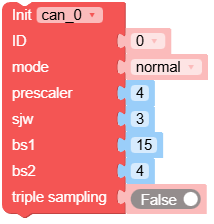
- class unit.CANUnit(tx, rx, mode, prescaler=32, sjw=3, bs1=15, bs2=4, triple_sampling=False)
Initialise the CAN bus with the given parameters.
- Parameters:
id (int) – The CAN ID.
port (tuple) – The port pins (tx, rx).
mode (int) – One of CAN.NORMAL, CAN.NO_ACKNOWLEDGE, CAN.LISTEN_ONLY.
prescaler (int) – The value by which the CAN input clock is divided to generate the nominal bit time quanta. The prescaler can be a value between 1 and 1024 inclusive for classic CAN.
sjw (int) – The resynchronisation jump width in units of time quanta for nominal bits; it can be a value between 1 and 4 inclusive for classic CAN.
bs1 (int) – Defines the location of the sample point in units of the time quanta for nominal bits; it can be a value between 1 and 16 inclusive for classic CAN.
bs2 (int) – Defines the location of the transmit point in units of the time quanta for nominal bits; it can be a value between 1 and 8 inclusive for classic CAN.
triple_sampling (bool) – is Enables triple sampling when the TWAI controller samples a bit.
UiFlow2 Code Block:
MicroPython Code Block:
from unit import CANUnit

can = CANUnit(id=0, port=(13, 14), mode=CANUnit.NORMAL, prescaler=128, sjw=3, bs1=16, bs2=8, triple_sampling=False)
Note
CANUnit class inherits CAN class. See
hardware.CANfor more details.