M5 BLE
M5 BLE is a library that M5Stack has developed by wrapping the Low Level BLE of Micropython. It provides simpler and more user-friendly APIs.
BLE Client example:
# client
from m5ble import M5BLE

UUID_SERVICE1 = "6E400011-B5A3-F393-E0A9-E50E24DCCA9E"
UUID_SERVICE1_WR = "6E400012-B5A3-F393-E0A9-E50E24DCCA9E"
UUID_SERVICE1_RD = "6E400013-B5A3-F393-E0A9-E50E24DCCA9E"

UUID_SERVICE2 = "6E400021-B5A3-F393-E0A9-E50E24DCCA9E"
UUID_SERVICE2_WR = "6E400022-B5A3-F393-E0A9-E50E24DCCA9E"
UUID_SERVICE2_RD = "6E400023-B5A3-F393-E0A9-E50E24DCCA9E"

connected = False
def on_connected(client):
    global connected
    print(client._service_handle_map)
    connected = True
    ble.client.set_mtu(128)

def on_disconnected(client, conn_handle, addr_type, addr):
    global connected
    connected = False

ble = M5BLE.Device(verbose=True)
ble.client.scan(target_name_prefix="M5")
ble.client.on_connected(on_connected)

try:
    while True:
        if connected:
            ble.client.write("Hello Service 1", UUID_SERVICE1_WR, UUID_SERVICE1)
            ble.client.write("Hello Service 2", UUID_SERVICE2_WR, UUID_SERVICE2)
            time.sleep(0.1)
            print(ble.client.read(UUID_SERVICE1_RD, UUID_SERVICE1))
            print(ble.client.read(UUID_SERVICE2_RD, UUID_SERVICE2))
        time.sleep(1)
except KeyboardInterrupt:
    gc.collect()
    print("\nExiting...")
BLE Server example:
# server
from m5ble import M5BLE

UUID_SERVICE1 = "6E400011-B5A3-F393-E0A9-E50E24DCCA9E"
UUID_SERVICE1_WR = "6E400012-B5A3-F393-E0A9-E50E24DCCA9E"
UUID_SERVICE1_RD = "6E400013-B5A3-F393-E0A9-E50E24DCCA9E"

UUID_SERVICE2 = "6E400021-B5A3-F393-E0A9-E50E24DCCA9E"
UUID_SERVICE2_WR = "6E400022-B5A3-F393-E0A9-E50E24DCCA9E"
UUID_SERVICE2_RD = "6E400023-B5A3-F393-E0A9-E50E24DCCA9E"

def onReceive(server, client):
    print("onReceive")
    if client.any(UUID_SERVICE1_WR):
        client.write(client.read(UUID_SERVICE1_WR), UUID_SERVICE1_RD)
    if client.any(UUID_SERVICE2_WR):
        client.write(client.read(UUID_SERVICE2_WR), UUID_SERVICE2_RD)

ble = M5BLE.Device(verbose=True)
ble.server.add_service(UUID_SERVICE1, [
    ble.server.create_characteristic(UUID_SERVICE1_RD, notify=True, read=True),
    ble.server.create_characteristic(UUID_SERVICE1_WR, write=True),
])
ble.server.add_service(UUID_SERVICE2, [
    ble.server.create_characteristic(UUID_SERVICE2_RD, notify=True, read=True),
    ble.server.create_characteristic(UUID_SERVICE2_WR, write=True),
])
ble.server.start()
ble.server.on_receive(onReceive)
while True:
    pass
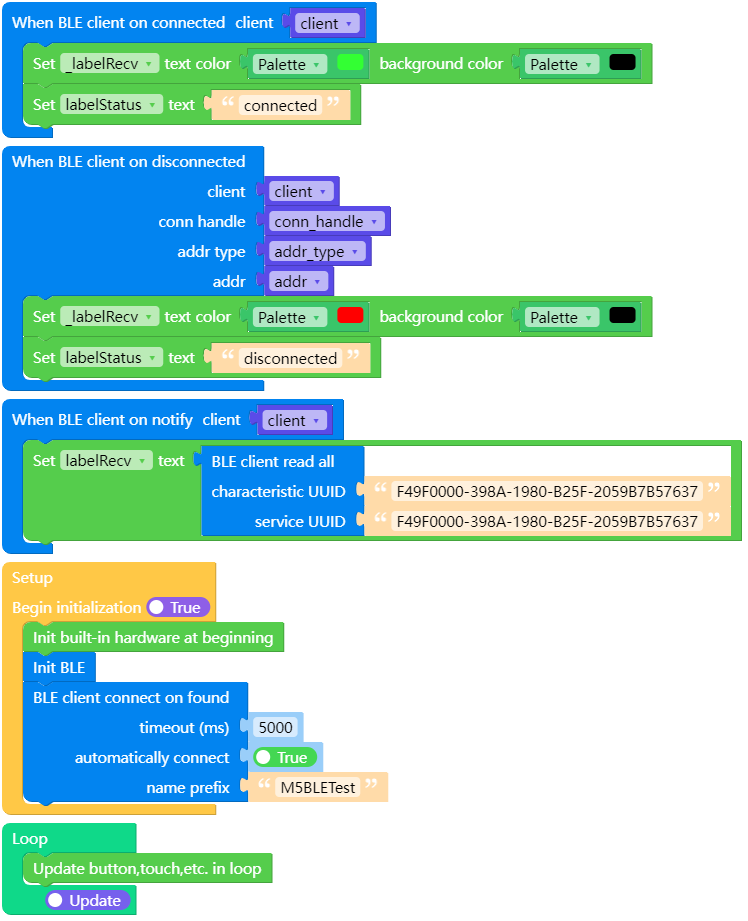
UIFLOW2 client example:
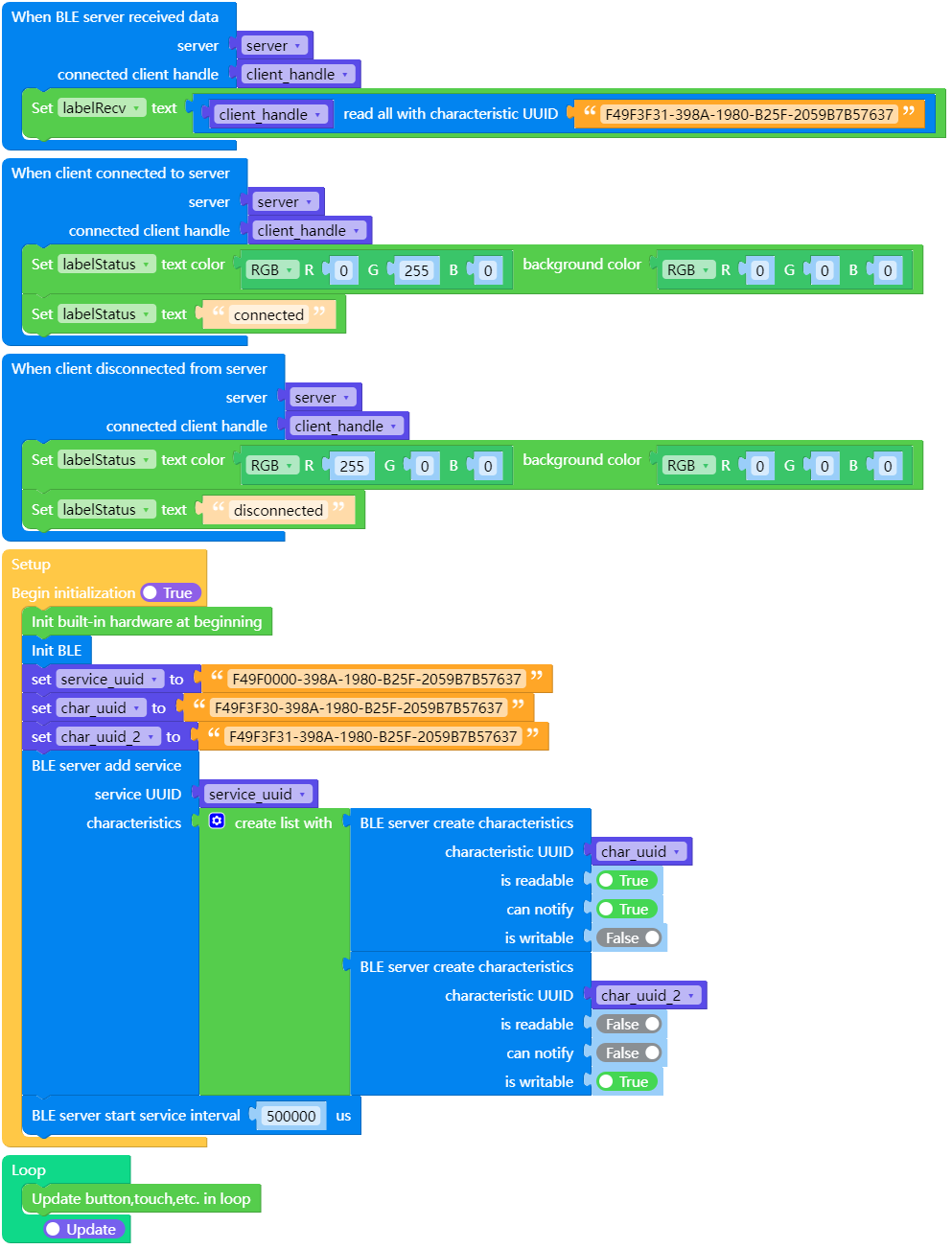
UIFLOW2 server example:
M5BLE
Constructor
- class M5BLE.Device(name)
Creates an M5BLE object.
nameThe BLE broadcast name, used for device discovery and identification.
UIFLOW2:

Device Methods
- M5BLE.Device.get_mtu()
Retrieves the maximum transmission unit (MTU) for BLE connections, measured in bytes.
UIFLOW2:

- M5BLE.Device.deinit()
Closes the BLE connection and releases resources.
UIFLOW2:

Client Methods
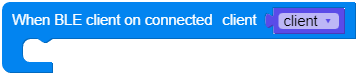
- M5BLE.Device.client.on_connected(callback)
Sets the callback function for successful BLE connection.
callbackCallback function upon connection, parameter is callback(M5BLE.Client).
UIFLOW2:
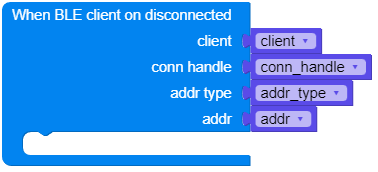
- M5BLE.Device.client.on_disconnected(callback)
Sets the callback function for BLE disconnection.
callbackCallback function upon disconnection, parameters are callback(M5BLE.Client, conn_handle, addr_type, addr).
UIFLOW2:
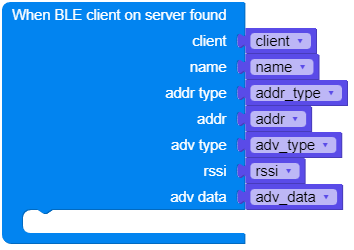
- M5BLE.Device.client.on_server_found(callback)
Sets the callback function for BLE service discovery.
callbackCallback function for service discovery, parameters are callback(M5BLE.Client, (name, addr_type, addr, adv_type, rssi, adv_data)).
UIFLOW2:
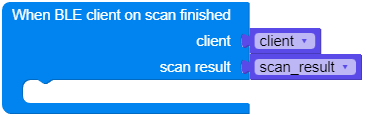
- M5BLE.Device.client.on_scan_finished(callback)
Sets the callback function for the end of BLE scanning.
callbackCallback function at the end of scanning, parameter is callback(M5BLE.Client, scan_result=[]).
UIFLOW2:
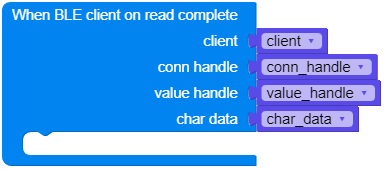
- M5BLE.Device.client.on_read_complete(callback)
Sets the callback function for completed BLE reads.
callbackCallback function upon read completion, parameters are callback(M5BLE.Client, conn_handle, value_handle, char_data).
UIFLOW2:
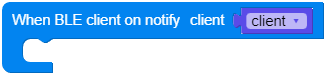
- M5BLE.Device.client.on_notify(callback)
Sets the callback function for BLE notifications.
callbackNotification callback function, parameter is callback(M5BLE.Client).
UIFLOW2:
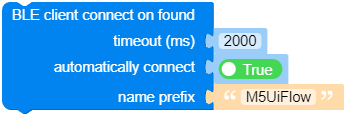
- M5BLE.Device.client.scan(timeout=2000, connect_on_found=True, target_name_prefix='M5UiFlow', target_uuid=None)
Scans for BLE devices.
timeoutScan timeout, in milliseconds, default is 2000ms.connect_on_foundWhether to automatically connect to devices when found, default is True.target_name_prefixName prefix for targeted devices, default is ‘M5UiFlow’.target_uuidUUID of the targeted device.
UIFLOW2:
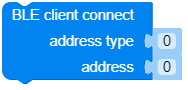
- M5BLE.Device.client.connect(addr_type, addr)
Connects to a BLE device.
addr_typeDevice address type.addrDevice address.
UIFLOW2:
- M5BLE.Device.client.set_current_service_uuid(service_uuid)
Sets the UUID for the current service, allowing the omission of the service_uuid parameter when using any, read, write.
service_uuidUUID of the service.
UIFLOW2:

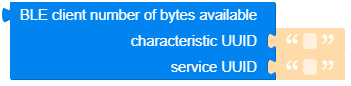
- M5BLE.Device.client.any(char_uuid, service_uuid=None)
Checks for data availability for reading, returns the byte size of the buffer if available.
char_uuidUUID of the characteristic.service_uuidUUID of the service.
UIFLOW2:
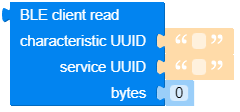
- M5BLE.Device.client.read(char_uuid, service_uuid=None, sz=None)
Reads data from a BLE device.
char_uuidUUID of the characteristic.service_uuidUUID of the service.szNumber of bytes to read, None reads all available bytes.
UIFLOW2:
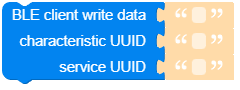
- M5BLE.Device.client.write(data, char_uuid, service_uuid=None)
Writes data to a BLE device.
dataData to be written.char_uuidUUID of the characteristic.service_uuidUUID of the service.
UIFLOW2:
- M5BLE.Device.client.close()
Closes the BLE connection.
UIFLOW2:

- M5BLE.Device.client.get_services()
Retrieves a list of BLE services.
UIFLOW2:

- M5BLE.Device.client.get_characteristics(service_uuid)
Retrieves a list of characteristics for a BLE service.
service_uuidUUID of the service.
UIFLOW2:

- M5BLE.Device.client.set_mtu(mtu)
Sets the maximum transmission unit (MTU) for BLE connections, in bytes.
mtuSize of the transmission unit, in bytes, ranging from 23-517. Note that not all devices support MTUs larger than 23.
UIFLOW2:

Server Methods
- M5BLE.Device.server.clear_services()
Clears the added services.
UIFLOW2:

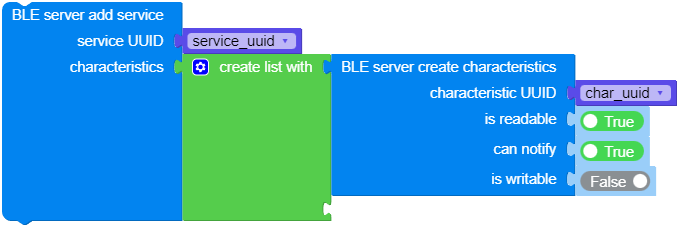
- M5BLE.Device.server.add_service(uuid, characteristics)
Adds a service
uuidUUID of the servicecharacteristicsList of characteristics included in the service, created using create_characteristic
UIFLOW2:
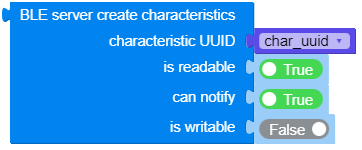
- M5BLE.Device.server.create_characteristic(uuid, read, write, notify)
Creates a characteristic
uuidUUID of the characteristicreadWhether the characteristic is readablewriteWhether the characteristic is writablenotifyWhether the characteristic can notify
UIFLOW2:
- M5BLE.Device.server.start(interval_us)
Starts the BLE service
interval_usBroadcast interval time, in microseconds, default is 500000us.
UIFLOW2:

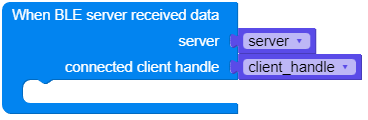
- M5BLE.Device.server.on_receive(callback)
Sets the callback function for receiving data on BLE.
callbackData reception callback function, parameters are callback(M5BLE.Server, connected_client_handle).
UIFLOW2:
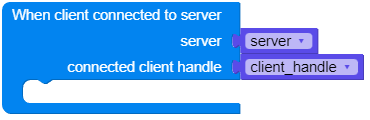
- M5BLE.Device.server.on_connected(callback)
Sets the callback function for successful BLE device connection.
callbackCallback function upon device connection, parameters are callback(M5BLE.Server, connected_client_handle).
UIFLOW2:
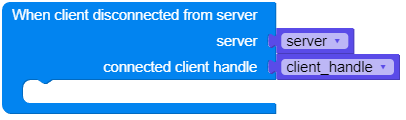
- M5BLE.Device.server.on_disconnected(callback)
Sets the callback function for BLE device disconnection.
callbackCallback function upon device disconnection, parameters are callback(M5BLE.Server, connected_client_handle).
UIFLOW2:
- M5BLE.Device.server.get_client(index)
Retrieves a connected client
indexIndex of the client
UIFLOW2:

- M5BLE.Device.server.get_clients()
Retrieves a list of connected clients
UIFLOW2:

Server - connected_client_handle Methods
connected_client_handle is passed by the callback function’s parameters, or obtained using get_client.
- connected_client_handle.any(uuid)
Checks for data availability for reading, returns the byte size of the buffer if available.
uuidUUID of the characteristic.
UIFLOW2:

- connected_client_handle.read(uuid, sz=None)
Reads data from a BLE device.
uuidUUID of the characteristic.szNumber of bytes to read, None reads all available bytes.
UIFLOW2:


- connected_client_handle.write(data, uuid)
Writes data to a BLE device.
dataData to be written.uuidUUID of the characteristic.
UIFLOW2:

- connected_client_handle.close()
Disconnects the link
UIFLOW2: