M5 BLE
M5 BLE 是 M5Stack 通过封装 MicroPython 的底层 BLE 开发的一个库。它提供了更简单、更易用的 API。
BLE Client 应用示例:
# client
from m5ble import M5BLE

UUID_SERVICE1 = "6E400011-B5A3-F393-E0A9-E50E24DCCA9E"
UUID_SERVICE1_WR = "6E400012-B5A3-F393-E0A9-E50E24DCCA9E"
UUID_SERVICE1_RD = "6E400013-B5A3-F393-E0A9-E50E24DCCA9E"

UUID_SERVICE2 = "6E400021-B5A3-F393-E0A9-E50E24DCCA9E"
UUID_SERVICE2_WR = "6E400022-B5A3-F393-E0A9-E50E24DCCA9E"
UUID_SERVICE2_RD = "6E400023-B5A3-F393-E0A9-E50E24DCCA9E"

connected = False
def on_connected(client):
    global connected
    print(client._service_handle_map)
    connected = True
    ble.client.set_mtu(128)

def on_disconnected(client, conn_handle, addr_type, addr):
    global connected
    connected = False

ble = M5BLE.Device(verbose=True)
ble.client.scan(target_name_prefix="M5")
ble.client.on_connected(on_connected)

try:
    while True:
        if connected:
            ble.client.write("Hello Service 1", UUID_SERVICE1_WR, UUID_SERVICE1)
            ble.client.write("Hello Service 2", UUID_SERVICE2_WR, UUID_SERVICE2)
            time.sleep(0.1)
            print(ble.client.read(UUID_SERVICE1_RD, UUID_SERVICE1))
            print(ble.client.read(UUID_SERVICE2_RD, UUID_SERVICE2))
        time.sleep(1)
except KeyboardInterrupt:
    gc.collect()
    print("\nExiting...")
BLE Server 应用示例:
# server
from m5ble import M5BLE

UUID_SERVICE1 = "6E400011-B5A3-F393-E0A9-E50E24DCCA9E"
UUID_SERVICE1_WR = "6E400012-B5A3-F393-E0A9-E50E24DCCA9E"
UUID_SERVICE1_RD = "6E400013-B5A3-F393-E0A9-E50E24DCCA9E"

UUID_SERVICE2 = "6E400021-B5A3-F393-E0A9-E50E24DCCA9E"
UUID_SERVICE2_WR = "6E400022-B5A3-F393-E0A9-E50E24DCCA9E"
UUID_SERVICE2_RD = "6E400023-B5A3-F393-E0A9-E50E24DCCA9E"

def onReceive(server, client):
    print("onReceive")
    if client.any(UUID_SERVICE1_WR):
        client.write(client.read(UUID_SERVICE1_WR), UUID_SERVICE1_RD)
    if client.any(UUID_SERVICE2_WR):
        client.write(client.read(UUID_SERVICE2_WR), UUID_SERVICE2_RD)

ble = M5BLE.Device(verbose=True)
ble.server.add_service(UUID_SERVICE1, [
    ble.server.create_characteristic(UUID_SERVICE1_RD, notify=True, read=True),
    ble.server.create_characteristic(UUID_SERVICE1_WR, write=True),
])
ble.server.add_service(UUID_SERVICE2, [
    ble.server.create_characteristic(UUID_SERVICE2_RD, notify=True, read=True),
    ble.server.create_characteristic(UUID_SERVICE2_WR, write=True),
])
ble.server.start()
ble.server.on_receive(onReceive)
while True:
    pass
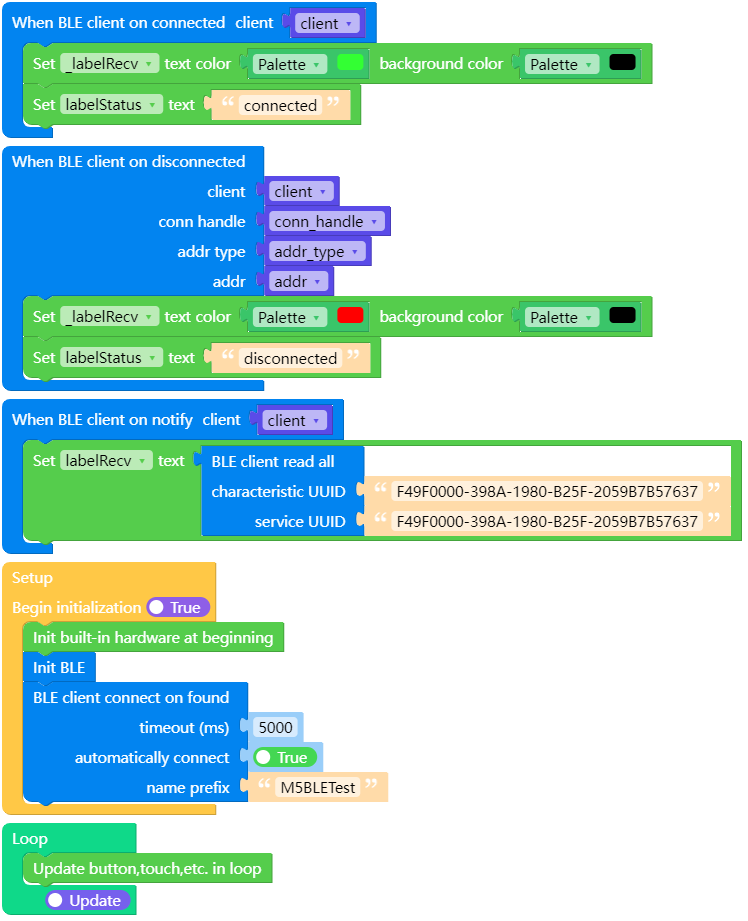
UiFlow2 应用示例:
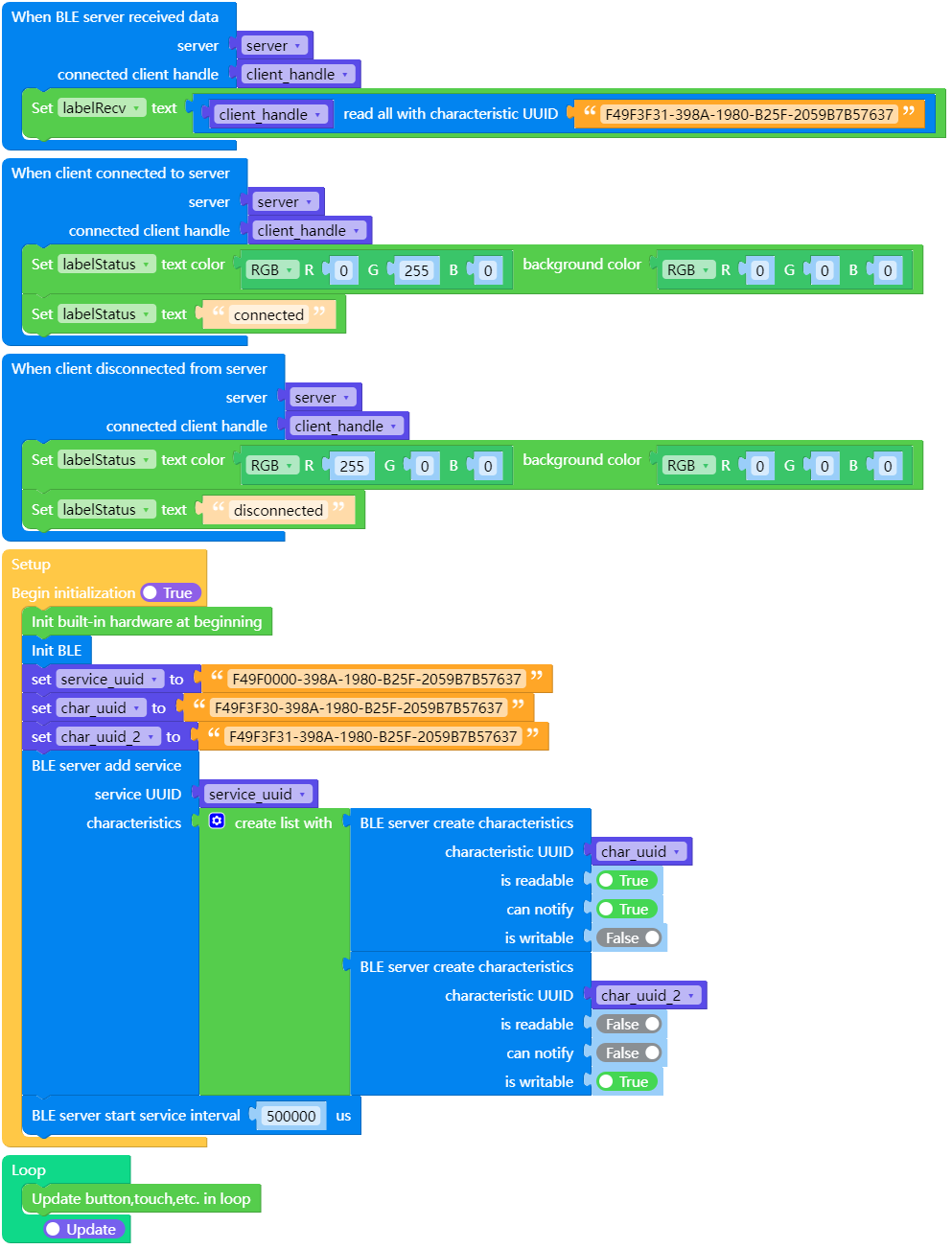
UiFlow2 server 示例:
M5BLE
构造函数。
- class M5BLE.Device(name)
创建一个 M5BLE 对象。
nameBLE 广播名称,用于设备发现和识别。
UIFLOW2:

设备方法。
- M5BLE.Device.get_mtu()
获取 BLE 连接的最大传输单元(MTU),以字节为单位。
UIFLOW2:

- M5BLE.Device.deinit()
关闭 BLE 连接并释放资源。
UIFLOW2:

客户端方法
- M5BLE.Device.client.on_connected(callback)
设置 BLE 连接成功的回调函数。
callback连接时的回调函数,参数为 callback(M5BLE.Client)。
UIFLOW2:

- M5BLE.Device.client.on_disconnected(callback)
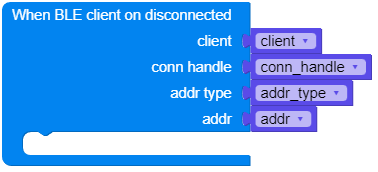
设置 BLE 断开连接的回调函数。
callback断开连接时的回调函数,参数为 callback(M5BLE.Client, conn_handle, addr_type, addr)。
UIFLOW2:
- M5BLE.Device.client.on_server_found(callback)
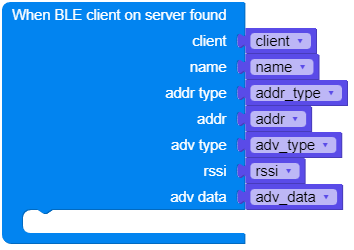
设置用于 BLE 服务发现的回调函数。
callback用于服务发现的回调函数,参数为 callback(M5BLE.Client, (name, addr_type, addr, adv_type, rssi, adv_data))。
UIFLOW2:
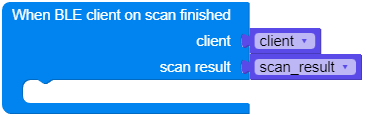
- M5BLE.Device.client.on_scan_finished(callback)
设置 BLE 扫描结束的回调函数。
callback扫描结束时的回调函数,参数为 callback(M5BLE.Client, scan_result=[])。
UIFLOW2:
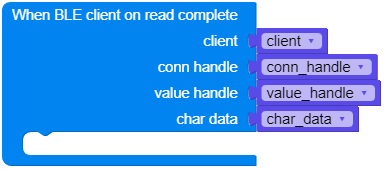
- M5BLE.Device.client.on_read_complete(callback)
设置用于 BLE 读取完成的回调函数。
callback读取完成时的回调函数,参数为 callback(M5BLE.Client, conn_handle, value_handle, char_data)。
UIFLOW2:
- M5BLE.Device.client.on_notify(callback)
设置用于 BLE 通知的回调函数。
callback通知回调函数,参数为 callback(M5BLE.Client)。
UIFLOW2:

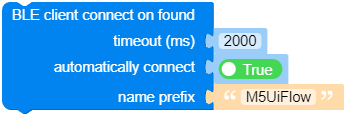
- M5BLE.Device.client.scan(timeout=2000, connect_on_found=True, target_name_prefix='M5UiFlow', target_uuid=None)
扫描 BLE 设备。
timeout扫描超时时间,单位为毫秒,默认值为 2000 ms。connect_on_found是否在找到设备时自动连接,默认为 True。target_name_prefix目标设备的名称前缀,默认值为 ‘M5UiFlow’。target_uuid目标设备的 UUID。
UIFLOW2:
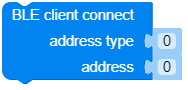
- M5BLE.Device.client.connect(addr_type, addr)
连接到 BLE 设备。
addr_type设备地址类型。addr设备地址。
UIFLOW2:
- M5BLE.Device.client.set_current_service_uuid(service_uuid)
为当前服务设置 UUID,使在使用 any、read、write 时可以省略
service_uuid参数。service_uuid服务的 UUID。
UIFLOW2:

- M5BLE.Device.client.any(char_uuid, service_uuid=None)
检查是否有可供读取的数据;如果有,则返回缓冲区的字节大小。
char_uuid特征的 UUID。service_uuid服务的 UUID。
UIFLOW2:

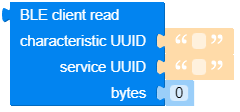
- M5BLE.Device.client.read(char_uuid, service_uuid=None, sz=None)
从 BLE 设备读取数据。
char_uuid特征的 UUID。service_uuid服务的 UUID。sz要读取的字节数,None 表示读取所有可用字节。
UIFLOW2:
- M5BLE.Device.client.write(data, char_uuid, service_uuid=None)
将数据写入 BLE 设备。
data要写入的数据。char_uuid特征的 UUID。service_uuid服务的 UUID。
UIFLOW2:

- M5BLE.Device.client.close()
关闭 BLE 连接。
UIFLOW2:

- M5BLE.Device.client.get_services()
获取 BLE 服务列表。
UIFLOW2:

- M5BLE.Device.client.get_characteristics(service_uuid)
获取 BLE 服务的特征列表。
service_uuid服务的 UUID。
UIFLOW2:

- M5BLE.Device.client.set_mtu(mtu)
设置 BLE 连接的最大传输单元(MTU),单位为字节。
mtu传输单元大小,单位为字节,范围为 23-517。请注意,并非所有设备都支持大于 23 的 MTU。
UIFLOW2:

服务器方法
- M5BLE.Device.server.clear_services()
清除已添加的服务。
UIFLOW2:

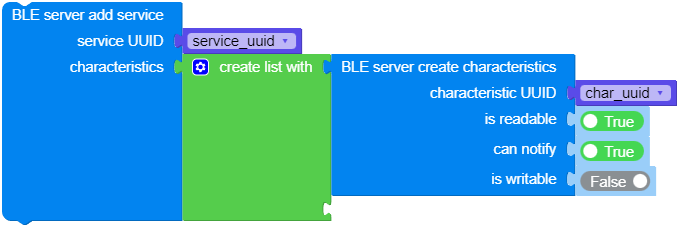
- M5BLE.Device.server.add_service(uuid, characteristics)
添加服务。
uuid服务的 UUIDcharacteristics服务中包含的特征列表,使用 create_characteristic 创建。
UIFLOW2:
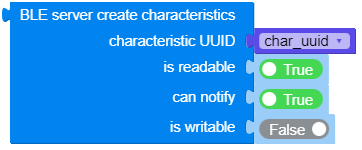
- M5BLE.Device.server.create_characteristic(uuid, read, write, notify)
创建一个特征值。
uuid特征的 UUID。read特征值是否可读。是否可以写入该特征值。
notify特征值是否支持通知。
UIFLOW2:
- M5BLE.Device.server.start(interval_us)
启动 BLE 服务。
interval_us广播间隔时间,单位为微秒,默认值为 500000 us。
UIFLOW2:

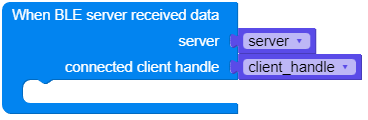
- M5BLE.Device.server.on_receive(callback)
设置用于在 BLE 上接收数据的回调函数。
callback数据接收回调函数,参数为 callback(M5BLE.Server, connected_client_handle)。
UIFLOW2:
- M5BLE.Device.server.on_connected(callback)
设置 BLE 设备连接成功的回调函数。
callback设备连接时的回调函数,参数为 callback(M5BLE.Server, connected_client_handle)。
UIFLOW2:
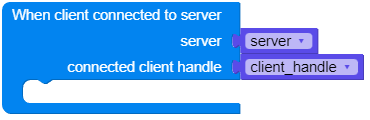
- M5BLE.Device.server.on_disconnected(callback)
设置 BLE 设备断开连接的回调函数。
callback设备断开连接时的回调函数,参数为 callback(M5BLE.Server, connected_client_handle)。
UIFLOW2:

- M5BLE.Device.server.get_client(index)
获取已连接的客户端。
index客户端的索引。
UIFLOW2:

- M5BLE.Device.server.get_clients()
检索已连接客户端列表。
UIFLOW2:

Server - connected_client_handle 方法
connected_client_handle 通过回调函数的参数传入,或使用 get_client 获取。
- connected_client_handle.any(uuid)
检查是否有可供读取的数据;如果有,则返回缓冲区的字节大小。
uuid特征的 UUID。
UIFLOW2:

- connected_client_handle.read(uuid, sz=None)
从 BLE 设备读取数据。
uuid特征的 UUID。sz要读取的字节数,None 表示读取所有可用字节。
UIFLOW2:


- connected_client_handle.write(data, uuid)
将数据写入 BLE 设备。
data要写入的数据。uuid特征的 UUID。
UIFLOW2:

- connected_client_handle.close()
断开连接链路。
UIFLOW2: