AtomS3R-CAM
支持以下产品:

MicroPython 应用示例:
视频流
该示例实现了一个实时视频流服务器,并集成了二维码识别功能。
MicroPython 代码块:
  1# SPDX-FileCopyrightText: 2025 M5Stack Technology CO LTD
  2#
  3# SPDX-License-Identifier: MIT
  4
  5
  6import M5
  7from M5 import Display as dis
  8import camera as cam
  9import network
 10import time
 11import jpg
 12import socket
 13import struct
 14import code_scanner
 15import sys
 16
 17M5.begin()
 18
 19# Initialize camera
 20cam.init(pixformat=cam.RGB565, framesize=cam.QVGA)
 21cam.set_hmirror(False)
 22
 23# Connect to existing WiFi and display IP
 24wlan = network.WLAN(network.STA_IF)
 25if wlan.isconnected():
 26    ip_info = wlan.ifconfig()
 27    ip_addr = ip_info[0]
 28    print("Local IP Address:", ip_addr)
 29    print("\nPlease open your browser and visit http://%s:8080 to view the stream.\n" % ip_addr)
 30else:
 31    print("WiFi not connected.")
 32
 33# Create server socket
 34s = socket.socket(socket.AF_INET, socket.SOCK_STREAM)
 35s.setsockopt(socket.SOL_SOCKET, socket.SO_REUSEADDR, True)
 36s.bind(("0.0.0.0", 8080))
 37s.listen(2)
 38s.setblocking(True)
 39
 40
 41def start_streaming(s):
 42    print("Waiting for client connection...")
 43    client, addr = s.accept()
 44    client.settimeout(5.0)
 45    print("Connected: %s:%d" % (addr[0], addr[1]))
 46
 47    # Receive HTTP request
 48    try:
 49        data = client.recv(1024)
 50        if not data:
 51            raise Exception("No HTTP request received")
 52    except:
 53        client.close()
 54        return
 55
 56    # Send MJPEG HTTP response headers
 57    try:
 58        client.sendall(
 59            "HTTP/1.1 200 OK\r\n"
 60            "Server: AtomS3R-CAM\r\n"
 61            "Content-Type: multipart/x-mixed-replace;boundary=atoms3r_cam\r\n"
 62            "Cache-Control: no-cache\r\n"
 63            "Pragma: no-cache\r\n\r\n"
 64        )
 65    except:
 66        client.close()
 67        return
 68
 69    # Main video streaming loop
 70    while True:
 71        try:
 72            img = cam.snapshot()
 73            if img is None:
 74                continue
 75
 76            # QR code detection
 77            qrcode = code_scanner.find_qrcodes(img)
 78            if qrcode:
 79                payload = qrcode.payload()
 80                print("QR Code detected:", payload)
 81                img.draw_string(10, 10, "QRCode: %s" % payload, color=(0, 0, 255), scale=1)
 82
 83            # Encode and send frame
 84            cframe = jpg.encode(img, 80)
 85            header = (
 86                "\r\n--atoms3r_cam\r\n"
 87                "Content-Type: image/jpeg\r\n"
 88                "Content-Length: %d\r\n\r\n" % cframe.size()
 89            )
 90            client.sendall(header)
 91            client.sendall(cframe.bytearray())
 92
 93        except Exception as e:
 94            print("Streaming interrupted:", e)
 95            client.close()
 96            break
 97
 98
 99# Main server loop
100while True:
101    try:
102        start_streaming(s)
103    except Exception as e:
104        print("Socket error:", e)
105        time.sleep(2)
示例输出:
None
如何使用
配置 Wi-Fi 设置。

将示例代码复制到编辑器中。

运行程序,上传后,控制台将打印分配给设备的本地 IP 地址。
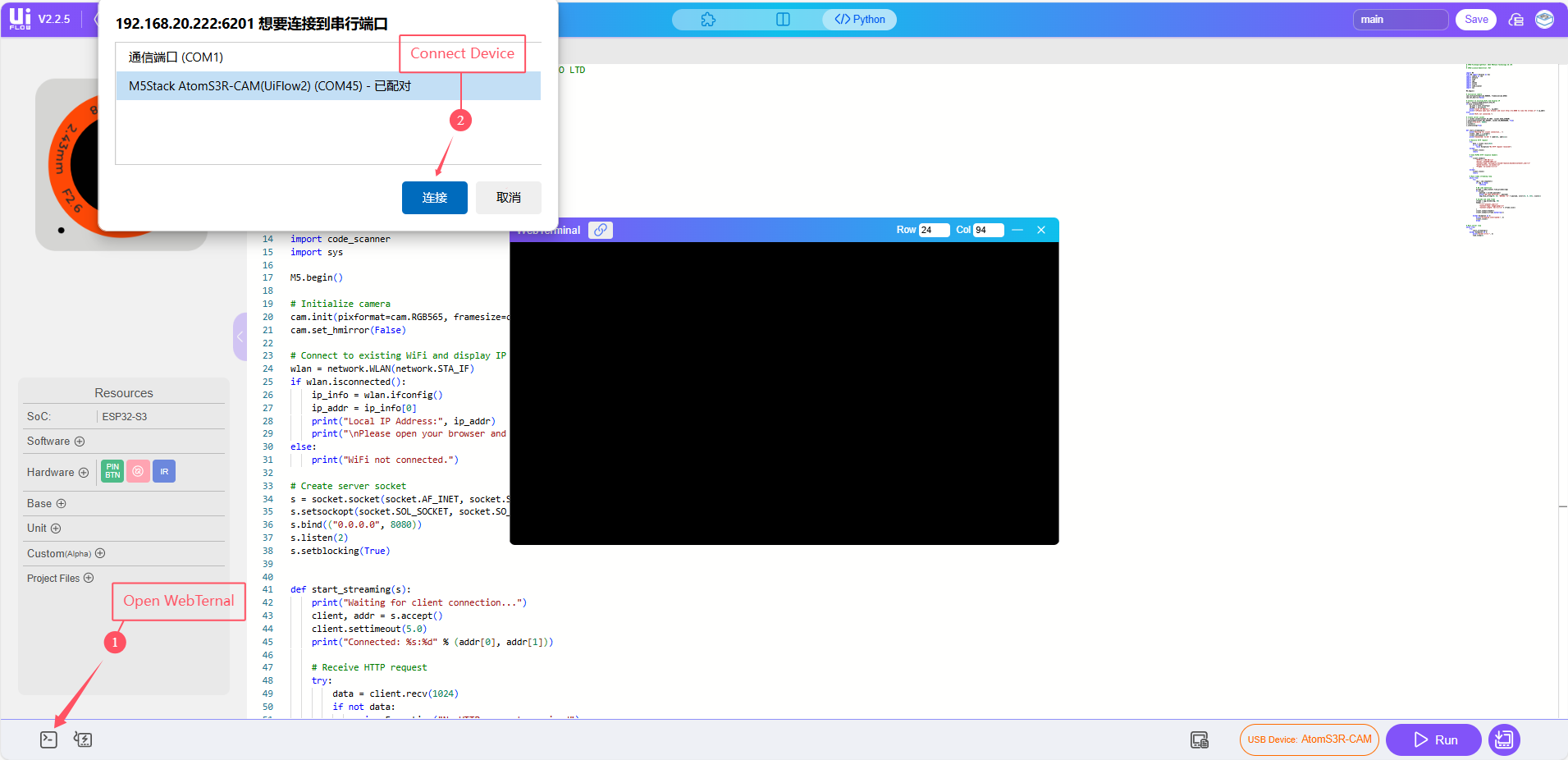
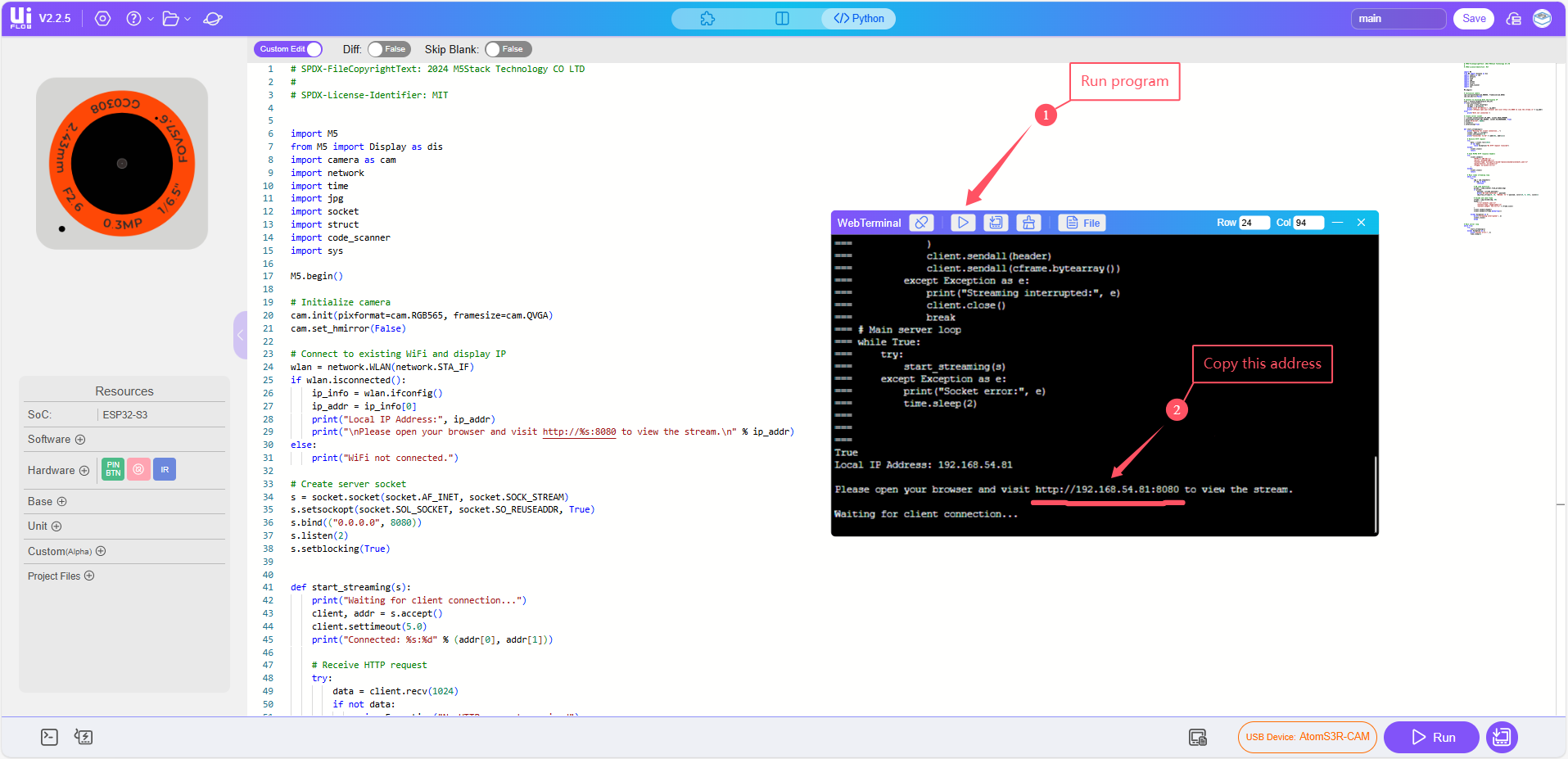
在浏览器中打开视频流。
在任何连接到同一 Wi-Fi 网络的设备上,打开浏览器并访问:http://<device-ip>:8080/。将 <device-ip> 替换为控制台中打印的实际 IP 地址。
