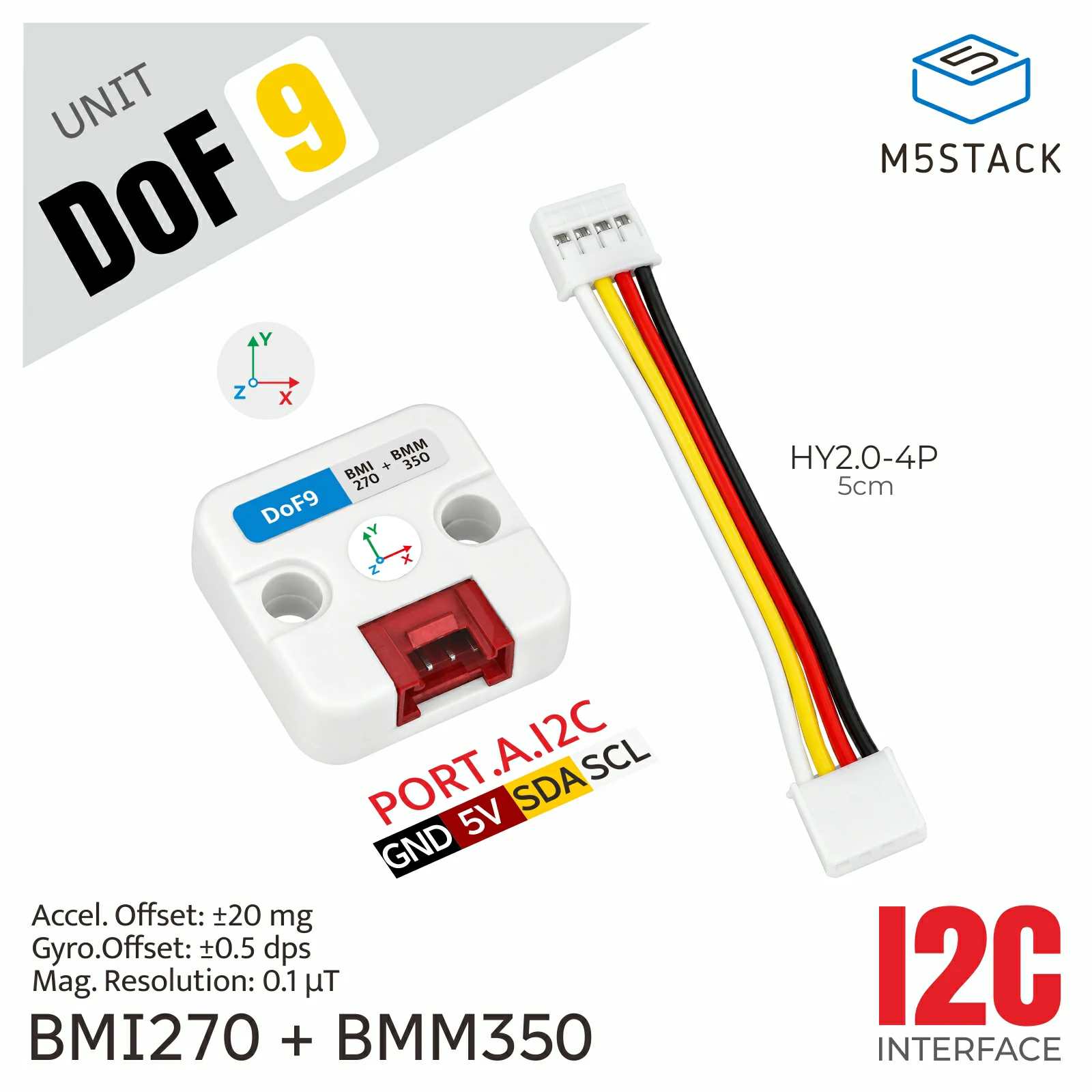
DoF9 Unit
此库是 Unit DoF9 的驱动程序。
支持以下产品:
UiFlow2 应用示例
读取航向角
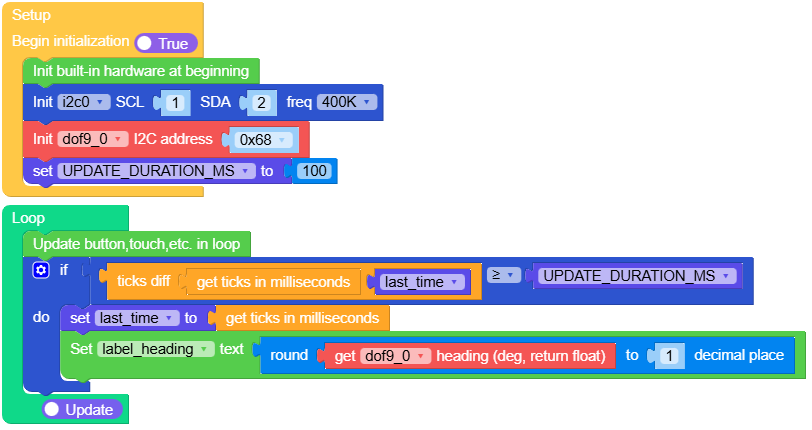
在 UiFlow2 中打开 cores3_unit_dof9_example.m5f2 项目。
此示例演示如何读取并显示航向角。
UiFlow2 代码块:
示例输出:
无
MicroPython 应用示例
读取航向角
此示例演示如何读取并显示航向角。
MicroPython 代码块:
  1# SPDX-FileCopyrightText: 2025 M5Stack Technology CO LTD
  2#
  3# SPDX-License-Identifier: MIT
  4
  5import os, sys, io
  6import M5
  7from M5 import *
  8from hardware import Pin
  9from hardware import I2C
 10from unit import DoF9Unit
 11import time
 12
 13
 14title = None
 15live = None
 16heading_caption = None
 17label_heading = None
 18degree_unit = None
 19compensation_caption = None
 20sensor_caption = None
 21i2c0 = None
 22dof9_0 = None
 23
 24
 25last_time = None
 26UPDATE_DURATION_MS = None
 27
 28
 29def setup():
 30    global \
 31        title, \
 32        live, \
 33        heading_caption, \
 34        label_heading, \
 35        degree_unit, \
 36        compensation_caption, \
 37        sensor_caption, \
 38        i2c0, \
 39        dof9_0, \
 40        last_time, \
 41        UPDATE_DURATION_MS
 42
 43    M5.begin()
 44    Widgets.setRotation(0)
 45    Widgets.fillScreen(0x10171D)
 46    title = Widgets.Label(
 47        "DoF9 / Compass", 12, 8, 1.0, 0x4CD7D0, 0x10171D, Widgets.FONTS.Montserrat18
 48    )
 49    live = Widgets.Label("Live", 272, 11, 1.0, 0x63D08C, 0x10171D, Widgets.FONTS.Montserrat14)
 50    heading_caption = Widgets.Label(
 51        "Magnetic Heading", 12, 48, 1.0, 0x8FA1AD, 0x10171D, Widgets.FONTS.Montserrat14
 52    )
 53    label_heading = Widgets.Label(
 54        "---.-", 12, 70, 1.0, 0xF2F6F8, 0x10171D, Widgets.FONTS.Montserrat40
 55    )
 56    degree_unit = Widgets.Label(
 57        "DEG", 174, 91, 1.0, 0xFFB454, 0x10171D, Widgets.FONTS.Montserrat18
 58    )
 59    compensation_caption = Widgets.Label(
 60        "TILT COMPENSATED", 12, 153, 1.0, 0x8FA1AD, 0x10171D, Widgets.FONTS.Montserrat14
 61    )
 62    sensor_caption = Widgets.Label(
 63        "BMI270 + BMM350", 12, 207, 1.0, 0x63A8FF, 0x10171D, Widgets.FONTS.Montserrat14
 64    )
 65
 66    i2c0 = I2C(0, scl=Pin(1), sda=Pin(2), freq=400000)
 67    dof9_0 = DoF9Unit(i2c0, addr=0x68)
 68    UPDATE_DURATION_MS = 100
 69    last_time = time.ticks_ms()
 70
 71
 72def loop():
 73    global \
 74        title, \
 75        live, \
 76        heading_caption, \
 77        label_heading, \
 78        degree_unit, \
 79        compensation_caption, \
 80        sensor_caption, \
 81        i2c0, \
 82        dof9_0, \
 83        last_time, \
 84        UPDATE_DURATION_MS
 85    M5.update()
 86    if (time.ticks_diff((time.ticks_ms()), last_time)) >= UPDATE_DURATION_MS:
 87        last_time = time.ticks_ms()
 88        label_heading.setText(str(round(dof9_0.get_heading(), 1)))
 89
 90
 91if __name__ == "__main__":
 92    try:
 93        setup()
 94        while True:
 95            loop()
 96    except (Exception, KeyboardInterrupt) as e:
 97        try:
 98            from utility import print_error_msg
 99
100            print_error_msg(e)
101        except ImportError:
102            print("please update to latest firmware")
示例输出:
无
API
DoF9Unit
构造函数
- class DoF9Unit(i2c, addr=0x68)
在主机 I2C 总线上创建 DoF9Unit。BMI270 地址可选
0x68或0x69,默认为0x68。BMM350 地址仍为0x14。- 参数:
- 抛出:
TypeError – addr 必须为整数。
ValueError – addr 必须为 0x68 或 0x69。
UnitError – 所选地址未检测到 BMI270。
OSError – 传感器初始化或 I2C 通信失败。
UiFlow2 代码块:

MicroPython 代码块:
dof = DoF9Unit(i2c)  # Default BMI270 address: 0x68
# Use this instead when the BMI270 is configured at 0x69:
# dof = DoF9Unit(i2c, addr=0x69)
方法
下面列出 DoF9 的完整接口。

- get_accel_raw()
返回范围为
-32768到32767的有符号 16 位 BMI270 计数值。UiFlow2 代码块:

- get_gyro()
返回经过映射和偏移校正的角速度
(x, y, z),单位为rad/s。UiFlow2 代码块:

- get_gyro_raw()
返回范围为
-32768到32767的有符号 16 位 BMI270 陀螺仪计数值。UiFlow2 代码块:


- get_mag_raw()
返回范围为
-8388608到8388607的有符号 24 位 BMM350 计数值。UiFlow2 代码块:

- get_temperature(sensor='imu')
返回 BMI270 或 BMM350 温度,单位为摄氏度。
sensor可为"imu"或"magnetometer"。UiFlow2 代码块:

- get_heading()
采样传感器并返回经过倾斜补偿的航向角,范围为 0 到小于 360 度。
- 返回:
航向角,单位为度。
- 返回类型:
UiFlow2 代码块:

- get_attitude()
采样传感器并返回
(yaw, pitch, roll),单位为度。UiFlow2 代码块:

- set_accel_range(accel_scale)
设置为
ACCEL_RANGE_2G、ACCEL_RANGE_4G、ACCEL_RANGE_8G或ACCEL_RANGE_16G之一。- 参数:
accel_scale (int) – 满量程范围,单位为 g。
UiFlow2 代码块:

- set_gyro_range(gyro_scale)
设置为
GYRO_RANGE_125DPS、GYRO_RANGE_250DPS、GYRO_RANGE_500DPS、GYRO_RANGE_1000DPS或GYRO_RANGE_2000DPS之一。- 参数:
gyro_scale (int) – 满量程范围,单位为 deg/s。
UiFlow2 代码块:

- set_accel_gyro_odr(accel_odr, gyro_odr)
使用
ACCEL_ODR_VALUES和GYRO_ODR_VALUES设置 BMI270 输出数据率。UiFlow2 代码块:

- set_gyro_offsets(x, y, z)
设置映射后的陀螺仪偏移量,单位为
rad/s。UiFlow2 代码块:

- calibrate_gyro(samples=32)
设备静止时估算偏移量,成功时返回
True。UiFlow2 代码块:

- set_magnetometer_calibration(offsets, scales)
设置硬铁偏移量(单位为
uT)和无量纲软铁比例因子。- 参数:
UiFlow2 代码块:

- set_axis_mapping(sensor, x_axis, y_axis, z_axis)
映射
accelerometer、gyroscope或magnetometer轴。1/-1、2/-2和3/-3分别选择带符号的源 X/Y/Z 轴;源轴不能重复。- 参数:
UiFlow2 代码块:

- set_fusion_time_constant(seconds)
设置非负的互补滤波器时间常数,单位为秒。
- 参数:
seconds (float) – 非负滤波器时间常数。
UiFlow2 代码块:

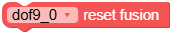
- reset_fusion()
重置姿态滤波器;下一次姿态采样时会重新初始化。
UiFlow2 代码块: