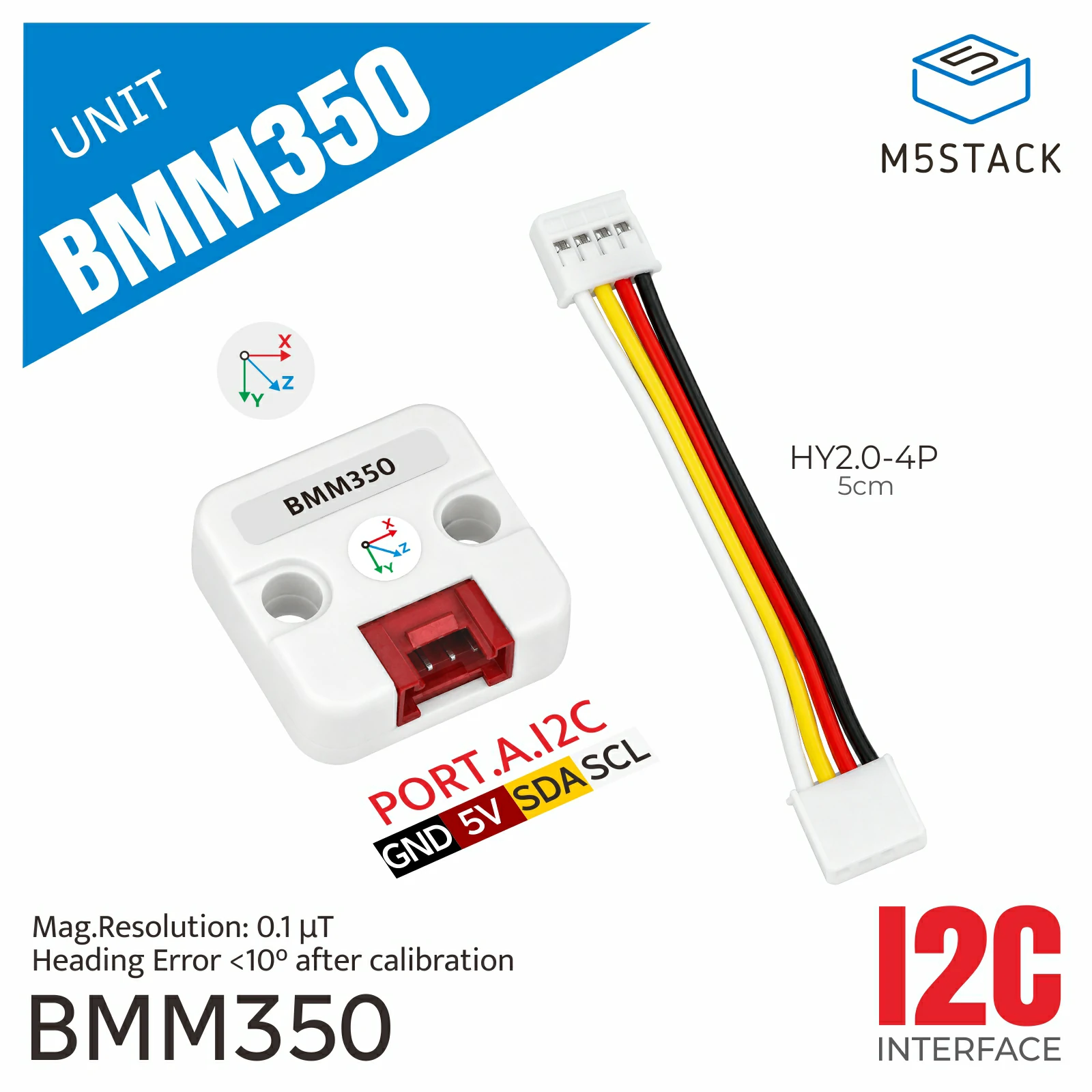
BMM350 Unit
该库是 BMM350 Unit 的驱动程序,用于读取三轴 BMM350 磁力计数据。
支持以下产品:
UiFlow2 应用示例
读取磁场和航向角
在 UiFlow2 中打开 cores3_unit_bmm350_example.m5f2 项目。
此示例显示航向角、X/Y/Z 三轴磁场值和传感器温度。点击校准按钮开始采样,旋转 Unit 使其经过三个轴向,然后再次点击按钮完成校准。
UiFlow2 图形化代码块:
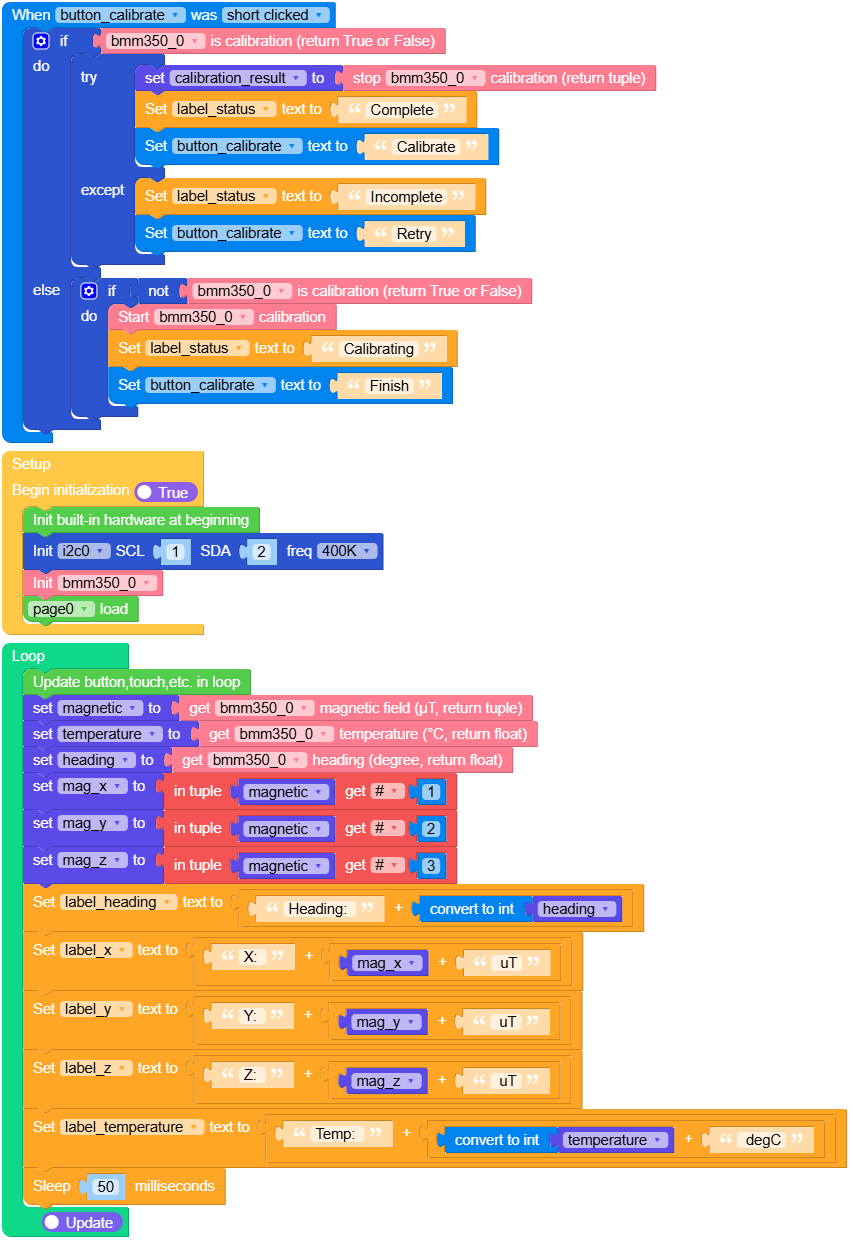
校准至少需要 32 个样本,并且每个轴的磁场范围至少达到 10 uT。如果范围不足,示例会保留之前的校准结果,并提示重新校准。
MicroPython 应用示例
读取磁场和航向角
此示例使用 CoreS3 Unit A 的 I2C 接口,持续刷新图形界面中的当前磁场、温度和航向角。
MicroPython 代码块:
  1# SPDX-FileCopyrightText: 2026 M5Stack Technology CO LTD
  2#
  3# SPDX-License-Identifier: MIT
  4
  5import os, sys, io
  6import M5
  7from M5 import *
  8import m5ui
  9import lvgl as lv
 10from unit import BMM350Unit
 11from hardware import Pin
 12from hardware import I2C
 13import time
 14
 15
 16page0 = None
 17label_title = None
 18label_status = None
 19label_heading = None
 20label_x = None
 21label_y = None
 22label_z = None
 23label_temperature = None
 24button_calibrate = None
 25i2c0 = None
 26bmm350_0 = None
 27magnetic = None
 28calibration_result = None
 29temperature = None
 30heading = None
 31mag_x = None
 32mag_y = None
 33mag_z = None
 34
 35
 36def button_calibrate_short_clicked_event(event_struct):
 37    global \
 38        page0, \
 39        label_title, \
 40        label_status, \
 41        label_heading, \
 42        label_x, \
 43        label_y, \
 44        label_z, \
 45        label_temperature, \
 46        button_calibrate, \
 47        i2c0, \
 48        bmm350_0, \
 49        magnetic, \
 50        calibration_result, \
 51        temperature, \
 52        heading, \
 53        mag_x, \
 54        mag_y, \
 55        mag_z
 56    if bmm350_0.is_calibrating():
 57        try:
 58            calibration_result = bmm350_0.stop_calibration()
 59            label_status.set_text(str("Complete"))
 60            button_calibrate.set_btn_text(str("Calibrate"))
 61        except:
 62            label_status.set_text(str("Incomplete"))
 63            button_calibrate.set_btn_text(str("Retry"))
 64
 65    else:
 66        if not (bmm350_0.is_calibrating()):
 67            bmm350_0.start_calibration()
 68            label_status.set_text(str("Calibrating"))
 69            button_calibrate.set_btn_text(str("Finish"))
 70
 71
 72def button_calibrate_event_handler(event_struct):
 73    global \
 74        page0, \
 75        label_title, \
 76        label_status, \
 77        label_heading, \
 78        label_x, \
 79        label_y, \
 80        label_z, \
 81        label_temperature, \
 82        button_calibrate, \
 83        i2c0, \
 84        bmm350_0, \
 85        magnetic, \
 86        calibration_result, \
 87        temperature, \
 88        heading, \
 89        mag_x, \
 90        mag_y, \
 91        mag_z
 92    event = event_struct.code
 93    if event == lv.EVENT.SHORT_CLICKED and True:
 94        button_calibrate_short_clicked_event(event_struct)
 95    return
 96
 97
 98def setup():
 99    global \
100        page0, \
101        label_title, \
102        label_status, \
103        label_heading, \
104        label_x, \
105        label_y, \
106        label_z, \
107        label_temperature, \
108        button_calibrate, \
109        i2c0, \
110        bmm350_0, \
111        magnetic, \
112        calibration_result, \
113        temperature, \
114        heading, \
115        mag_x, \
116        mag_y, \
117        mag_z
118
119    M5.begin()
120    Widgets.setRotation(0)
121    m5ui.init()
122    page0 = m5ui.M5Page(bg_c=0x111820)
123    label_title = m5ui.M5Label(
124        "BMM350 Unit",
125        x=76,
126        y=9,
127        text_c=0x58D6C7,
128        bg_c=0x111820,
129        bg_opa=0,
130        font=lv.font_montserrat_24,
131        parent=page0,
132    )
133    label_status = m5ui.M5Label(
134        "Ready",
135        x=215,
136        y=138,
137        text_c=0x95A4B3,
138        bg_c=0x111820,
139        bg_opa=0,
140        font=lv.font_montserrat_14,
141        parent=page0,
142    )
143    label_heading = m5ui.M5Label(
144        "Heading: ---.-",
145        x=86,
146        y=70,
147        text_c=0xFFFFFF,
148        bg_c=0x111820,
149        bg_opa=0,
150        font=lv.font_montserrat_24,
151        parent=page0,
152    )
153    label_x = m5ui.M5Label(
154        "X: ----.-- uT",
155        x=10,
156        y=140,
157        text_c=0xFF6B6B,
158        bg_c=0x111820,
159        bg_opa=0,
160        font=lv.font_montserrat_14,
161        parent=page0,
162    )
163    label_y = m5ui.M5Label(
164        "Y: ----.-- uT",
165        x=10,
166        y=160,
167        text_c=0x58D68D,
168        bg_c=0x111820,
169        bg_opa=0,
170        font=lv.font_montserrat_14,
171        parent=page0,
172    )
173    label_z = m5ui.M5Label(
174        "Z: ----.-- uT",
175        x=10,
176        y=180,
177        text_c=0x5DADE2,
178        bg_c=0x111820,
179        bg_opa=0,
180        font=lv.font_montserrat_14,
181        parent=page0,
182    )
183    label_temperature = m5ui.M5Label(
184        "Temp: --.- degC",
185        x=10,
186        y=205,
187        text_c=0xE8EDF2,
188        bg_c=0x111820,
189        bg_opa=0,
190        font=lv.font_montserrat_14,
191        parent=page0,
192    )
193    button_calibrate = m5ui.M5Button(
194        text="Calibrate",
195        x=180,
196        y=173,
197        bg_c=0x147D73,
198        text_c=0xFFFFFF,
199        font=lv.font_montserrat_14,
200        parent=page0,
201    )
202
203    button_calibrate.add_event_cb(button_calibrate_event_handler, lv.EVENT.ALL, None)
204
205    i2c0 = I2C(0, scl=Pin(1), sda=Pin(2), freq=400000)
206    bmm350_0 = BMM350Unit(i2c0)
207    page0.screen_load()
208
209
210def loop():
211    global \
212        page0, \
213        label_title, \
214        label_status, \
215        label_heading, \
216        label_x, \
217        label_y, \
218        label_z, \
219        label_temperature, \
220        button_calibrate, \
221        i2c0, \
222        bmm350_0, \
223        magnetic, \
224        calibration_result, \
225        temperature, \
226        heading, \
227        mag_x, \
228        mag_y, \
229        mag_z
230    M5.update()
231    magnetic = bmm350_0.get_mag()
232    temperature = bmm350_0.get_temperature()
233    heading = bmm350_0.get_heading()
234    mag_x = magnetic[0]
235    mag_y = magnetic[1]
236    mag_z = magnetic[2]
237    label_heading.set_text(str((str("Heading: ") + str((int(heading))))))
238    label_x.set_text(str((str("X: ") + str((str(mag_x) + str(" uT"))))))
239    label_y.set_text(str((str("Y: ") + str((str(mag_y) + str(" uT"))))))
240    label_z.set_text(str((str("Z: ") + str((str(mag_z) + str(" uT"))))))
241    label_temperature.set_text(
242        str((str("Temp: ") + str((str((int(temperature))) + str(" degC")))))
243    )
244    time.sleep_ms(50)
245
246
247if __name__ == "__main__":
248    try:
249        setup()
250        while True:
251            loop()
252    except (Exception, KeyboardInterrupt) as e:
253        try:
254            m5ui.deinit()
255            from utility import print_error_msg
256
257            print_error_msg(e)
258        except ImportError:
259            print("please update to latest firmware")
API
BMM350Unit
- class unit.bmm350.BMM350Unit(i2c, addr=0x14, output_data_rate_hz=100)
创建一个直接连接 I2C 的 BMM350 Unit 对象。
- 参数:
UIFLOW2:


- get_temperature()
采样并返回传感器温度,单位为摄氏度。
- 返回:
传感器温度。
- 返回类型:
UIFLOW2:

- get_heading()
采样并返回水平航向角,范围为
0 <= heading < 360度。Unit 必须保持水平,才能获得有意义的航向角。- 返回:
水平航向角,单位为度。
- 返回类型:
UIFLOW2:

- set_output_data_rate(rate_hz)
将输出数据速率设置为
25、50、100、200或400Hz。- 参数:
rate_hz (int) – 输出数据速率,单位为 Hz。
- 返回类型:
None
UIFLOW2:


- set_axis_mapping(x_axis, y_axis, z_axis)
设置输出轴的顺序和方向。每个值必须为
1、-1、2、-2、3或-3之一;每个源轴只能使用一次。- 参数:
- 返回类型:
None
UIFLOW2:


- set_calibration(offsets, scales)
应用三个
uT单位的硬铁偏移量和三个正数软铁缩放系数。两个参数都必须包含三个有限数值。
- clear_calibration()
恢复为零偏移量和单位缩放系数。
- 返回类型:
None
UIFLOW2:

- start_calibration()
开始非阻塞的最小值/最大值采样。旋转 Unit 使其经过三个轴向时,继续调用采样 getter。
- 抛出:
RuntimeError – 如果校准已经处于活动状态。
- 返回类型:
None
UIFLOW2:

- stop_calibration()
完成采样,应用计算出的校准结果,并返回
(offsets, scales)。至少需要 32 个样本,且每个轴的范围至少达到10 uT;否则会引发RuntimeError。- 返回:
计算出的偏移量和缩放系数。
- 返回类型:
UIFLOW2:

- cancel_calibration()
取消当前的采样过程,同时保留之前的校准结果。
- 返回类型:
None
UIFLOW2:



