RCA Module
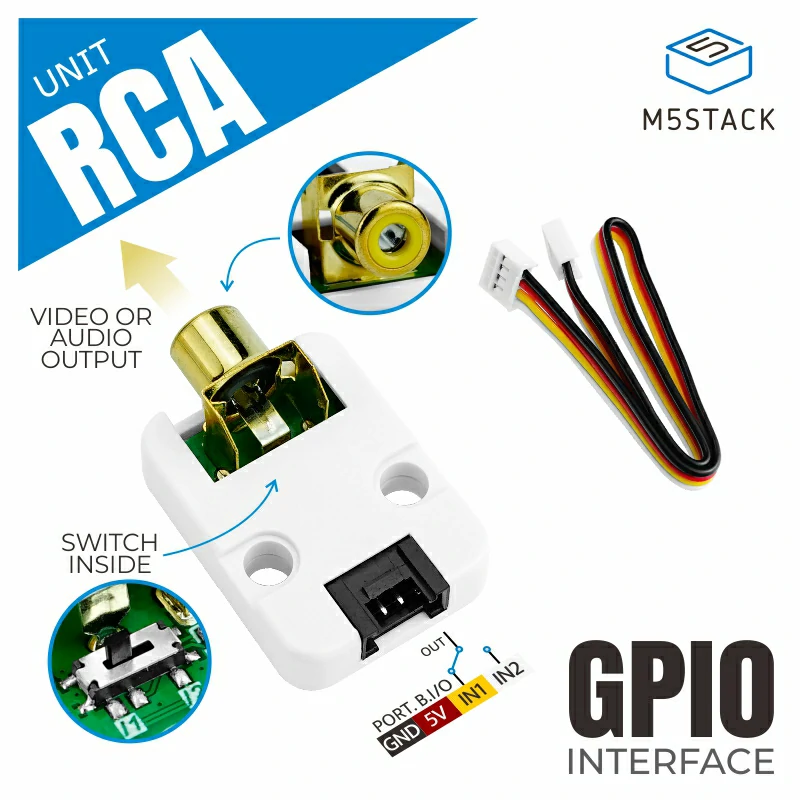
RCA 模块是用于传输复合视频(音频或视频)的母插孔接线端子,是最常见的 A/V 连接器之一,它将视频或音频信号从组件设备传输到输出设备(即显示器或扬声器)。
支持以下产品:
UiFlow2 应用示例
绘制文本
在 UiFlow2 中打开 core2_rca_example.m5f2 项目。
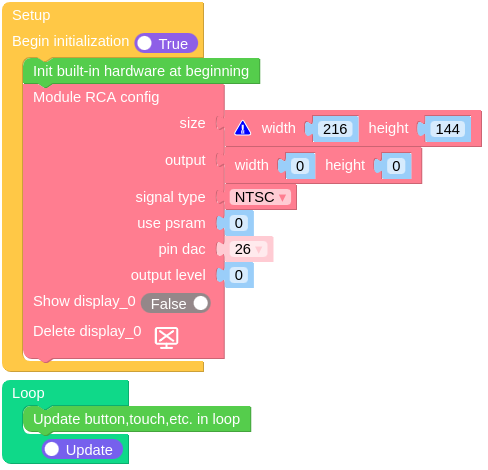
此示例在屏幕上显示文本“RCA”。
UiFlow2 代码块:
示例输出:
None
MicroPython 应用示例
绘制文本
此示例在屏幕上显示文本“RCA”。
MicroPython 代码块:
 1# SPDX-FileCopyrightText: 2024 M5Stack Technology CO LTD
 2#
 3# SPDX-License-Identifier: MIT
 4
 5import os, sys, io
 6import M5
 7from M5 import *
 8from module import RCAModule
 9
10
11label0 = None
12label1 = None
13module_rca = None
14
15
16def setup():
17    global label0, label1, module_rca
18
19    M5.begin()
20    Widgets.fillScreen(0x222222)
21    label0 = Widgets.Label("Core2", 133, 109, 1.0, 0xFFFFFF, 0x222222, Widgets.FONTS.DejaVu18)
22
23    module_rca = RCAModule(
24        26,
25        width=216,
26        height=144,
27        output_width=0,
28        output_height=0,
29        signal_type=RCAModule.NTSC,
30        use_psram=0,
31        output_level=0,
32    )
33    label1 = Widgets.Label(
34        "RCA", 88, 61, 1.0, 0xFFFFFF, 0x222222, Widgets.FONTS.DejaVu18, module_rca
35    )
36
37
38def loop():
39    global label0, label1, module_rca
40    M5.update()
41
42
43if __name__ == "__main__":
44    try:
45        setup()
46        while True:
47            loop()
48    except (Exception, KeyboardInterrupt) as e:
49        try:
50            from utility import print_error_msg
51
52            print_error_msg(e)
53        except ImportError:
54            print("please update to latest firmware")
示例输出:
None
API参考
Class RCAModule
- class module.rca.RCAModule(pin=26, width=216, height=144, output_width=216, output_height=144, signal_type=0, use_psram=0, output_level=0)
基类:
objectInitialize the RCA Module.
- 参数:
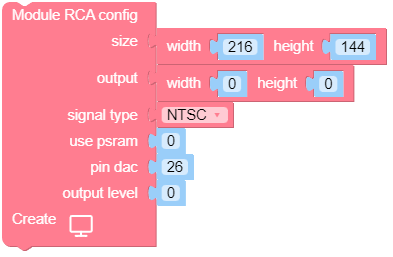
UiFlow2 代码块:
MicroPython 代码块:
from module import RCAModule
module_rca = RCAModule(26, width=216, height=144, output_width=0, output_height=0, signal_type=RCAModule.NTSC, use_psram=0, output_level=0)
RCAModule 类继承了 Display 类,更多详细信息请参阅 hardware.Display 。
- NTSC = 0
信号类型。国家电视系统委员会制定的制式。
- NTSC_J = 1
信号类型。国家电视系统委员会制式的日本标准。
- PAL = 2
信号类型。逐行扫描制式。
- PAL_M = 3
信号类型。逐行扫描制式 M格式。
- PAL_N = 4
信号类型。逐行扫描制式 N格式。