ASR Unit
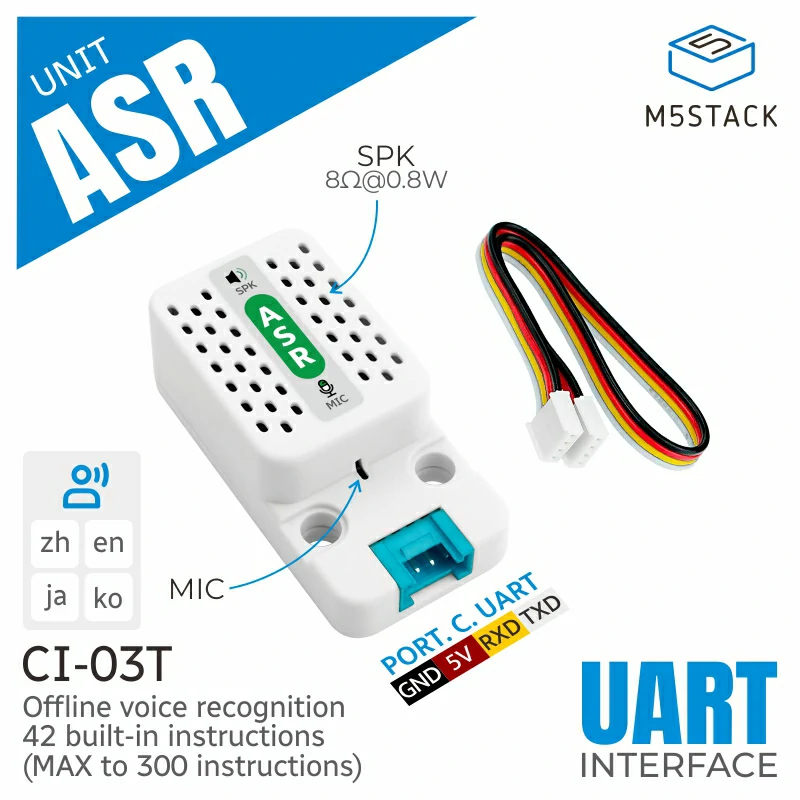
Unit ASR is an AI offline speech recognition unit, featuring the built-in AI smart offline speech module CI-03T. This unit offers powerful functions such as speech recognition, voiceprint recognition, speech enhancement, and speech detection. It supports AEC (Acoustic Echo Cancellation) to effectively eliminate echoes and noise interference, improving the accuracy of speech recognition. Additionally, it supports mid-speech interruption, allowing for flexible interruption during the recognition process and quick response to new commands. The product is pre-configured with wake-up words and feedback commands at the factory. The device uses UART serial communication for data transmission and also supports waking up the device via UART or voice keywords. This unit supports user customization of the wake-up recognition word and can recognize up to 300 command words. It is equipped with a microphone for clear audio capture and includes a speaker for high-quality audio feedback. This product is widely used in AI assistants, smart homes, security monitoring, automotive systems, robotics, smart hardware, healthcare, and other fields, making it an ideal choice for realizing smart voice interactions.
Support the following products:
Micropython Example:
 1# SPDX-FileCopyrightText: 2024 M5Stack Technology CO LTD
 2#
 3# SPDX-License-Identifier: MIT
 4
 5import os, sys, io
 6import M5
 7from M5 import *
 8from unit import ASRUnit
 9
10
11title0 = None
12label0 = None
13label1 = None
14label2 = None
15label3 = None
16asr_0 = None
17
18
19def asr_0_hello_event(args):
20    global title0, label0, label1, label2, label3, asr_0
21    print("Rec Hello")
22
23
24def setup():
25    global title0, label0, label1, label2, label3, asr_0
26
27    M5.begin()
28    Widgets.fillScreen(0x222222)
29    title0 = Widgets.Title(
30        "UnitASR M5CoreSe Example", 3, 0xFFFFFF, 0x0000FF, Widgets.FONTS.DejaVu18
31    )
32    label0 = Widgets.Label("msg:", 0, 51, 1.0, 0xFFFFFF, 0x222222, Widgets.FONTS.DejaVu18)
33    label1 = Widgets.Label("rec cmd num:", 0, 93, 1.0, 0xFFFFFF, 0x222222, Widgets.FONTS.DejaVu18)
34    label2 = Widgets.Label(
35        "rec cmd word:", 0, 134, 1.0, 0xFFFFFF, 0x222222, Widgets.FONTS.DejaVu18
36    )
37    label3 = Widgets.Label(
38        "rec cmd handler state:", 0, 178, 1.0, 0xFFFFFF, 0x222222, Widgets.FONTS.DejaVu18
39    )
40
41    asr_0 = ASRUnit(2, port=(1, 2))
42    print(asr_0.search_command_num("hello"))
43    print(asr_0.search_command_word(0x32))
44    asr_0.add_command_word(0x32, "hello", asr_0_hello_event)
45
46
47def loop():
48    global title0, label0, label1, label2, label3, asr_0
49    M5.update()
50    if asr_0.get_received_status():
51        label0.setText(str((str("msg:") + str((asr_0.get_current_raw_message())))))
52        label1.setText(str((str("rec cmd num:") + str((asr_0.get_current_command_num())))))
53        label2.setText(str((str("rec cmd word:") + str((asr_0.get_current_command_word())))))
54        label3.setText(str((str("rec cmd handler state:") + str((asr_0.get_command_handler())))))
55
56
57if __name__ == "__main__":
58    try:
59        setup()
60        while True:
61            loop()
62    except (Exception, KeyboardInterrupt) as e:
63        try:
64            from utility import print_error_msg
65
66            print_error_msg(e)
67        except ImportError:
68            print("please update to latest firmware")
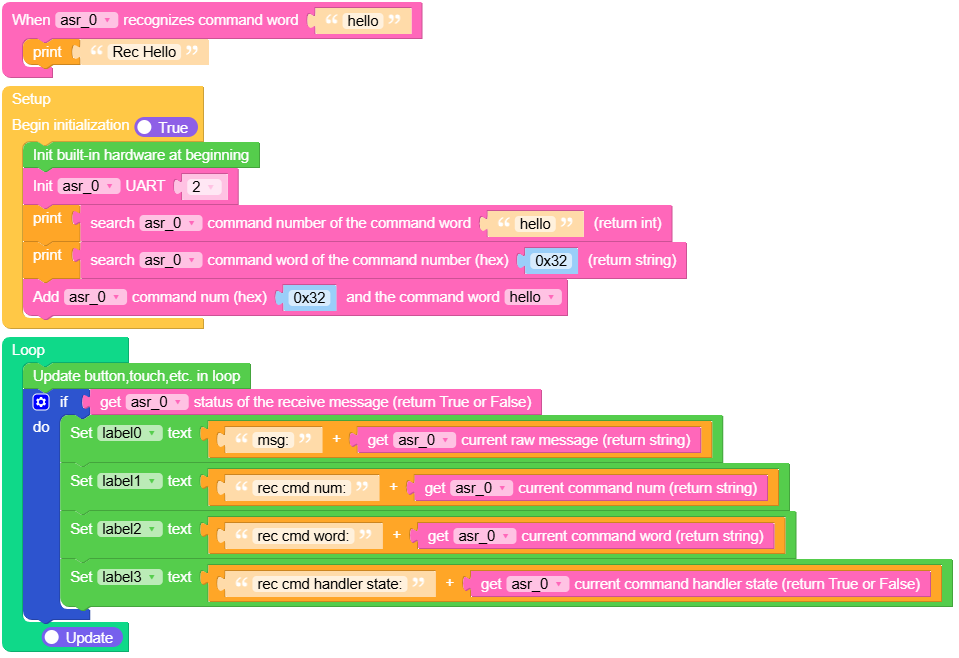
UIFLOW2 Example:
class ASRUnit
Constructors

Methods
- ASRUnit.get_received_status()
Get the status of the received message.
- returns:
True if a message is received, False otherwise.
UIFLOW2:

- ASRUnit.send_message(command_num)
Send a message with a specified command number via UART.
- 参数:
command_num (int) – The command number to send in the message.
UIFLOW2:

- ASRUnit.get_current_raw_message()
Get the raw message received in hexadecimal format.
- 返回:
The raw message as a string in hexadecimal format.
UIFLOW2:

- ASRUnit.get_current_command_word()
Get the command word corresponding to the current command number.
- 返回:
The command word as a string.
UIFLOW2:

- ASRUnit.get_current_command_num()
Get the current command number.
- 返回:
The command number.
UIFLOW2:

- ASRUnit.get_command_handler()
Check if the current command has an associated handler.
- 返回:
True if a handler exists for the current command,
UIFLOW2:

- ASRUnit.add_command_word(command_num, command_word, event_handler)
Add a new command word and its handler to the command list.
- 参数:
UIFLOW2:


- ASRUnit.remove_command_word(command_word)
Remove a command word from the command list by its word.
- 参数:
command_word (str) – The command word to remove.
UIFLOW2:

- ASRUnit.search_command_num(command_word)
Search for the command number associated with a command word.
- 参数:
command_word (str) – The command word to search for.
- 返回:
The command number if found, otherwise -1.
UIFLOW2:

- ASRUnit.search_command_word(command_num)
Search for the command word associated with a command number.
- 参数:
command_num (int) – The command number to search for.
- 返回:
The command word if found, otherwise “Unknown command
UIFLOW2:

- ASRUnit.get_command_list()
Get the list of all commands and their associated handlers.
- 返回:
A dictionary of command numbers and their corresponding command words and handlers.
UIFLOW2:

- ASRUnit.check_tick_callback()
Check if a handler is defined for the current command and schedule its execution.