DigiClockUnit

UNIT-Digi-Clock is a 2.1 inch 4-digit 7-segment display module. There are decimal points on each digit and an extra wire for colon-dots in the center, which can display Decimals and Clock. This module adopts TM1637 as the driver IC, and STM32F030 as I2C communication. I2C address can be modified per 4-bit dip switch. The red LED supports 8 brightness. And we have reserved 4 fixing holes there.

Support the following products:
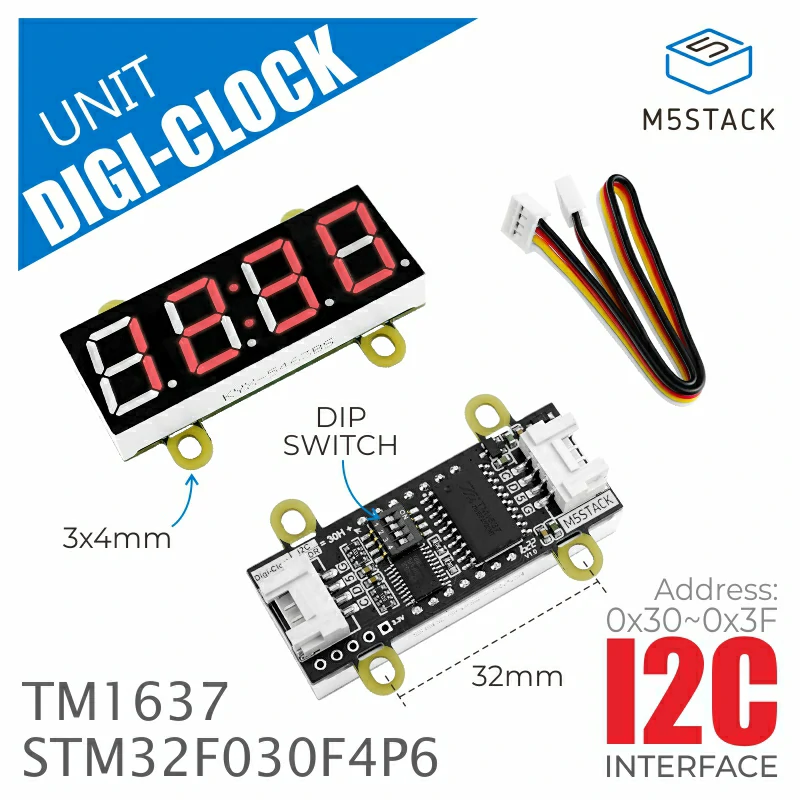
DigiClockUnit

Micropython Example:

import os, sys, io
import M5
from M5 import *
import time
from hardware import *
from unit import DigiClockUnit
i2c = I2C(1, scl=33, sda=32)
digi_clock = DigiClockUnit(i2c)
digi_clock.set_string("00:00")
digi_clock.set_brightness(8)

class DigiClockUnit

Constructors

class DigiClockUnit(i2c: I2C, address: int | list | tuple = 0x30)

Initialize the DigiClockUnit.

参数:
  • i2c (I2C) – I2C port to use.

  • address (int | list | tuple) – I2C address of the DigiClockUnit.

UIFLOW2:

init.svg

Methods

DigiClockUnit.clear() None

Clear the display.

UIFLOW2:

clear.svg

DigiClockUnit.set_brightness(brightness: int) None

Set the brightness of the display.

参数:

brightness (int) – The brightness of the display, range from 0 to 8.

UIFLOW2:

set_brightness.svg

DigiClockUnit.set_raw(data: int, index: int) None

Write raw data to the display.

参数:
  • data (int) – The data to write.

  • index (int) – The index of the data, range from 0 to 4.

UIFLOW2:

set_raw.svg

DigiClockUnit.set_char(char: str, index: int) None

Write a character to the display.

参数:
  • char (str) – The character to write.

  • index (int) – The index of the character, range from 0 to 4.

UIFLOW2:

set_char.svg

DigiClockUnit.set_string(string: str) None

Write a string to the display.

参数:

string (str) – The string to write.

UIFLOW2:

set_string.svg

DigiClockUnit.get_fw_version() int

Get the firmware version of the DigiClockUnit.

返回:

The firmware version.

UIFLOW2:

get_fw_version.svg




