Faces Gamepad3 模块
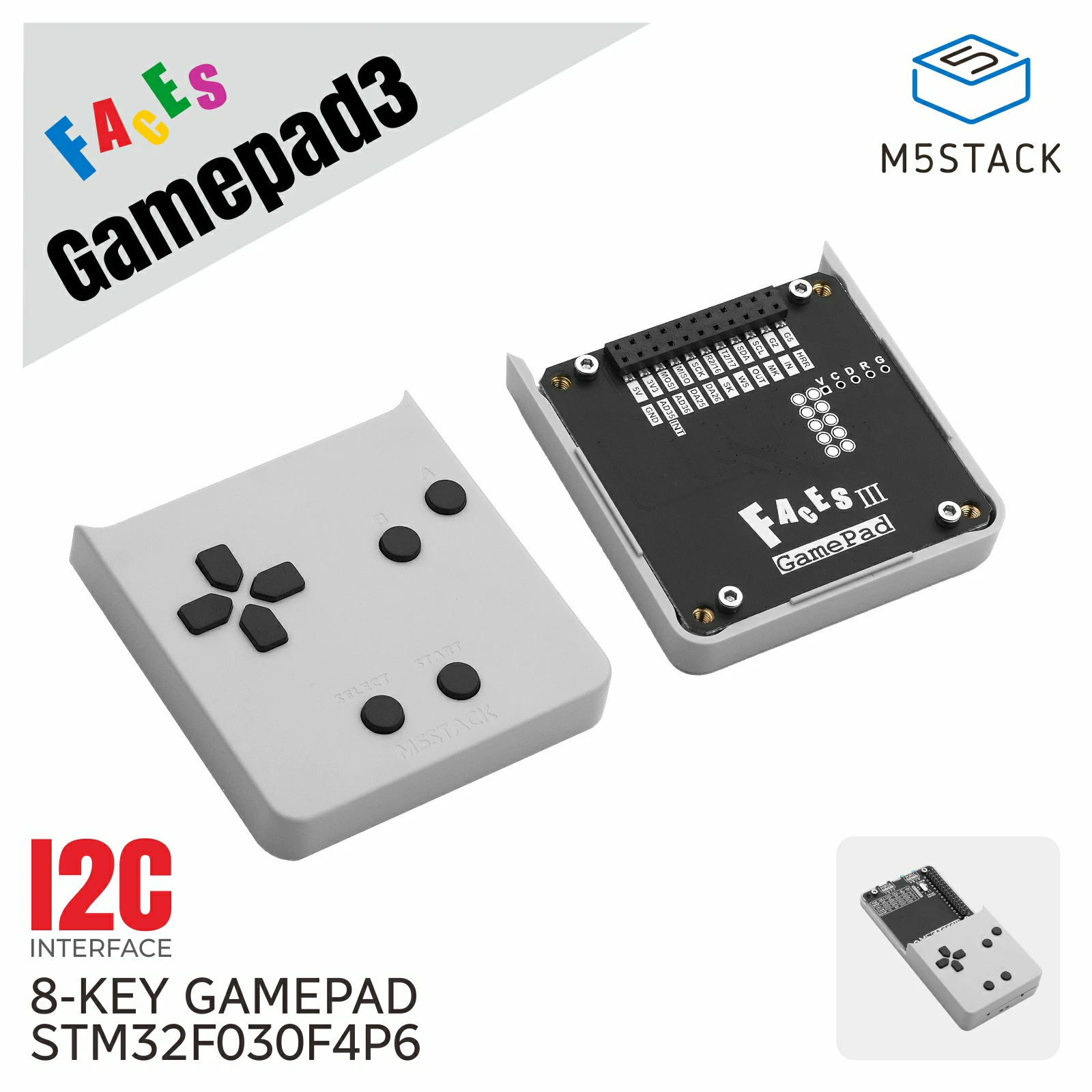
Faces Gamepad3 是一个八按键输入模块。按键状态采用低电平有效:清零的位表示对应按键被按下。
支持以下产品:
UiFlow2 应用示例
按键事件显示
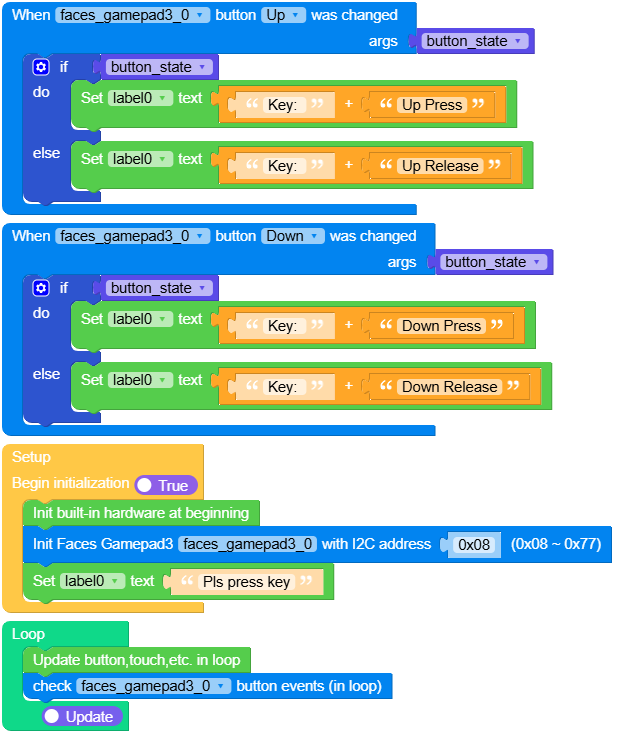
该示例演示 Up 和 Down 按键的按下与释放事件。选中按键被按下时,回调收到 True;释放时收到 False。
在 UiFlow2 中打开 faces_gamepad3_cores3_example.m5f2 项目。
UiFlow2 代码块:
MicroPython 应用示例
按键事件显示
为需要监测的每个按键注册回调,然后在主循环中定期调用 FacesGamepad3Module.tick()。
 1# SPDX-FileCopyrightText: 2026 M5Stack Technology CO LTD
 2#
 3# SPDX-License-Identifier: MIT
 4
 5import os, sys, io
 6import M5
 7from M5 import *
 8from module import FacesGamepad3Module
 9
10
11title0 = None
12label0 = None
13faces_gamepad3_0 = None
14
15
16button_state = None
17
18
19def faces_gamepad3_0_button_up_event(key_state):
20    global title0, label0, faces_gamepad3_0, button_state
21    button_state = key_state
22    if button_state:
23        label0.setText(str((str("Key: ") + str("Up Press"))))
24    else:
25        label0.setText(str((str("Key: ") + str("Up Release"))))
26
27
28def faces_gamepad3_0_button_down_event(key_state):
29    global title0, label0, faces_gamepad3_0, button_state
30    button_state = key_state
31    if button_state:
32        label0.setText(str((str("Key: ") + str("Down Press"))))
33    else:
34        label0.setText(str((str("Key: ") + str("Down Release"))))
35
36
37def setup():
38    global title0, label0, faces_gamepad3_0, button_state
39
40    M5.begin()
41    Widgets.setRotation(0)
42    Widgets.fillScreen(0x222222)
43    title0 = Widgets.Title(
44        "Faces Gamepad3 CoreS3 Example", 3, 0xFFFFFF, 0x0000FF, Widgets.FONTS.Montserrat18
45    )
46    label0 = Widgets.Label("label0", 5, 104, 1.0, 0xFFFFFF, 0x222222, Widgets.FONTS.Montserrat18)
47
48    faces_gamepad3_0 = FacesGamepad3Module(address=0x08)
49    faces_gamepad3_0.set_callback(faces_gamepad3_0.BUTTON_UP, faces_gamepad3_0_button_up_event)
50    faces_gamepad3_0.set_callback(faces_gamepad3_0.BUTTON_DOWN, faces_gamepad3_0_button_down_event)
51    label0.setText(str("Pls press key"))
52
53
54def loop():
55    global title0, label0, faces_gamepad3_0, button_state
56    M5.update()
57    faces_gamepad3_0.tick()
58
59
60if __name__ == "__main__":
61    try:
62        setup()
63        while True:
64            loop()
65    except (Exception, KeyboardInterrupt) as e:
66        try:
67            from utility import print_error_msg
68
69            print_error_msg(e)
70        except ImportError:
71            print("please update to latest firmware")
API参考
- class module.faces.FacesGamepad3Module(address=8)
基类:
_FacesModule创建 Faces Gamepad3 Module 对象。
- 参数:
address (int) – I2C 地址,默认为
0x08。
UiFlow2 代码块:

MicroPython 代码块:
from module import FacesGamepad3Module

faces_gamepad3 = FacesGamepad3Module()
- get_key_state()
读取全部八个按键的低电平有效状态。
- 返回:
按键状态位掩码。清零的位表示对应按键被按下。
- 返回类型:
UiFlow2 代码块:

MicroPython 代码块:
faces_gamepad3.get_key_state()
- is_pressed(button, state=None)
检查一个按键或按键组合是否被按下。
- 参数:
button (int) – 一个或多个
BUTTON_*掩码。state (int) – 可选的、之前由
get_key_state()返回的状态。
- 返回:
选中的所有按键均被按下时返回
True。- 返回类型:
- set_callback(button, handler)
设置一个按键状态变化回调。
回调会收到
pressed,传入None可移除回调。- 参数:
button (int) – 一个
BUTTON_*常量。handler – 接收按键状态或
None的可调用对象。
- 返回类型:
None
- tick()
轮询一次,并为每个发生变化的按键调用回调。
UiFlow2 代码块:

MicroPython 代码块:
faces_gamepad3.tick()
- 返回类型:
None
- get_device_id()
获取 Faces 模块的设备类型 ID。
- 返回:
设备类型 ID。
- 返回类型:
UiFlow2 代码块:

MicroPython 代码块:
device.get_device_id()
- get_firmware_version()
获取固件版本。
- 返回:
固件版本。
- 返回类型:
UiFlow2 代码块:

MicroPython 代码块:
device.get_firmware_version()
- get_i2c_address()
获取当前 7 位 I2C 地址。
- 返回:
当前 I2C 地址。
- 返回类型:
UiFlow2 代码块:

MicroPython 代码块:
device.get_i2c_address()
- get_uid()
获取 MCU 的 96 位唯一标识符。
- 返回:
12 字节的唯一标识符。
- 返回类型:
UiFlow2 代码块:

MicroPython 代码块:
device.get_uid()

游戏手柄按键掩码:
常量 |
值 |
|---|---|
|
|
|
|
|
|
|
|
|
|
|
|
|
|
|
|