AtomS3R-CAM
Support the following products:

MicroPython Example:
Video Streaming
This example implements a real-time video streaming server, with integrated QR code recognition.
MicroPython Code Block:
  1# SPDX-FileCopyrightText: 2025 M5Stack Technology CO LTD
  2#
  3# SPDX-License-Identifier: MIT
  4
  5
  6import M5
  7from M5 import Display as dis
  8import camera as cam
  9import network
 10import time
 11import jpg
 12import socket
 13import struct
 14import code_scanner
 15import sys
 16
 17M5.begin()
 18
 19# Initialize camera
 20cam.init(pixformat=cam.RGB565, framesize=cam.QVGA)
 21cam.set_hmirror(False)
 22
 23# Connect to existing WiFi and display IP
 24wlan = network.WLAN(network.STA_IF)
 25if wlan.isconnected():
 26    ip_info = wlan.ifconfig()
 27    ip_addr = ip_info[0]
 28    print("Local IP Address:", ip_addr)
 29    print("\nPlease open your browser and visit http://%s:8080 to view the stream.\n" % ip_addr)
 30else:
 31    print("WiFi not connected.")
 32
 33# Create server socket
 34s = socket.socket(socket.AF_INET, socket.SOCK_STREAM)
 35s.setsockopt(socket.SOL_SOCKET, socket.SO_REUSEADDR, True)
 36s.bind(("0.0.0.0", 8080))
 37s.listen(2)
 38s.setblocking(True)
 39
 40
 41def start_streaming(s):
 42    print("Waiting for client connection...")
 43    client, addr = s.accept()
 44    client.settimeout(5.0)
 45    print("Connected: %s:%d" % (addr[0], addr[1]))
 46
 47    # Receive HTTP request
 48    try:
 49        data = client.recv(1024)
 50        if not data:
 51            raise Exception("No HTTP request received")
 52    except:
 53        client.close()
 54        return
 55
 56    # Send MJPEG HTTP response headers
 57    try:
 58        client.sendall(
 59            "HTTP/1.1 200 OK\r\n"
 60            "Server: AtomS3R-CAM\r\n"
 61            "Content-Type: multipart/x-mixed-replace;boundary=atoms3r_cam\r\n"
 62            "Cache-Control: no-cache\r\n"
 63            "Pragma: no-cache\r\n\r\n"
 64        )
 65    except:
 66        client.close()
 67        return
 68
 69    # Main video streaming loop
 70    while True:
 71        try:
 72            img = cam.snapshot()
 73            if img is None:
 74                continue
 75
 76            # QR code detection
 77            qrcode = code_scanner.find_qrcodes(img)
 78            if qrcode:
 79                payload = qrcode.payload()
 80                print("QR Code detected:", payload)
 81                img.draw_string(10, 10, "QRCode: %s" % payload, color=(0, 0, 255), scale=1)
 82
 83            # Encode and send frame
 84            cframe = jpg.encode(img, 80)
 85            header = (
 86                "\r\n--atoms3r_cam\r\n"
 87                "Content-Type: image/jpeg\r\n"
 88                "Content-Length: %d\r\n\r\n" % cframe.size()
 89            )
 90            client.sendall(header)
 91            client.sendall(cframe.bytearray())
 92
 93        except Exception as e:
 94            print("Streaming interrupted:", e)
 95            client.close()
 96            break
 97
 98
 99# Main server loop
100while True:
101    try:
102        start_streaming(s)
103    except Exception as e:
104        print("Socket error:", e)
105        time.sleep(2)
Example output:
None
How to Use
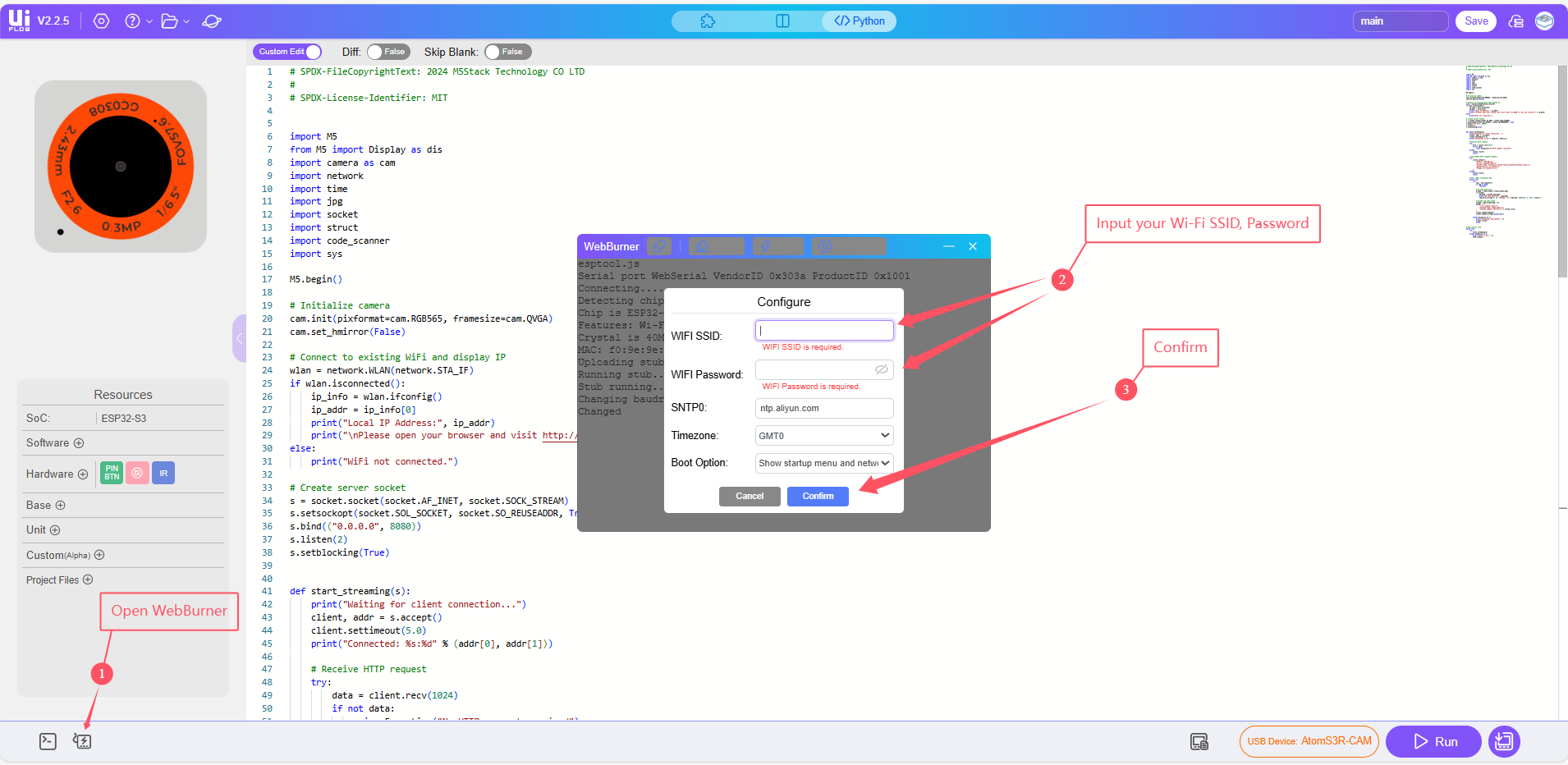
Configure Wi-Fi settings.
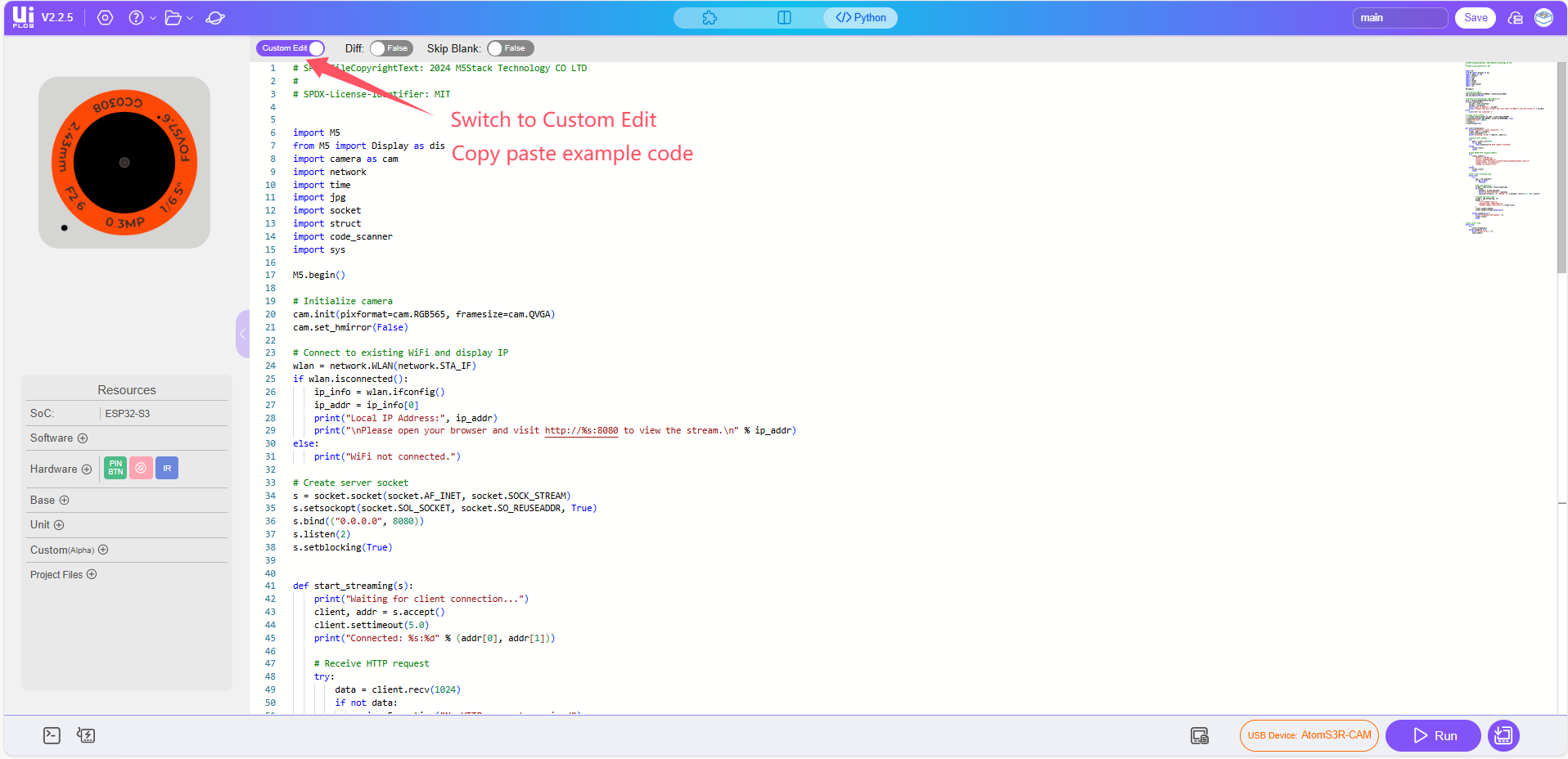
Copy the example code into the editor.
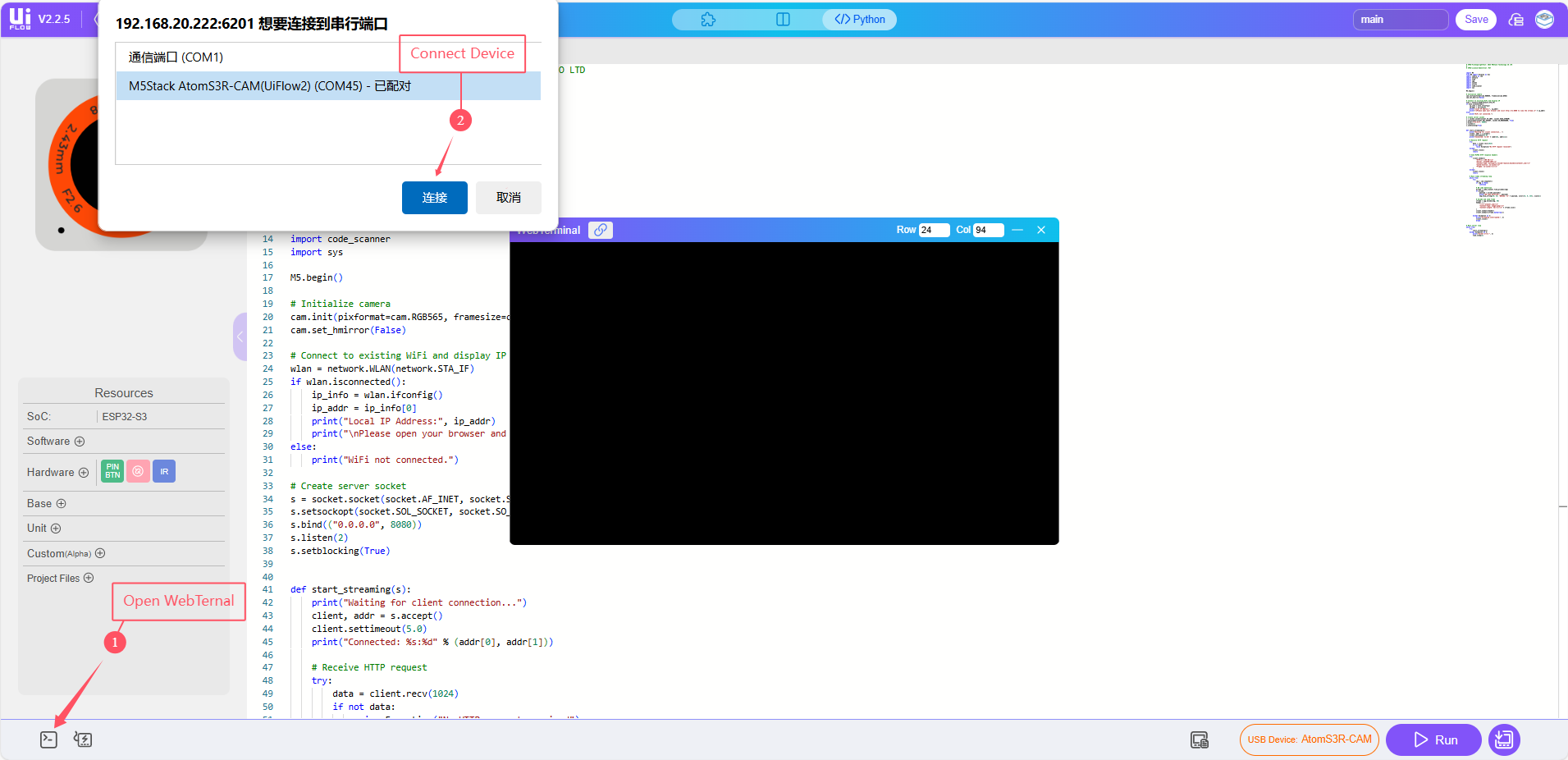
Run the program, After uploading, the console will print the local IP address assigned to the device.
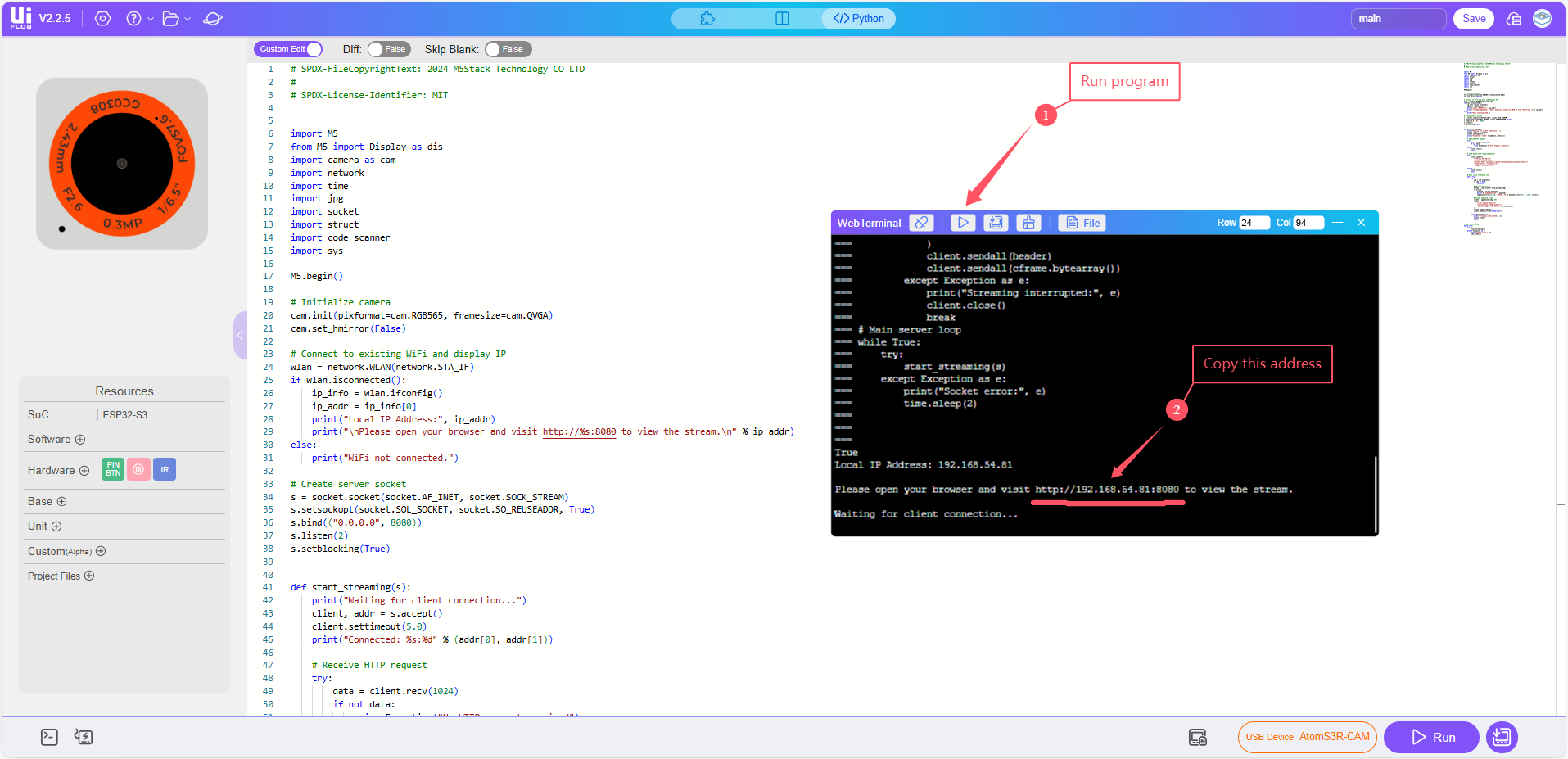
Open the video stream in your browser
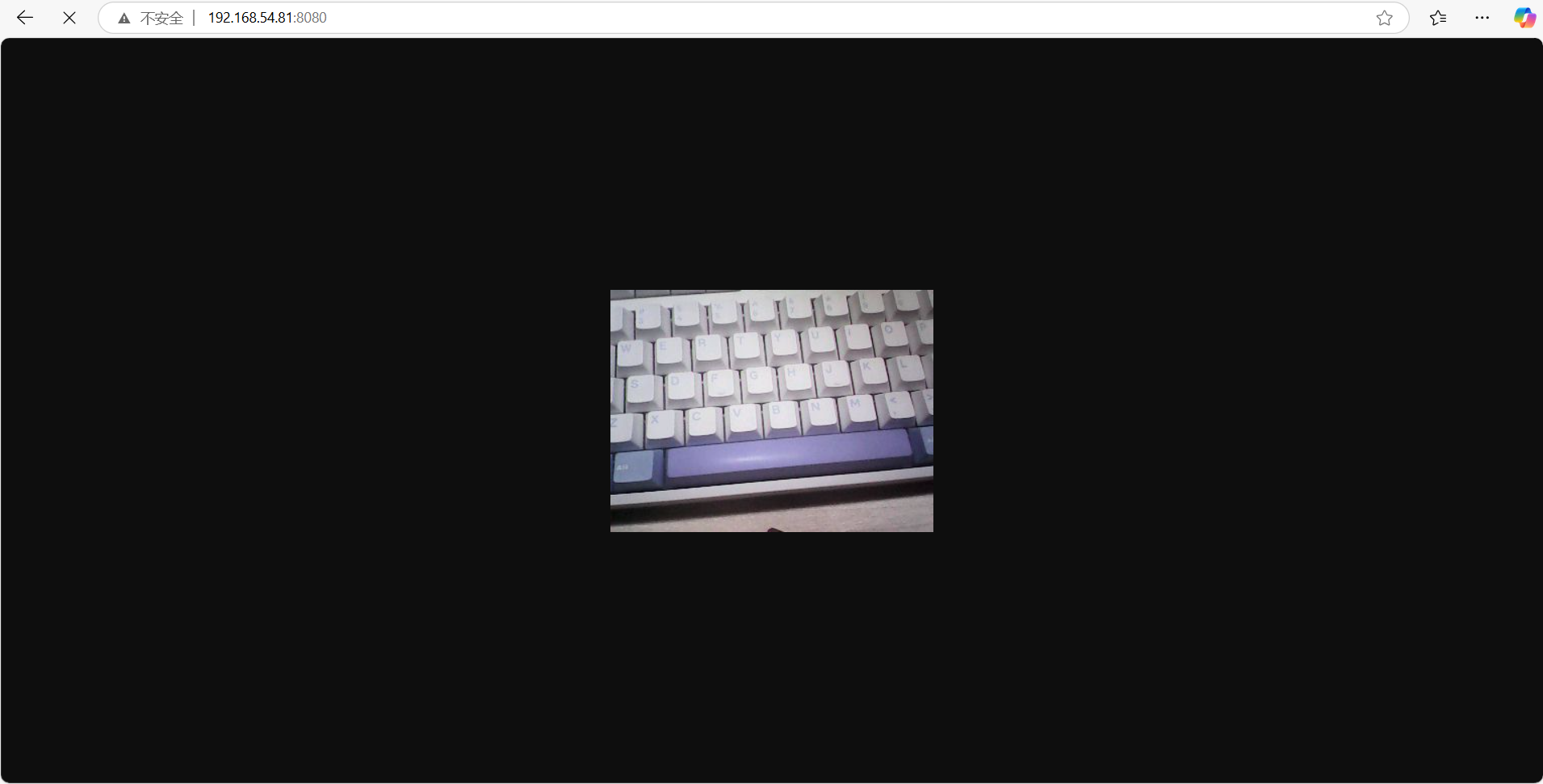
On any device connected to the same Wi-Fi network, open a browser and visit: http://<device-ip>:8080/, Replace <device-ip> with the actual IP address printed in the console.