PDM Unit
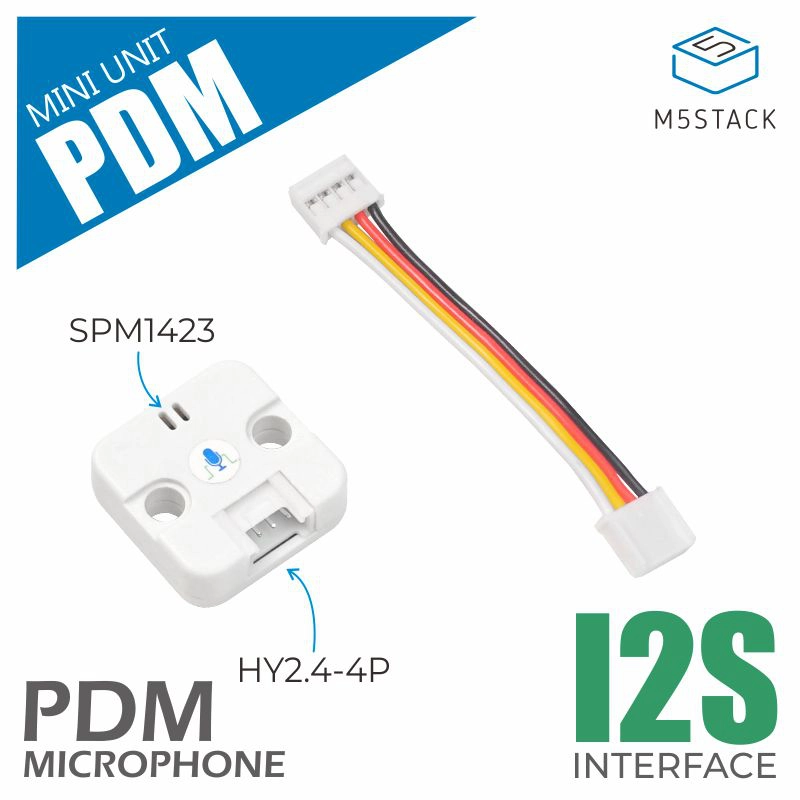
这是 PDM 单元的驱动程序库,提供了一套控制 PDM 麦克风的方法。通过 I2S 接口,该模块可记录音频数据并保存为 WAV 文件。
支持以下产品:
UiFlow2 应用示例
录音音频并播放
在 UiFlow2 中打开 pdm_cores3_example.m5f2 项目。
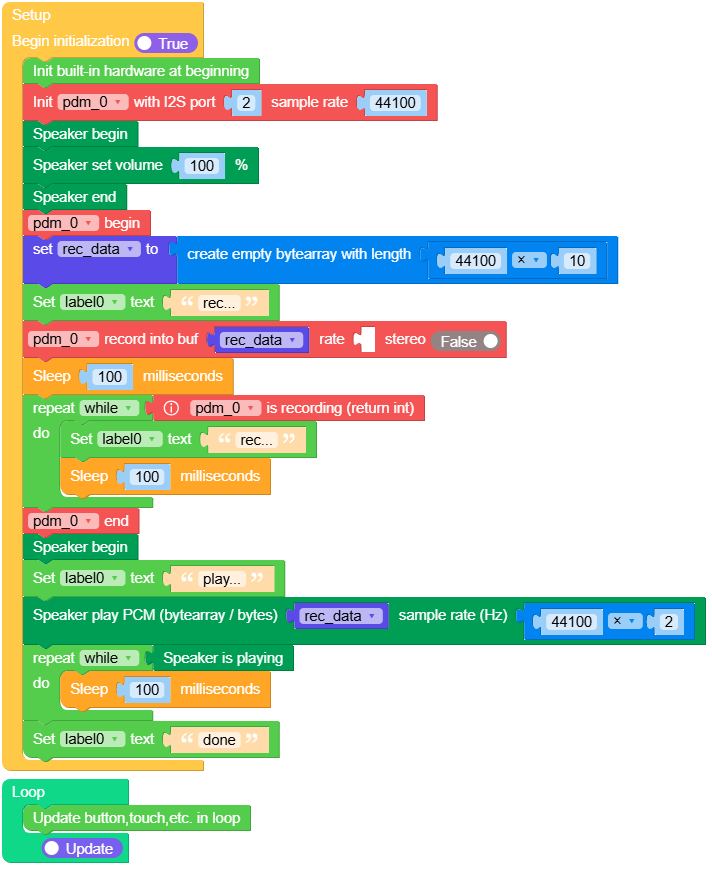
这个示例展示了录音音频并播放。
UiFlow2 代码块:
示例输出:
None
MicroPython 应用示例
录音音频并播放
这个示例展示了录音音频并播放。
MicroPython 代码块:
 1# SPDX-FileCopyrightText: 2024 M5Stack Technology CO LTD
 2#
 3# SPDX-License-Identifier: MIT
 4
 5import os, sys, io
 6import M5
 7from M5 import *
 8from unit import PDMUnit
 9import time
10
11
12label0 = None
13title0 = None
14pdm_0 = None
15
16
17rec_data = None
18
19
20def setup():
21    global label0, title0, pdm_0, rec_data
22
23    M5.begin()
24    Widgets.fillScreen(0x222222)
25    label0 = Widgets.Label("label0", 128, 114, 1.0, 0xFFFFFF, 0x222222, Widgets.FONTS.DejaVu18)
26    title0 = Widgets.Title("PDMUnit CoreS3 Example", 3, 0xFFFFFF, 0x0000FF, Widgets.FONTS.DejaVu18)
27
28    pdm_0 = PDMUnit((1, 2), i2s_port=2, sample_rate=44100)
29    Speaker.begin()
30    Speaker.setVolumePercentage(1)
31    Speaker.end()
32    pdm_0.begin()
33    rec_data = bytearray(44100 * 10)
34    label0.setText(str("rec..."))
35    pdm_0.record(rec_data, _, False)
36    time.sleep_ms(100)
37    while pdm_0.isRecording():
38        label0.setText(str("rec..."))
39        time.sleep_ms(100)
40    pdm_0.end()
41    Speaker.begin()
42    label0.setText(str("play..."))
43    Speaker.playRaw(rec_data, 44100 * 2)
44    while Speaker.isPlaying():
45        time.sleep_ms(100)
46    label0.setText(str("done"))
47
48
49def loop():
50    global label0, title0, pdm_0, rec_data
51    M5.update()
52
53
54if __name__ == "__main__":
55    try:
56        setup()
57        while True:
58            loop()
59    except (Exception, KeyboardInterrupt) as e:
60        try:
61            from utility import print_error_msg
62
63            print_error_msg(e)
64        except ImportError:
65            print("please update to latest firmware")
示例输出:
None
API
PDMUnit
- class unit.pdm.PDMUnit(*args, **kwargs)
基类:
objectPDM Unit class.
- 参数:
UiFlow2 代码块:

MicroPython 代码块:
from unit import PDMUnit

pdm_0 = PDMUnit((1, 2), i2s_port=0, sample_rate=44100)
PDMUnit 类继承了 Mic 类,详情请参见 hardware.Mic