Stamp CAM0308/CAM3660 Camera
The Stamp camera add-on is available with either a GC0308 sensor (CAM0308) or an OV3660 sensor (CAM3660).
The current UiFlow2 firmware supports both
variants on the StampS3Bat host and automatically detects when
camera.init is called.
Support the following products:
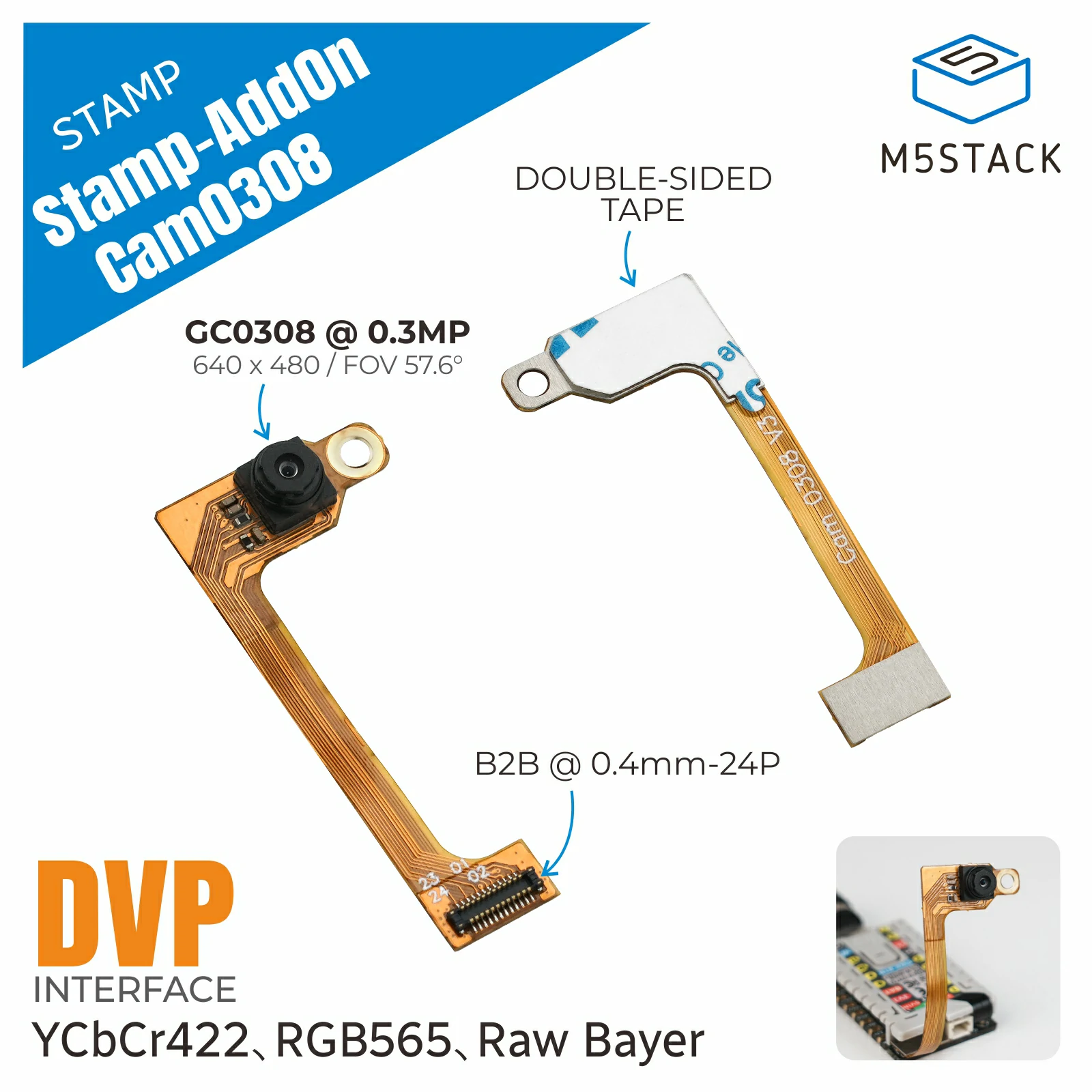
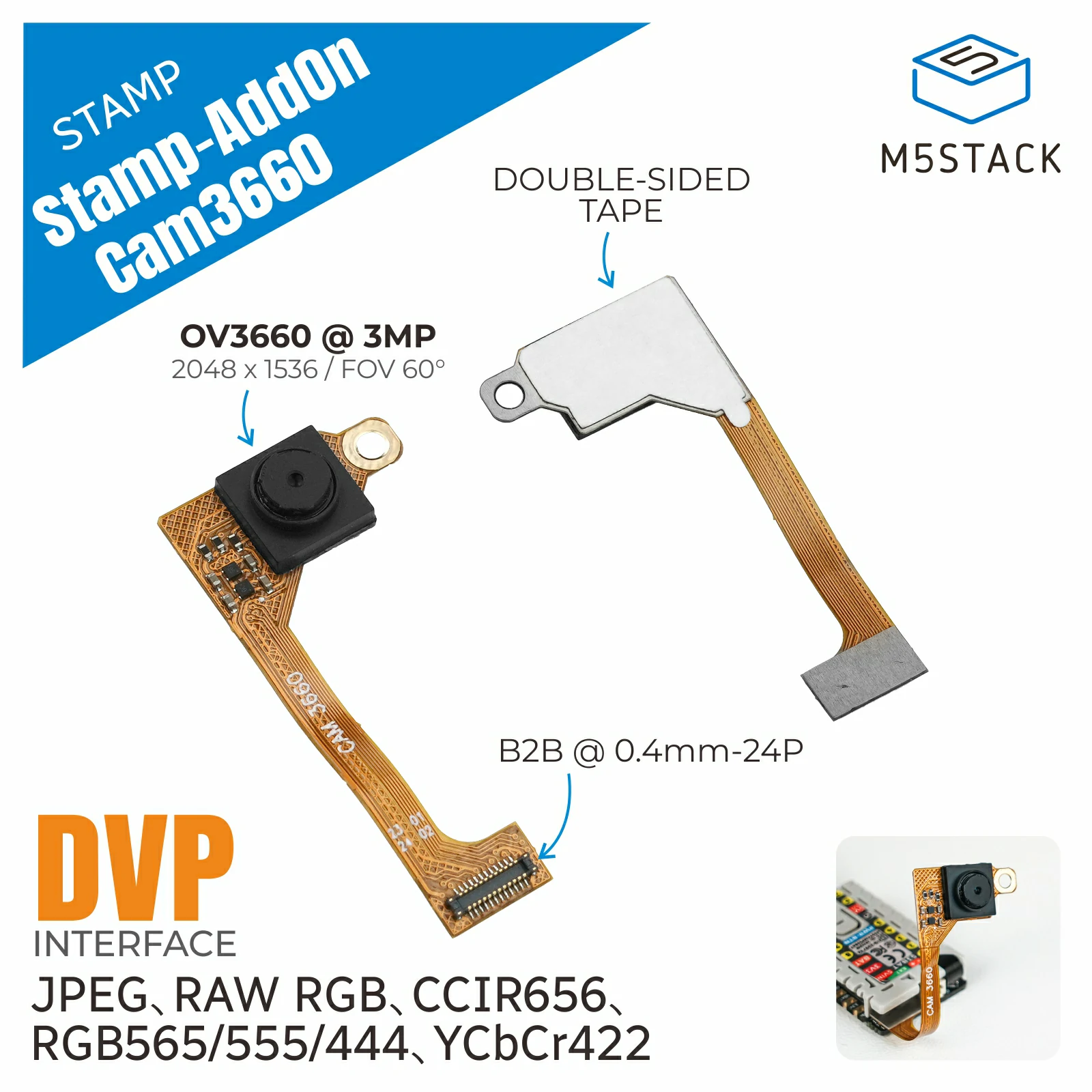
Supported sensors
The sensor driver identifies the camera over SCCB (the I2C-compatible camera control bus). The supported sensor variants are:
Product |
Sensor |
SCCB address |
Maximum resolution |
Supported output formats |
|---|---|---|---|---|
CAM0308 |
GC0308 |
|
640 x 480 (VGA) |
RGB565, YUV422, grayscale |
CAM3660 |
OV3660 |
|
2048 x 1536 (QXGA) |
RGB565, YUV422, JPEG |
The camera wiring and power-control configuration in the current firmware is specific to the StampS3Bat controller. Attach the camera add-on before initializing the camera.
UiFlow2 Example
Capture and draw on an image
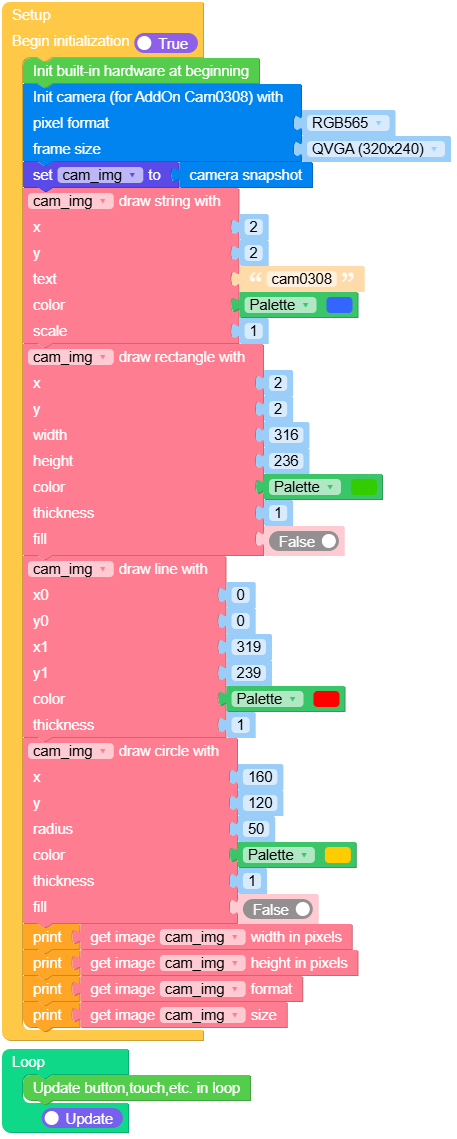
Open the cam0308_image_example.m5f2 project in UiFlow2. The example initializes the camera at QVGA/RGB565, captures one frame, draws text and shapes on it, and prints the image dimensions and format.
Wi-Fi video streaming with QR recognition
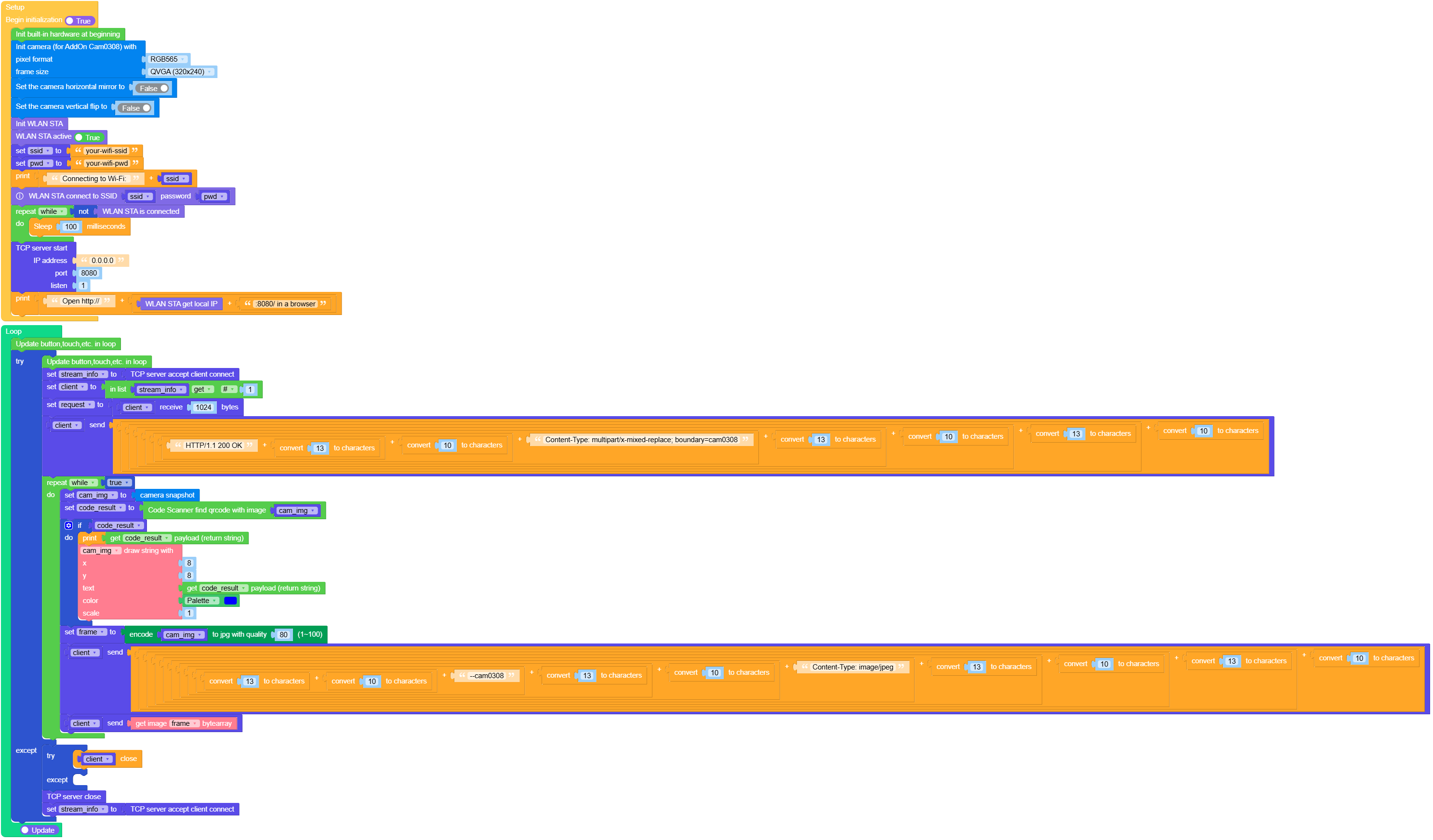
Open the cam0308_video_streaming_example.m5f2 project in UiFlow2. Replace the Wi-Fi SSID and password in the project, then open the printed device IP address on port 8080 in a browser. The stream includes QR-code recognition results when a QR code is visible.
MicroPython Example
Capture and draw on an image
 1# SPDX-FileCopyrightText: 2026 M5Stack Technology CO LTD
 2#
 3# SPDX-License-Identifier: MIT
 4
 5import os, sys, io
 6import M5
 7from M5 import *
 8import camera
 9import image
10
11
12stamp_addon_cam0308_0 = None
13
14
15cam_img = None
16
17
18def setup():
19    global stamp_addon_cam0308_0, cam_img
20
21    M5.begin()
22    camera.init(pixformat=camera.RGB565, framesize=camera.FRAME_QVGA)
23    cam_img = camera.snapshot()
24    cam_img.draw_string(2, 2, str("cam0308"), color=0x3366FF, scale=1)
25    cam_img.draw_rectangle(2, 2, 316, 236, color=0x33CC00, thickness=1, fill=False)
26    cam_img.draw_line(0, 0, 319, 239, color=0xFF0000, thickness=1)
27    cam_img.draw_circle(160, 120, 50, color=0xFFCC00, thickness=1, fill=False)
28    print(cam_img.width())
29    print(cam_img.height())
30    print(cam_img.format())
31    print(cam_img.size())
32
33
34def loop():
35    global stamp_addon_cam0308_0, cam_img
36    M5.update()
37
38
39if __name__ == "__main__":
40    try:
41        setup()
42        while True:
43            loop()
44    except (Exception, KeyboardInterrupt) as e:
45        try:
46            from utility import print_error_msg
47
48            print_error_msg(e)
49        except ImportError:
50            print("please update to latest firmware")
Wi-Fi video streaming with QR recognition
Set ssid and pwd in the example before running it. After the board
connects to Wi-Fi, visit http://<device-ip>:8080/ to view the MJPEG stream.
  1# SPDX-FileCopyrightText: 2026 M5Stack Technology CO LTD
  2#
  3# SPDX-License-Identifier: MIT
  4
  5import os, sys, io
  6import M5
  7from M5 import *
  8import camera
  9from easysocket import EasyTCPServer
 10import socket
 11import network
 12import code_scanner
 13import time
 14import image
 15import jpg
 16
 17
 18tcps = None
 19wlan_sta = None
 20stamp_addon_cam0308_0 = None
 21
 22
 23stream_info = None
 24client = None
 25request = None
 26ssid = None
 27pwd = None
 28cam_img = None
 29code_result = None
 30frame = None
 31
 32
 33def setup():
 34    global \
 35        tcps, \
 36        wlan_sta, \
 37        stamp_addon_cam0308_0, \
 38        stream_info, \
 39        client, \
 40        request, \
 41        ssid, \
 42        pwd, \
 43        cam_img, \
 44        code_result, \
 45        frame
 46
 47    M5.begin()
 48    camera.init(pixformat=camera.RGB565, framesize=camera.FRAME_QVGA)
 49    camera.set_hmirror(False)
 50    camera.set_vflip(False)
 51    wlan_sta = network.WLAN(network.STA_IF)
 52    wlan_sta.active(True)
 53    ssid = "your-wifi-ssid"
 54    pwd = "your-wifi-pwd"
 55    print((str("Connecting to Wi-Fi: ") + str(ssid)))
 56    wlan_sta.connect(ssid, pwd)
 57    while not (wlan_sta.isconnected()):
 58        time.sleep_ms(100)
 59    tcps = socket.socket(socket.AF_INET, socket.SOCK_STREAM)
 60    tcps.setsockopt(socket.SOL_SOCKET, socket.SO_REUSEADDR, 1)
 61    tcps.bind(("0.0.0.0", 8080))
 62    tcps.listen(1)
 63    print(
 64        (str("Open http://") + str((str((wlan_sta.ifconfig()[0])) + str(":8080/ in a browser"))))
 65    )
 66
 67
 68def loop():
 69    global \
 70        tcps, \
 71        wlan_sta, \
 72        stamp_addon_cam0308_0, \
 73        stream_info, \
 74        client, \
 75        request, \
 76        ssid, \
 77        pwd, \
 78        cam_img, \
 79        code_result, \
 80        frame
 81    M5.update()
 82    try:
 83        M5.update()
 84        stream_info = tcps.accept()
 85        client = stream_info[0]
 86        request = client.recv(1024)
 87        client.send(
 88            (
 89                str(
 90                    (
 91                        str(
 92                            (
 93                                str(
 94                                    (
 95                                        str(
 96                                            (
 97                                                str(
 98                                                    (
 99                                                        str(
100                                                            (
101                                                                str("HTTP/1.1 200 OK")
102                                                                + str((chr(13)))
103                                                            )
104                                                        )
105                                                        + str((chr(10)))
106                                                    )
107                                                )
108                                                + str(
109                                                    "Content-Type: multipart/x-mixed-replace; boundary=cam0308"
110                                                )
111                                            )
112                                        )
113                                        + str((chr(13)))
114                                    )
115                                )
116                                + str((chr(10)))
117                            )
118                        )
119                        + str((chr(13)))
120                    )
121                )
122                + str((chr(10)))
123            )
124        )
125        while True:
126            cam_img = camera.snapshot()
127            code_result = code_scanner.find_qrcodes(cam_img)
128            if code_result:
129                print(code_result.payload())
130                cam_img.draw_string(8, 8, str(code_result.payload()), color=0x0000FF, scale=1)
131            frame = jpg.encode(cam_img, 80)
132            client.send(
133                (
134                    str(
135                        (
136                            str(
137                                (
138                                    str(
139                                        (
140                                            str(
141                                                (
142                                                    str(
143                                                        (
144                                                            str(
145                                                                (
146                                                                    str(
147                                                                        (
148                                                                            str(
149                                                                                (
150                                                                                    str((chr(13)))
151                                                                                    + str(
152                                                                                        (chr(10))
153                                                                                    )
154                                                                                )
155                                                                            )
156                                                                            + str("--cam0308")
157                                                                        )
158                                                                    )
159                                                                    + str((chr(13)))
160                                                                )
161                                                            )
162                                                            + str((chr(10)))
163                                                        )
164                                                    )
165                                                    + str("Content-Type: image/jpeg")
166                                                )
167                                            )
168                                            + str((chr(13)))
169                                        )
170                                    )
171                                    + str((chr(10)))
172                                )
173                            )
174                            + str((chr(13)))
175                        )
176                    )
177                    + str((chr(10)))
178                )
179            )
180            client.send(frame.bytearray())
181    except:
182        try:
183            client.close()
184        except:
185            pass
186
187        tcps.close()
188        stream_info = tcps.accept()
189
190
191if __name__ == "__main__":
192    try:
193        setup()
194        while True:
195            loop()
196    except (Exception, KeyboardInterrupt) as e:
197        try:
198            from utility import print_error_msg
199
200            print_error_msg(e)
201        except ImportError:
202            print("please update to latest firmware")
API
The camera add-on uses the shared camera module. See
camera for initialization, capture, frame-size, pixel
format, mirror, and flip APIs.
The image returned by camera.snapshot() uses the shared image module;
see image for image drawing and inspection methods.