addon DisplayIn
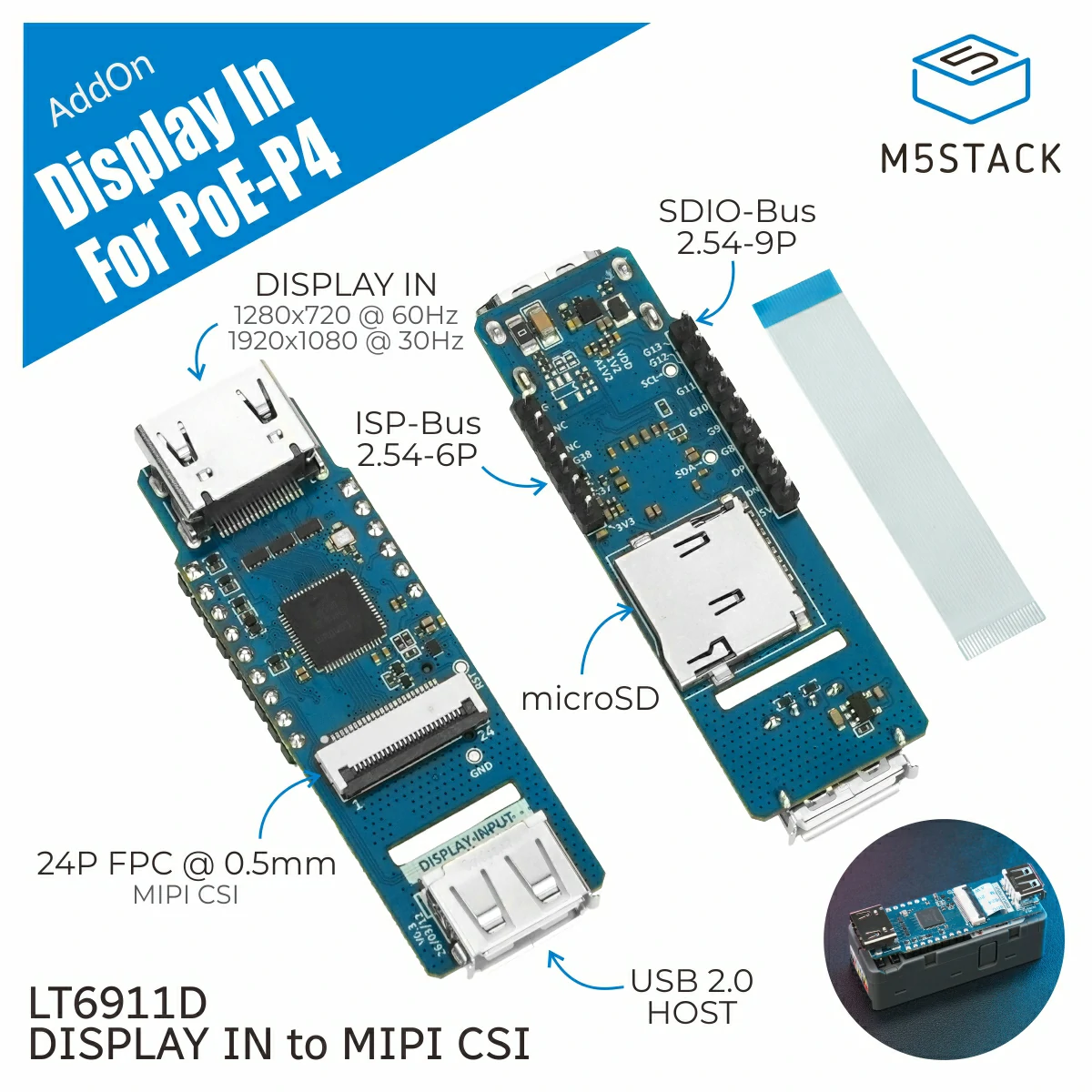
DisplayIn captures HDMI input from the Display In Add-on (U220) connected
to Unit PoE-P4 and saves a frame as a JPEG file. It initializes the LT6911
HDMI receiver when created and releases the capture resources with
DisplayIn.deinit().
The current capture format is 1280x720. Connect an HDMI source before
calling DisplayIn.capture().
Support the following products:
UiFlow2 Example
HDMI input
Create a DisplayIn object and capture one frame to the selected file path.
Open the display_in_poep4_example.m5f2 project in UiFlow2.
UiFlow2 Code Block:
MicroPython Example
HDMI input
This example captures one frame from the HDMI input and saves it as a JPEG file in the device flash file system.
MicroPython Code Block:
 1# SPDX-FileCopyrightText: 2026 M5Stack Technology CO LTD
 2#
 3# SPDX-License-Identifier: MIT
 4
 5import os, sys, io
 6import M5
 7from M5 import *
 8from addon import DisplayIn
 9import time
10
11
12addon_display_in_0 = None
13
14
15def setup():
16    global addon_display_in_0
17
18    M5.begin()
19    addon_display_in_0 = DisplayIn()
20    time.sleep(1)
21    print(
22        (
23            str("saved /flash/lt6911_capture.jpg, ")
24            + str(
25                (str((addon_display_in_0.capture("/flash/capture.jpg", 75, 1000))) + str("bytes"))
26            )
27        )
28    )
29
30
31def loop():
32    global addon_display_in_0
33    M5.update()
34
35
36if __name__ == "__main__":
37    try:
38        setup()
39        while True:
40            loop()
41    except (Exception, KeyboardInterrupt) as e:
42        try:
43            from utility import print_error_msg
44
45            print_error_msg(e)
46        except ImportError:
47            print("please update to latest firmware")
API
DisplayIn
- class addon.display_in.DisplayIn
Bases:
objectCapture HDMI input from the Display In Add-on (U220) as JPEG images.
DisplayIninitializes the LT6911 HDMI receiver. Callcapture()to save one captured frame, then calldeinit()when capture is no longer needed.UiFlow2 Code Block:

MicroPython Code Block:
from addon import DisplayIn

display_in = DisplayIn()
size = display_in.capture("/flash/capture.jpg", quality=75)
display_in.deinit()
- capture(path, quality=75, timeout_ms=1000)
Capture one HDMI frame and save it as a JPEG file.
- Parameters:
- Returns:
Number of bytes written to
path.- Return type:
UiFlow2 Code Block:

MicroPython Code Block:
size = display_in.capture("/flash/capture.jpg", quality=75)
- deinit()
Release the Display In Add-on (U220) HDMI input resources.
UiFlow2 Code Block:

MicroPython Code Block:
display_in.deinit()
- Return type:
None