addon DisplayOut
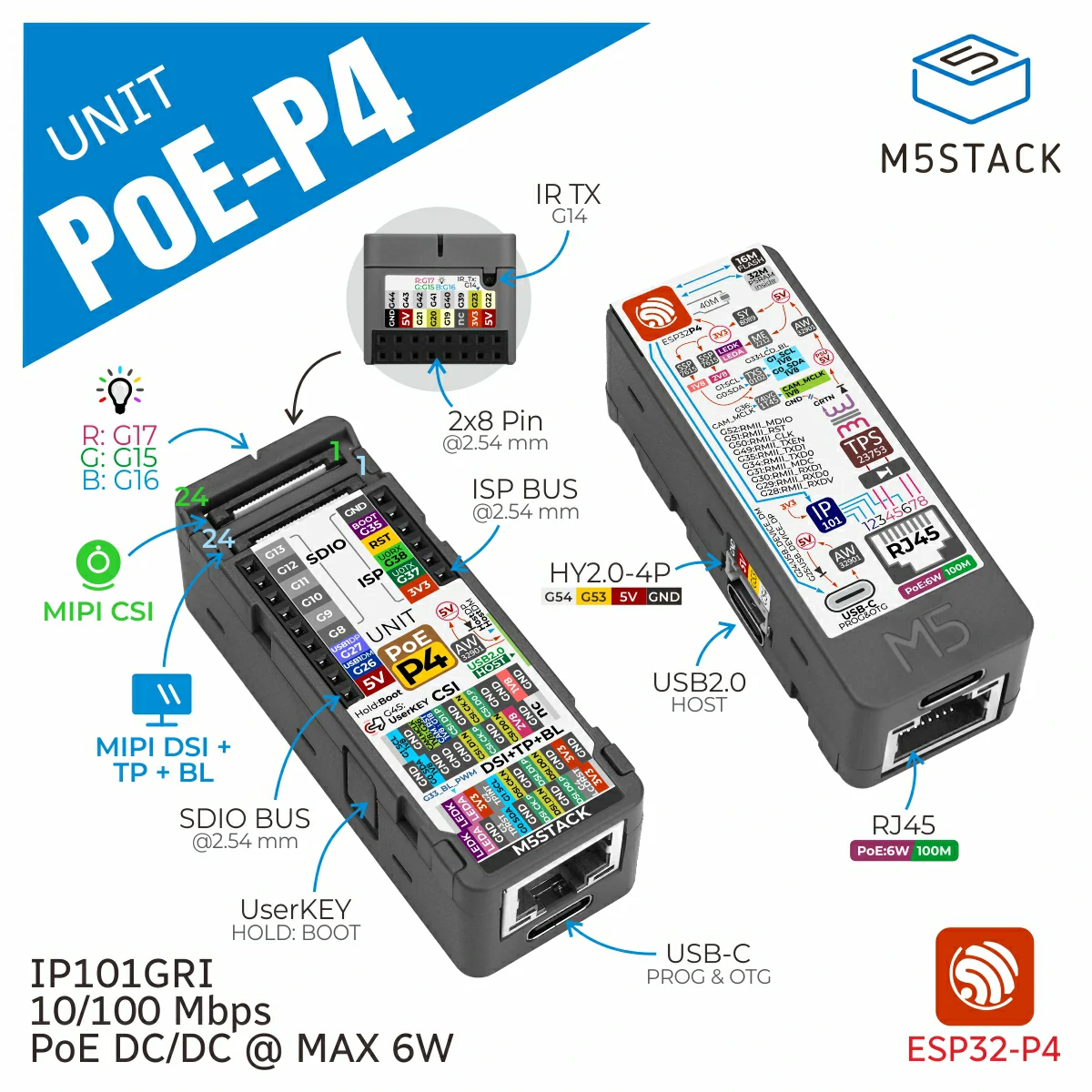
DisplayOut enables HDMI display output on Unit PoE-P4 by registering the
PoE-P4 HDMI interface as an M5 display. Use it when an external HDMI monitor is
connected to the Unit PoE-P4 display output.
Support the following products:
UiFlow2 Example
HDMI output
Open the display_out_poep4_example.m5f2 project in UiFlow2.
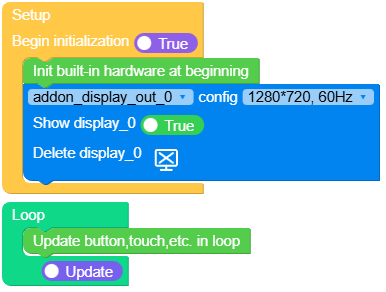
This example initializes the HDMI output at 1280x720@60Hz and draws basic widgets on the external display.
UiFlow2 Code Block:
Example output:
MicroPython Example
HDMI output
This example initializes the HDMI output and draws basic widgets on the external display.
MicroPython Code Block:
 1# SPDX-FileCopyrightText: 2026 M5Stack Technology CO LTD
 2#
 3# SPDX-License-Identifier: MIT
 4
 5import os, sys, io
 6import M5
 7from M5 import *
 8from addon import DisplayOut
 9
10
11title = None
12circle0 = None
13rect0 = None
14label0 = None
15line0 = None
16triangle0 = None
17addon_display_out_0 = None
18
19
20def setup():
21    global title, circle0, rect0, label0, line0, triangle0, addon_display_out_0
22
23    M5.begin()
24    addon_display_out_0 = DisplayOut(1280, 720, 60)
25    Widgets.fillScreen(0x000000, addon_display_out_0)
26    title = Widgets.Title(
27        "addon Display Out For PoE-P4 Example",
28        3,
29        0xFFFFFF,
30        0x0000FF,
31        Widgets.FONTS.Montserrat18,
32        addon_display_out_0,
33    )
34    circle0 = Widgets.Circle(118, 182, 68, 0xFFFFFF, 0xFFFFFF, addon_display_out_0)
35    rect0 = Widgets.Rectangle(885, 338, 217, 217, 0xFFFFFF, 0xFFFFFF, addon_display_out_0)
36    label0 = Widgets.Label(
37        "label0",
38        556,
39        149,
40        1.0,
41        0xFFFFFF,
42        0x222222,
43        Widgets.FONTS.Montserrat18,
44        addon_display_out_0,
45    )
46    line0 = Widgets.Line(398, 446, 448, 446, 0xFFFFFF, addon_display_out_0)
47    triangle0 = Widgets.Triangle(
48        765, 346, 735, 376, 794, 376, 0xFFFFFF, 0xFFFFFF, addon_display_out_0
49    )
50
51
52def loop():
53    global title, circle0, rect0, label0, line0, triangle0, addon_display_out_0
54    M5.update()
55
56
57if __name__ == "__main__":
58    try:
59        setup()
60        while True:
61            loop()
62    except (Exception, KeyboardInterrupt) as e:
63        try:
64            from utility import print_error_msg
65
66            print_error_msg(e)
67        except ImportError:
68            print("please update to latest firmware")
Example output:
API
DisplayOut
- class addon.display_out.DisplayOut(width=1280, height=720, refresh_rate=60)
Bases:
objectCreate an HDMI display output for Unit PoE-P4.
DisplayOutregisters the Unit PoE-P4 HDMI output as an M5 display and returns the display object created byM5.addDisplay. The display can then be used by the standard M5 display APIs.- Parameters:
- Returns:
The display object registered by
M5.addDisplay.- Return type:
Note
Unit PoE-P4 HDMI output supports
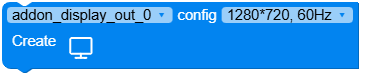
1280x720@60Hzand1920x1080@30Hztimings.UiFlow2 Code Block:
MicroPython Code Block:
from addon import DisplayOut

display = DisplayOut(1280, 720, 60)