PDM Unit
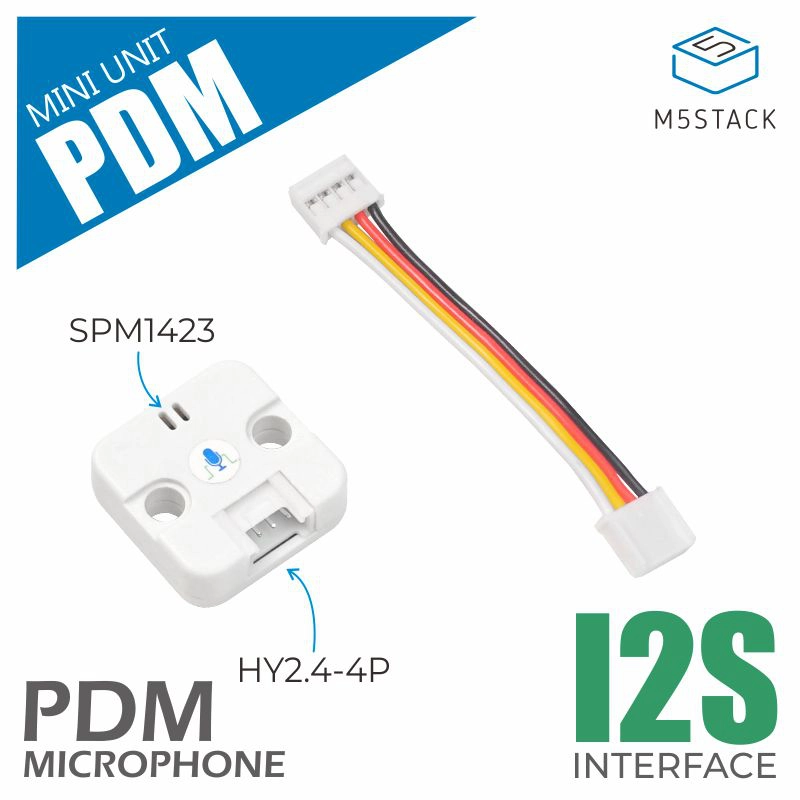
This is the driver library of PDM Unit, which is provides a set of methods to control the PDM microphone. Through the I2S interface, the module can record audio data and save it as WAV files.
Support the following products:
UiFlow2 Example
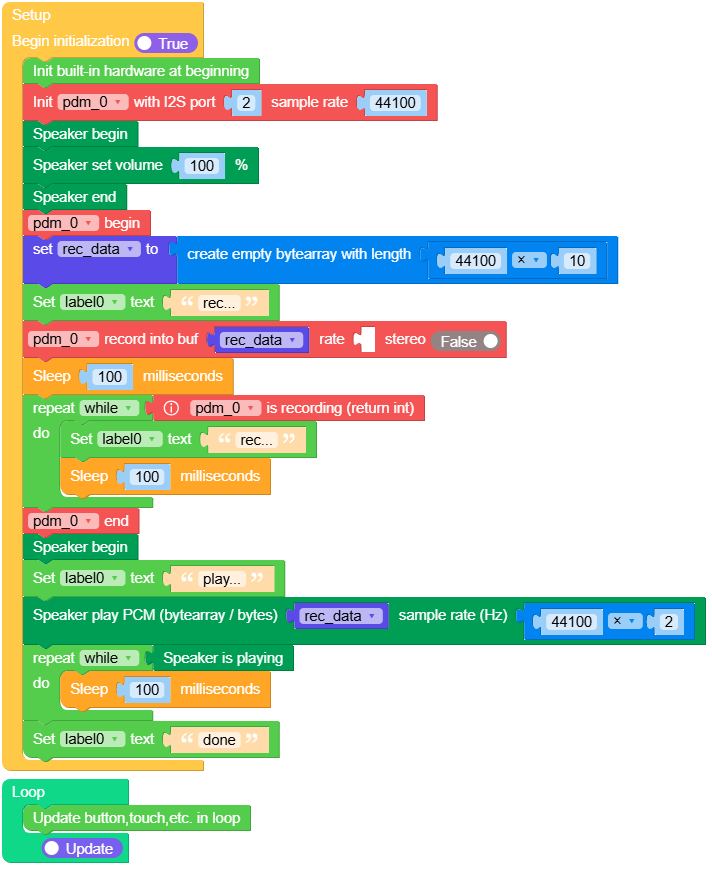
record voice and play voice
Open the pdm_cores3_example.m5f2 project in UiFlow2.
This example records voice and plays voice.
UiFlow2 Code Block:
Example output:
None
MicroPython Example
record voice and play voice
This example records voice and plays voice.
MicroPython Code Block:
 1# SPDX-FileCopyrightText: 2024 M5Stack Technology CO LTD
 2#
 3# SPDX-License-Identifier: MIT
 4
 5import os, sys, io
 6import M5
 7from M5 import *
 8from unit import PDMUnit
 9import time
10
11
12label0 = None
13title0 = None
14pdm_0 = None
15
16
17rec_data = None
18
19
20def setup():
21    global label0, title0, pdm_0, rec_data
22
23    M5.begin()
24    Widgets.fillScreen(0x222222)
25    label0 = Widgets.Label("label0", 128, 114, 1.0, 0xFFFFFF, 0x222222, Widgets.FONTS.DejaVu18)
26    title0 = Widgets.Title("PDMUnit CoreS3 Example", 3, 0xFFFFFF, 0x0000FF, Widgets.FONTS.DejaVu18)
27
28    pdm_0 = PDMUnit((1, 2), i2s_port=2, sample_rate=44100)
29    Speaker.begin()
30    Speaker.setVolumePercentage(1)
31    Speaker.end()
32    pdm_0.begin()
33    rec_data = bytearray(44100 * 10)
34    label0.setText(str("rec..."))
35    pdm_0.record(rec_data, _, False)
36    time.sleep_ms(100)
37    while pdm_0.isRecording():
38        label0.setText(str("rec..."))
39        time.sleep_ms(100)
40    pdm_0.end()
41    Speaker.begin()
42    label0.setText(str("play..."))
43    Speaker.playRaw(rec_data, 44100 * 2)
44    while Speaker.isPlaying():
45        time.sleep_ms(100)
46    label0.setText(str("done"))
47
48
49def loop():
50    global label0, title0, pdm_0, rec_data
51    M5.update()
52
53
54if __name__ == "__main__":
55    try:
56        setup()
57        while True:
58            loop()
59    except (Exception, KeyboardInterrupt) as e:
60        try:
61            from utility import print_error_msg
62
63            print_error_msg(e)
64        except ImportError:
65            print("please update to latest firmware")
Example output:
None
API
PDMUnit
- class unit.pdm.PDMUnit(*args, **kwargs)
Bases:
objectPDM Unit class.
- Parameters:
UiFlow2 Code Block:

MicroPython Code Block:
from unit import PDMUnit

pdm_0 = PDMUnit((1, 2), i2s_port=0, sample_rate=44100)
- begin()
Initialize the PDM microphone.
- Returns:
Returns True if initialization was successful, False otherwise.
- Return type:
UiFlow2 Code Block:

MicroPython Code Block:
pdm.begin()
- end()
Stop the PDM microphone.
UiFlow2 Code Block:

MicroPython Code Block:
pdm.end()
- record(buffer, sample_rate=16000, stereo=False)
Record audio data into the provided buffer.
- Parameters:
- Returns:
True if recording started successfully
- Return type:
UiFlow2 Code Block:

MicroPython Code Block:
rec_data = bytearray(16000 * 5)  # 5 seconds buffer
pdm.record(rec_data, 16000, False)
- isRecording()
Check if recording is in progress.
- Returns:
Returns the number of bytes recorded.
0- Not recording1- Recording (Queue has available space)2- Recording (Queue is full)
- Return type:
UiFlow2 Code Block:

MicroPython Code Block:
pdm.isRecording()
- recordWavFile(path, rate=16000, time=5, stereo=False)
Record audio directly to a WAV file.
- Parameters:
- Returns:
True if recording was successful
- Return type:
UiFlow2 Code Block:

MicroPython Code Block:
pdm.recordWavFile("/sd/test.wav", 16000, 5, False)
- config(**kwargs)
Configure the PDM microphone parameters.
- Parameters:
kwargs –
Configuration parameters
pin_data_in: Data input pin
pin_ws: Word select pin
sample_rate: Sample rate in Hz
stereo: Stereo mode
over_sampling: Over sampling rate
noise_filter_level: Noise filter level
magnification: Audio magnification
dma_buf_len: DMA buffer length
dma_buf_count: DMA buffer count
task_priority: Task priority
task_pinned_core: Task core pinning
i2s_port: I2S port number
UiFlow2 Code Block:




MicroPython Code Block:
pdm.config(
    dma_buf_count=3,
    dma_buf_len=256,
    over_sampling=2,
    noise_filter_level=0,
    sample_rate=16000,
    pin_data_in=1,
    pin_ws=2,
    pin_bck=-1,
    pin_mck=-1,
    use_adc=False,
    stereo=False,
    magnification=1,
    task_priority=2,
    task_pinned_core=255,
    i2s_port=i2s_port,
)